Windows Phone is not dead. It is alive and well, and the newest flagship from Microsoft proves that.
I had the pleasure of using the Microsoft Lumia 950 XL for two weeks and I can say without a doubt, that it is the best Windows Phone on the market. It’s fast, powerful, and elegant all at the same time. Let’s go ahead and dive right into my review of the Lumia 950 XL.
Specifications
The Lumia 950 XL is a powerhouse. Packed inside is a Qualcomm Snapdragon 810 Octa-core 2.0 GHz processor with 3 GB of RAM. The beautiful 5.7” WQHD screen boasts a resolution of 2560 x 1440 with a pixel density of 518 ppi. On board is 32 GB of internal storage and you can expand that with up to 200 additional GB using a microSD card. The battery that powers the 950 XL is a 3340 mAh removable battery which provides a very lengthy time between charges. When the device does need charging, the USB-C provides a very quick charging time.
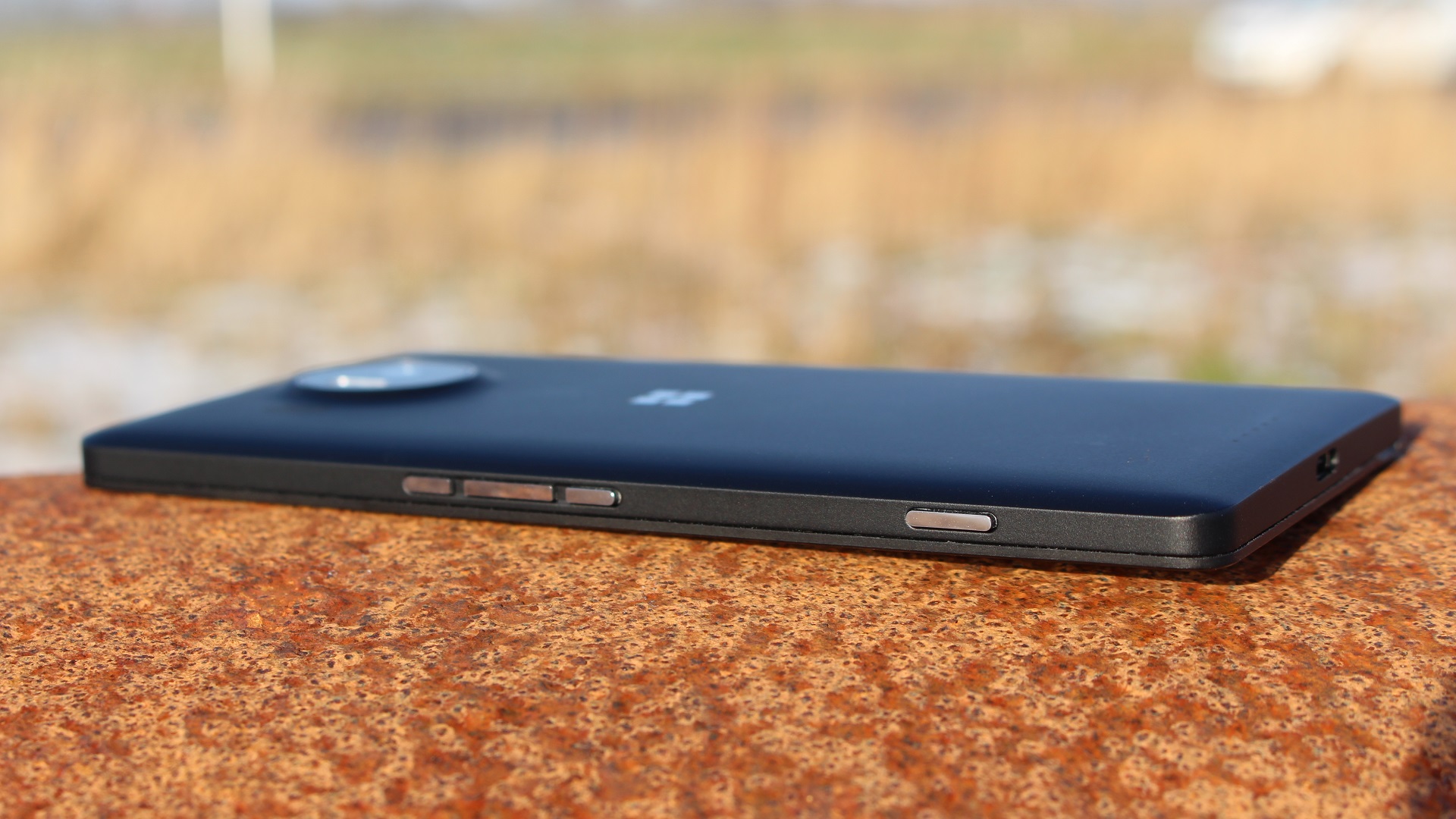
The back of the phone is made of polycarbonate with the Microsoft logo etched in metal. On the right side is the lock button, volume rockers, and the camera button. Along the top lies the 3.5 mm headphone jack and a USB-C sits at the bottom to complete the package. The screen is extremely durable Gorilla Glass 4.

General Experience
When you first boot up the device, you get the option to start fresh, or restore from a previous backup. Since I was using the device for only two weeks I started with a fresh slate. I proceeded to enter my Microsoft account credentials and began to sync my text messages from my Lumia 640 and other small settings. Naturally, there were several updates to Windows 10 Mobile and I began installing the newest build and apps that I wanted to use. The process took about 1.5 hours from start to finish and included a complete download and update of Windows 10 Mobile and about fifty app installs.
Once the phone rebooted and everything was done, the phone felt fast and fluid and I experienced no hiccups as I put the phone through some testing. I opened app after app while playing songs from Groove Music, and the phone never missed a beat. It was snappy and it handled multitasking pretty well.

Windows 10 Mobile
Windows 10 Mobile is a great successor to Windows Phone 8.1 and it’s my favorite mobile operating system on the market. I have Insider builds installed on my Lumia 640, and to see the progress the OS has made over the past few months has been astounding. The build I was running was more stable than past builds, but I still encountered minor issues. Occasionally I would encounter a “Resuming…” screen for more than a few seconds, or the messaging app would take a couple more seconds than usual to load everything. I encountered a random reboot only one time during my two weeks with the device.
The newest version of Windows 10 Mobile builds on the foundation built by 8.1. Customization reigns king in Windows 10 Mobile. You can now have an image become the Start screen background with transparent tiles over top, which is different than only being able to have a background image restricted to the tiles. That customization option still exists and it provides you with a plethora of options to make your phone truly yours. Also returning in Windows 10 Mobile are the theme colors. Several new colors have been added, and the ability to change your theme color at any time you want provides even another way to customize your phone.

Windows Hello
One of the coolest features touted by Microsoft for the 950 twins is Windows Hello. Windows Hello is the Lumia equivalent of Touch ID and the Android fingerprint scanner. Except it’s better and cooler. Windows Hello is an Iris scanner that will only unlock with your eyes.
The setup process is easy and you only have to look into the scanner for a few seconds to set it up. To help improve the recognition capabilities of the scanner, one can use “Improve Recognition” which will improve the accuracy and consistency of the scanner. Windows Hello will work with glasses on and even in pitch black darkness. I used Windows Hello for the entirety of the trial and it is one of the Lumia 950 XL’s killer features.
Application Ecosystem
The app gap is real, but not as big as some might think. All of the big apps are there including Twitter, Facebook, WhatsApp, Instagram, Spotify and many others, but smaller apps and several banking apps are missing, but they do not ruin the experience for me. There is one major app that is missing from Windows Phone though: SnapChat. SnapChat is an instant messaging app that uses pictures and short videos that let you chat with friends. Being a college student, SnapChat is incredibly popular among my friends, and I am the only one among my social circle that does not use the app. This is the only major complaint I have with the app selection on Windows Phone. The SnapChat CEO refuses to develop a version for Windows Phone, and every third-party app that is developed is met with brute force from SnapChat.
Third-party clients are where Windows 10 Mobile shines. Some of the best apps on Windows 10 Mobile are developed by third parties, and they often outshine the official ones. Tweetium is my Twitter app of choice because the app is fast, fluid, and easy to use. 6Tag is the best Instagram client and Readit is an amazing Reddit client.
The app store is also filled with games! Several of the games have integration with Xbox Live and you can earn achievements and compete with your friends. A lot of these games are incredibly addicting and provide a way to pass time in a quick and fun way. The gorgeous screen makes these titles look gorgeous and the powerful processor insures that there is no jerky behavior. It’s a great gaming phone.
Speaking of Xbox, Windows 10 Mobile has the Xbox app preinstalled. It’s a full-fledged app similar to the one found on Windows 10 for PCs and it provides a way to interact with your Xbox One community on the go. You can use the app as a controller and a keyboard, which is extremely useful when your controller is across the room, but your phone is right beside you. I just wish we got the ability to stream Xbox One games to your phone and somehow use an adapter to hook up the device to a controller. This might be asking for a lot but I think if anyone can do it, it’s Microsoft.

Camera
Lumias have always been known for their cameras. The 950 XL is no exception. On board is a 20 MP PureView Zeiss Lens with a triple-LED flash capable of 4K video recording. The front facing camera is a 5 MP lens. This phone has one of the best cameras I have ever used. Every image in this review has been captured using the Lumia 950 XL, except for the photo of the phone itself, for which I used my Lumia 640.
One of the coolest features of the camera app is the ability to adjust the flash after the picture has already been taken. It allows you to find the perfect lighting that makes your dinner at Chipotle look downright gorgeous.

Windows Continuum
One of the most amazing features that sets the Lumia 950 XL truly apart is the fact that you can convert it to a proper desktop computer. Yes, you heard that right. The trial I was provided came with a keyboard, mouse and Display Dock which work together to make the device into a proper computer. I hooked it up to my monitor and was able to use all programs on a larger screen. They scaled up to the experience so everything looked like it was made for my large monitor.
This is a handy feature for those wishing to use their phones as their only device. You can use the 950 XL as your only device due to this feature. I even tried this out myself and, while it takes some getting used to, it works. The 950 XL might just be the first phone that can replace a computer. The technology is that revolutionary.
Summary
If you are in the market to buy a new phone, the Lumia 950 XL would be a worthy successor to almost any phone. It’s design, operating system, and overall appeal are great and I can confidently recommend the phone to anyone and everyone I come across. If you’re an Xbox One owner, I recommend this as a great accessory for your console as well. It’s truly a great device.

Jonathan was a regular ICXM contributor between 2015–2017, publishing 57 articles across opinion pieces, game reviews, Windows and PC, and Xbox news. Their work focused on hands-on reviews, platform commentary, and breaking-news reporting during the Xbox One X launch year and Microsoft’s wider Play Anywhere / UWP gaming initiative. They post on X as @jtainsworth13.