Introduction
I have been fortunate enough to be trialling the Lumia 640 XL over the past two weeks thanks to @LumiaVoices, so just like when I had the 640, I decided that I would use the 640 XL as my primary phone. I put my current phone aside and have put it through the works.
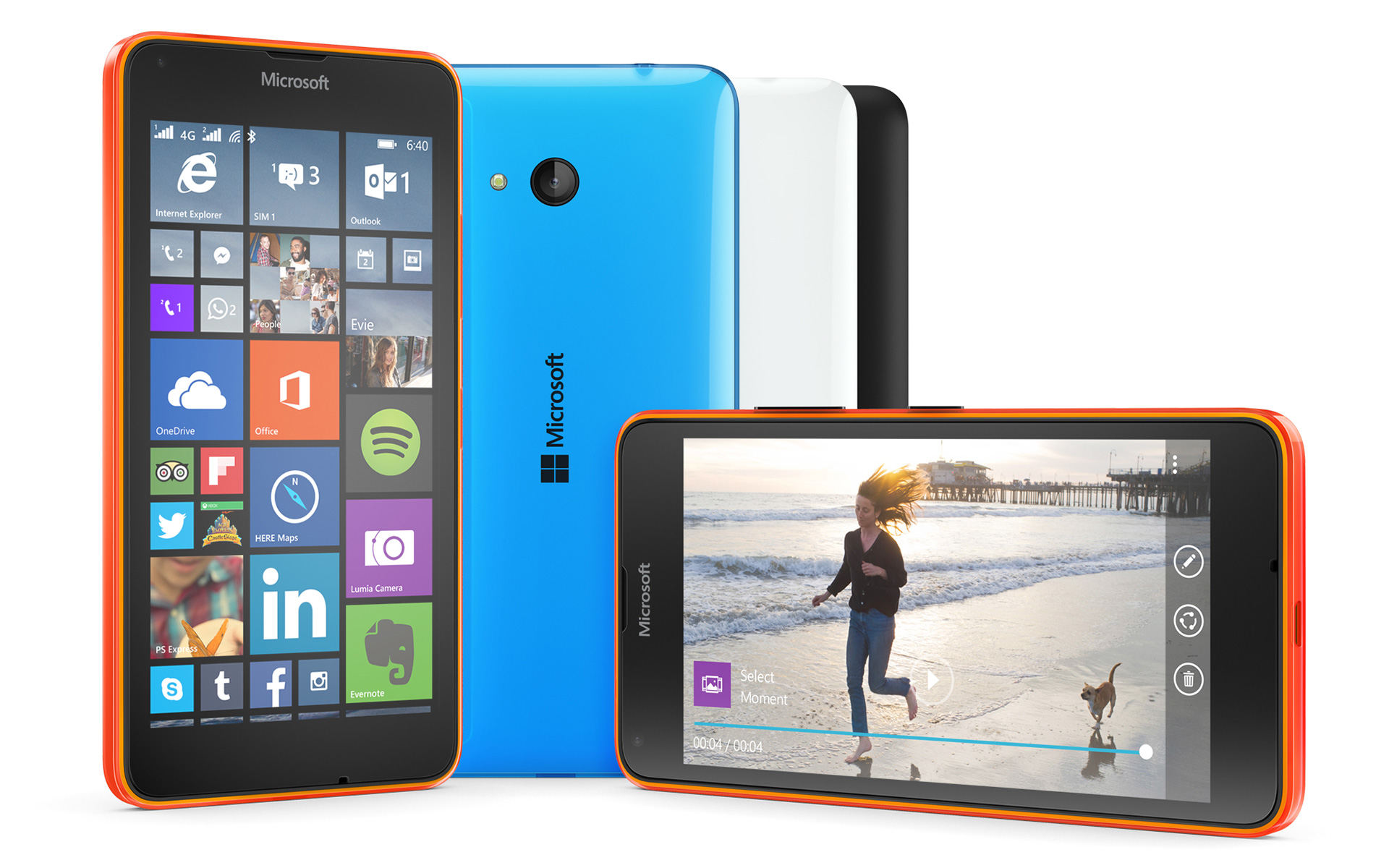
The device I received came in a lovely bright cyan with a matte finish. The matte finish is a welcomed personal preference as I often found the 640 more slippery to hold than I’d like. It feels like the lower end to mid range devices really have some punch and give the higher end phones a run for their money. In my time with the phone, I felt like the results were astounding. Microsoft once again sweetens the deal with the Lumia 640 XL. The phone includes 30 GB of free OneDrive storage and a one-year subscription to Office 365. So even if you don’t fancy upgrading your storage capacity or simply like the idea of storing your content centrally, this will give you plenty of leg room for just that.
Design
Picking up the Lumia 640XL at first feels like a Lumia, its lightweight and of course plastic which, depending on your preference, you can go for matte or gloss. The rear facing camera centred is slightly raised enough to avoid unwanted lense scratches. The Cyan on my trial phone is vibrant and stands out…which I love. The speaker on the back of the phone is awkwardly placed for my personal preference but does offer loud clear sound for my odd Xbox Music playlist.
Without further ado here are the main specifications:
Size and Weight
• Height: 157.9 mm
• Width: 81.5 mm
• Thickness3: 9 mm
• Weight: 171 g
The size of the device is undoubtedly larger than previous devices I’ve tried, and it does take some getting used to, depending on your hand size you may find it more comfortable using two hands for texting and general use. I have fairly standard sized hands and I found using the swype keyboard allowed me to use just one hand for most tasks.
Display
• Display size: 5.7”
• Display resolution: HD720 (1280 x 720)
• Display colours: TrueColor (24-bit/16M)
• Display technology: ClearBlack, IPS LCD
• Pixel density: 259 ppi
• Display features: Orientation sensor, Low power mode, Sunlight readability enhancements, Corning Gorilla Glass 3, Easy to clean, Lumia Color profile, Wide viewing angle
• Touch screen technology: Capacitive multipoint-touch
Contrary to the phone’s XL presence, it does a good job of being ergonomic enough to be comfortable to use for Xbox game and Netflix binges too. The screen size makes using SmartGlass far more enjoyable too as the larger screen is great for replaying those Xbox record that moments, and posting on the Activity Feed straight from your Gamertag.
Thanks to the SmartGlass and Xbox integration you can take Xbox with you wherever you go. Everything like your Xbox Live avatar and gamer profile is with you wherever you are. You can send and receive messages to your friends straight from your Gamertag when you’re out, then use Xbox SmartGlass at home to control your Xbox and access second screen options or even turn the Xbox on with a tap of button as you walk in the door.
The display is in 720p but somehow manages to look amazing, maybe it’s down to the ClearBlack, Gorilla Glass 3, Clean UI or the wide viewing angle but I never found myself yearning for a clearer display which may put you at ease if that’s something that’d concern you.

Memory
• Mass memory1: 8 GB
• RAM: 1 GB
• Maximum memory card size: 128 GB (Expandable memory card type: MicroSD)
I love my games and music so I would need more than the standard 8 GB so I slotted a 64 GB card which is more than enough. If you like to have a gigantic collection you can use a 128 GB MicroSD too.
Processor and Battery
• Replaceable battery: Yes
• Battery capacity: 3000 mAh
• CPU name: Qualcomm Snapdragon 400
• Number of cores: Quad core
• Clock rate: 1200 MHz
Now battery has never been a strong point on my previous device. I often have to charge it every day. However, I put the Lumia 640 XL through some strenuous use (hours of web browsing, Twitter and Facebook apps running with notifications and playing music and the odd Halo) each day and the phone would just power on. The battery life is phenomenal, I could comfortably get 48 to 72 hours use on it with what I consider fairly heavy use.
I am used to the Lumia 1020’s dual core which for its time was great, but the Quad core Snapdragon does wonders. Everything is snappy and responsive, which is partly due to the ease of use of 8.1. The 640 XL is also slated to be one of the first phones to be supported by Windows 10 later in the year.
I managed to get a few gaming sessions of Halo: Spartan Strike and Lara Croft Relic Run and both run and look really crisp and bright on the 5.7″ display. I didn’t notice any major issues and because of the great battery life I could play for a solid amount of time and still have plenty of battery to last the next day or so.
The device will set you back £219 direct from the Microsoft UK store or $249.99 from the US store which is seriously good value for money.
Conclusion
In conclusion, the Lumia 640 XL has done a great job of offering something big at a small price, and it’s certainly not to be sniffed at. The display is large and vibrant with quality additions such as glance screen and tap on are welcomed additions to the mid range phone.
Xbox feels like it is truly part of the Windows phone ecosystem, however now we have seen what Windows 10 integration can do between PC and Xbox I can’t help but wonder what else the phone could do for the Xbox gamer. The camera although not as amazing as the one in the 1020 certainly is comparable to the 830 and 930.
The device is familiar enough to Windows Phone users but enticing enough for other users to be intrigued by it, certainly when you show what it can do for the price point. For these reasons the Lumia 640 XL certainly deserves a 9 out of 10.
Let us know in the comments below if you have tried the 640 XL out yet or if you have any questions feel free to comment below or tweet us @XboxMAD
^Jack @Jack_XboxMAD

Jack contributed 16 articles to ICXM between 2014–2015, covering game reviews, and Xbox news with a focus on hands-on impressions and verified-source reporting. Their bylines on the site span the Xbox One’s first full year of post-launch coverage, including the early days of Backwards Compatibility and Windows 10 gaming. They post on X as @Jack_XboxMAD.