Origin can no longer be downloaded on any platform: EA replaced it with the EA app, which runs on 64-bit Windows 11 and Windows 10 PCs and on Macs with macOS Catalina or newer, and neither Origin nor the EA app exists for iPhone.
On this page
Below: the right download for each device, the Windows and Mac installs, EA Play prices, phone options, installer error codes, removal and other PC launchers.
Is Origin still available?
No. EA answers "Has the EA app replaced Origin on PC and Mac?" with a plain yes, and the origin.com address now opens EA's PC games page with a Download EA app button. An old Origin client on Windows stops with error EC:20:403, which EA explains as Origin no longer being available for Windows; EA's fix is to install the EA app.
| Your device or situation | What to install | Official link | Note |
|---|---|---|---|
| PC on 64-bit Windows 11 or Windows 10 | EA app for Windows | ea.com/ea-app | Choose the Windows download button |
| Mac on macOS Catalina or newer | EA app for Mac | ea.com/ea-app | Choose the macOS download button |
| EA game bought on Steam or Epic | The EA app alongside Steam or Epic | ea.com/ea-app | The game gives installation guidance for the EA app when you launch it |
| iPhone or Android phone | No EA app exists for phones; install EA mobile games individually, or stream cloud-playable games with Xbox Game Pass Ultimate | EA mobile games | The EA app is offered only for Windows and macOS |
| Old Origin client still on the PC | Install the EA app | ea.com/ea-app | Sign in with your EA Account ID and password |
Download Origin for Windows 11 and Windows 10
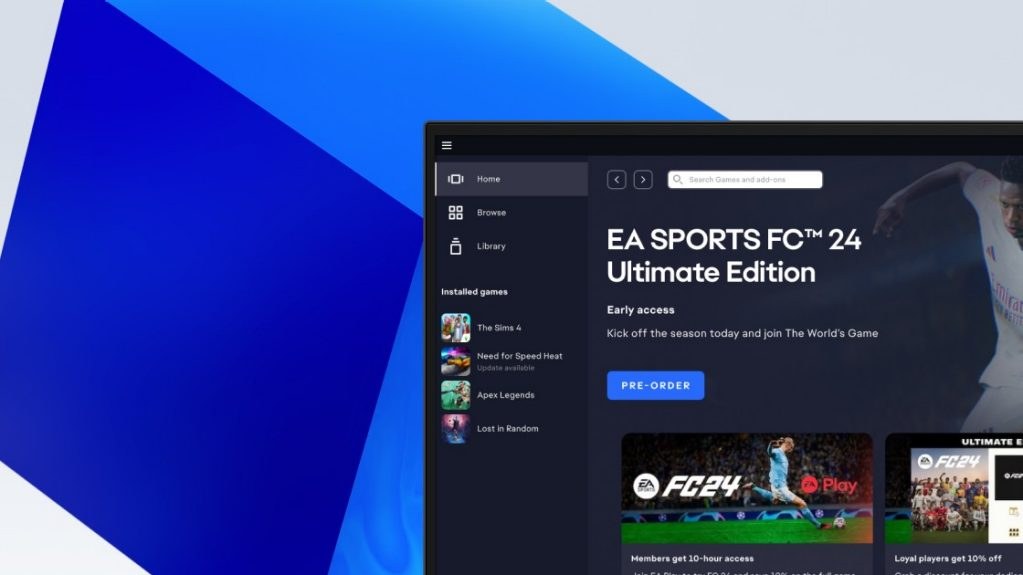
The download that replaces Origin on Windows is the EA app from EA's own page. EA lists it for a 64-bit PC running Windows 10 or Windows 11; 32-bit Windows is not on that list.
Microsoft ended Windows 10 support on October 14, 2025, though the EA app page still lists Windows 10. A Windows 10 PC still runs the EA app, but Microsoft recommends moving to Windows 11.
- EA app for Windows (replaces Origin): 64-bit Windows 10 or Windows 11; select the Windows button
How to install the EA app on Windows 11 and 10
- Right-click Start, choose Settings, select System and pick About.
- Under Device specifications, confirm the PC runs a 64-bit version of Windows.
- Open ea.com/ea-app and select the Windows download button.
- Run EAappinstaller.exe, the EA app installer you just downloaded.
- When Windows asks whether the EA app may make changes to your device, select Yes.
- Follow the installer's instructions, then sign in with your EA Account ID and password.
EA states the EA app is required to play EA games on PC, so your EA games download and launch from inside it.
Is Origin free?
EA publishes no price for the EA app, and an EA Account ID and password are all it asks for to sign in. Games are bought separately unless they are free to play or come with a membership.
The Sims 4 Base Game has been free to play since October 18, 2022, and new players can download it free of charge.
| Option | Price | What it gives you on PC |
|---|---|---|
| EA app | No price published by EA | The launcher, sign-in with your EA Account and your EA library |
| EA Play | $5.99 a month or $39.99 a year | A collection of EA titles, trials of select new games for up to 10 hours and 10% off EA digital purchases; one membership covers 1 platform |
| EA Play Pro | $16.99 a month or $119.99 a year | The best editions of EA's latest games and select new releases days before launch, plus 10% off EA digital purchases |
| Xbox Game Pass Ultimate or PC Game Pass | Shown on xbox.com | Both plans include EA Play; Ultimate adds cloud gaming, which PC Game Pass does not include |

Can you download Origin on Mac?
Origin for Mac is gone as well, and the EA app for Mac replaces it on macOS Catalina or newer. Open ea.com/ea-app on the Mac, select the macOS download button, then in the Downloads folder double-click the disk image or package file and follow the onscreen instructions.
If macOS blocks the installer, open System Settings, select Privacy & Security, and in the Security section select Open Anyway next to the notice that the EA app installation was blocked. Then sign in with your EA Account ID and password.
Install the EA app for Mac from ea.com/ea-app; Origin for Mac is no longer offered. EA states the EA app has replaced Origin on PC and Mac, and the Mac build is available on macOS Catalina or newer.
Origin on iPhone and Android
EA offers the EA app only for Windows and macOS; there is no Origin or EA app for iPhone or Android. Two official routes put EA games on a phone instead.
EA's mobile games, such as FC Mobile, The Sims Mobile and Golf Clash, are separate apps listed in EA's mobile library. Xbox Game Pass Ultimate includes EA Play and streams games to supported devices, including phones and tablets, with 15 hours of cloud playtime a month; xbox.com/play lists which games are cloud playable.
- EA mobile games library: Each mobile game installs on its own
- Xbox Cloud Gaming: Streaming with an Xbox Game Pass plan; not included with PC Game Pass
Fix Origin not downloading or installing
Origin shows error EC:20:403
Origin is no longer available for Windows.
- Download the EA app from ea.com/ea-app.
- Run the installer and follow its instructions.
- Sign in with your EA Account ID and password and launch your game from the EA app.
INST-18-4103 incorrect hash value
The installer file did not download correctly.
- Delete the installer file.
- Download the EA app again from ea.com.
- Run the new installer.
INST-14-1603, INST-14-1460 or INST-14-1612 on PC
On PC, EA's fix for all three codes is reinstalling missing Microsoft Visual C++ Redistributables; INST-14-1603 itself is listed as an unknown fatal error.
- Install the missing Microsoft Visual C++ Redistributables from Microsoft's website; if you are not sure which, install every package under Visual Studio 2015, 2017, 2019 and 2022.
- Restart your PC.
- Download the EA app again on a stable connection and run the new installer.
INST-14-1618 installation error
Windows is having trouble installing the EA app.
- Open Task Manager.
- Select Windows Installer, then choose End Task.
- Right-click the most recent EAappinstaller.exe and select Run as Administrator.
INST 14-5 access denied
A system configuration problem blocks part of the installation.
- On PC, type C:\ProgramData\Package Cache in the File Explorer address bar and press Enter.
- Right-click the folder, select Properties, open the Security tab and select Advanced.
- If the Owner is not Administrators, select Change, type Administrators and select OK.
- On Mac, open System Settings > Privacy & Security and select Open Anyway if the EA app installation was blocked.
- Run the EA app installer again.
EC:10701 communication error
The EA app could not run on port 3216, the port it needs to launch.
- Restart the computer and relaunch the EA app.
- On PC, select Start, open Control Panel, go to Network & Internet and select Show available networks.
- Disable all virtual network adapters, such as Hyper-V, TAP-Windows or VMware, and any VPN.
- On Mac, make sure Origin is fully closed if it is still installed, then open Security Settings, select Network and disable virtual network adapters and VPN.
- Restart the EA app and launch your game.
EC: 109 app files are corrupted
Some EA app files are corrupt or have been deleted.
- Uninstall the EA app.
- Download it again from ea.com/ea-app and reinstall it.
How to uninstall Origin and the EA app
The same steps remove an old Origin client or the EA app before a clean reinstall.
Uninstall on Windows 11 or Windows 10
- Select Start > Settings > Apps > Installed apps.
- Find Origin or the EA app and select More > Uninstall.
- If it is not listed, open Control Panel, select Programs > Programs and Features, right-click the program and select Uninstall.
Uninstall on Mac
- Open Finder and click Applications in the sidebar.
- Drag Origin or the EA app from the Applications folder to the Trash.
- Empty the Trash; the app is permanently removed at that point.
Software similar to the Origin client
EA requires the EA app to play its games on PC, including copies bought on Steam or Epic, so the launchers below run beside it rather than replacing it.
| Launcher | What it is for | Official page |
|---|---|---|
| EA app | The direct replacement for Origin on Windows and Mac | ea.com/ea-app |
| Steam | Valve's store and launcher with nearly 30,000 games; EA titles bought here still need the EA app | store.steampowered.com/about |
| Xbox PC app | Game Pass downloads, cloud gaming and a library that gathers installed games from other PC storefronts; requires Windows 10/11, version 22H2 or higher, and 150MB of storage | xbox.com Xbox PC app |
| Ubisoft Connect | Ubisoft's free service for its games on PC and console, needing only a Ubisoft account | ubisoft.com Ubisoft Connect |
Frequently asked questions
How do I download Origin?
You download the EA app instead, because EA no longer offers Origin. Go to ea.com/ea-app, choose the Windows or macOS button, run the installer and sign in with your EA Account ID and password. Your EA games then download from inside the EA app.
Can I still download Origin?
No. EA states that the EA app has replaced Origin on PC and Mac, and origin.com now opens EA's PC games page with a Download EA app button. An Origin client still on a Windows PC returns error EC:20:403, and EA's fix is to install the EA app.
Can I download Origin on Windows 11?
Not Origin itself, but the EA app that replaced it runs on Windows 11 and Windows 10. The PC must run a 64-bit version of Windows; check under Settings, System, About, Device specifications before you download from ea.com/ea-app.
How do I download Origin on Windows 11?
Open ea.com/ea-app, select the Windows button and run the EAappinstaller.exe file you downloaded. Select Yes when Windows asks for permission, follow the installer's instructions, then sign in with your EA Account ID and password.
Why can't I download Origin?
EA no longer distributes Origin, and the old client reports error EC:20:403 because Origin is no longer available for Windows. Install the EA app from ea.com instead; if its installer fails, the INST error code on screen points to the specific fix.
How do I download Origin software for free?
Download the EA app from ea.com/ea-app; EA publishes no price for it, and you sign in with your EA Account ID and password. Games are bought separately, though The Sims 4 Base Game has been free to play since October 18, 2022, and EA Play costs $5.99 a month.
Do I need the EA app to play EA games bought on Steam or Epic?
Yes. EA states that the EA app is required to play EA games on PC. When you launch an EA title on Steam or Epic, EA gives guidance for installing the EA app so you can access and play the game.