Steam installs on 64-bit Windows 11 and Windows 10 PCs, on Mac and on Linux, but there is no Steam client for iPhone: on iPhone you get the Steam Mobile app for the store and remote downloads, and the Steam Link app to stream games from a computer running Steam.
On this page
Below are the official download for each device, the Windows install, system requirements, how to move, back up or delete games, the FPS counter, and fixes for slow or stuck Steam game downloads.
Which Steam download do you need?
The full Steam client runs only on desktop operating systems. Match your device below; every link goes to Valve, Apple or Google.
| Your device | What to install | Official download | What to know |
|---|---|---|---|
| Windows 11 or Windows 10 64-bit PC | Steam client | Install Steam | The Steam client is now 64-bit on Windows 11 and Windows 10 64-bit. |
| Windows 10 32-bit PC | No current client | Install Steam | Steam Client support for Windows 10 32-bit ended on Jan 1st, 2026, so the PC needs 64-bit Windows. |
| Windows 7 or Windows 8 PC | No current client | Install Steam | The Steam client no longer runs on Windows 7 or Windows 8. |
| Mac | Steam client for macOS | Install Steam | The current client no longer runs on macOS 11 Big Sur or older. |
| Linux PC | Steam client for Linux | Install Steam | Proton is enabled by default for games that have no native Linux build. |
| iPhone or iPad | Steam Mobile and Steam Link apps | Steam Mobile on the App Store | No full Steam client. Steam Mobile runs the store and Steam Guard; Steam Link streams games from your computer. |
| Android phone or tablet | Steam Mobile and Steam Link apps | Steam on Google Play | No full Steam client. The same two apps, from Google Play. |
Download Steam for PC, Mac and Linux
Valve distributes the desktop client from its Install Steam page, and the phone apps come from the App Store and Google Play. Both links below are on Valve's own site.
- Install Steam (Windows 11/10 64-bit, macOS, Linux): Valve's official client download page
- Steam mobile apps (Steam Mobile, Steam Link, Steam Chat): Valve's page linking each phone app and Steam Link for Windows, macOS, Linux and Raspberry Pi
How to download, install, and use Steam on Windows PC
- Open store.steampowered.com/about in your browser and select Install Steam.
- Run the installer you downloaded and follow its prompts.
- Sign in with your Steam account, or create one from the sign-in window.
- Browse the Store tab, or open the Free To Play section for games that cost nothing to start.
- After you get a game, open Library, select it and choose to install it; Steam downloads the game and keeps it updated automatically.
- When the download finishes, select Play in the Library.
Install Steam with winget on Windows 11 and 10
Microsoft's winget-pkgs repository lists Steam under the package ID Valve.Steam, so the Windows Package Manager can install it from a terminal. This is useful on a fresh PC or when setting up several machines.
winget install --id Valve.Steam -eThe –id option limits the install to that package ID, and -e (–exact) requires an exact, case-sensitive match, so no similarly named package is picked.
You should see: winget reports that the install finished; open Steam and sign in.
Can you download Steam games on Mac?
The Steam catalog spans Windows, Mac and Linux titles, so a Mac runs only the games that list Mac support.
Yes. Install the Mac client from the official Install Steam page and download any game that lists Mac support; for Windows-only games, use the free Steam Link app on the Mac to stream them from a Windows PC running Steam on the same network. Steam Link runs on Mac as well as iPhone, iPad and Apple TV, and Valve's Remote Play lets lower-end systems and natively unsupported operating systems play games running on another computer.
Steam on iPhone and Android
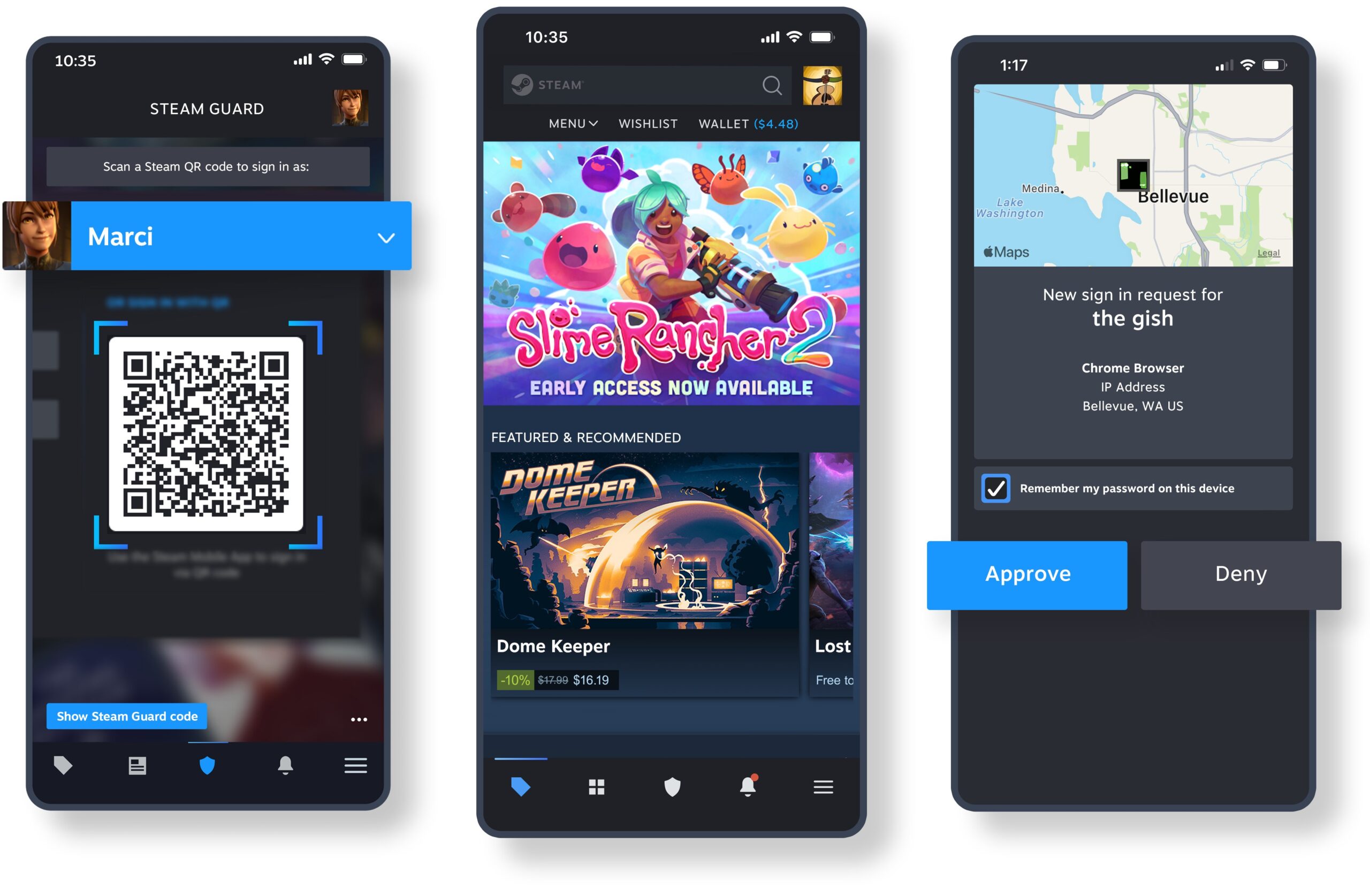
There is no full Steam client for iPhone or Android, so you cannot install or run PC games on the phone itself. The official alternatives are Steam Mobile, which shops the store, holds the Steam Guard authenticator and manages game downloads and updates on your PC, and Steam Link, which streams games from a Windows, Mac or Linux computer running Steam.
For Steam Link, keep the phone and the computer on the same local network; Valve recommends the computer on Ethernet and the phone on the 5GHz Wi-Fi band.
- Steam Mobile for iPhone and iPad (52.4 MB): Free; needs iOS 15.1 or later
- Steam Link for iPhone, iPad, Mac and Apple TV (58.6 MB): Free; needs iOS 11.0 or later and a computer running Steam
- Steam Mobile for Android: Needs Android 7.0 or later
- Steam Link for Android: Android 5.0+ phones, tablets and TVs
Steam system requirements on Windows, Mac and Linux
| Platform | Supported by the current client | Support ended |
|---|---|---|
| Windows | Windows 11 and Windows 10 64-bit (the client itself is 64-bit) | Windows 10 32-bit on Jan 1st, 2026; Windows 7 and Windows 8 no longer run the client |
| macOS | Recent macOS releases; Valve drops older versions over time | macOS 11 Big Sur on October 15th, 2025; macOS 10.13 and 10.14 on February 15th, 2024 |
| Linux | Linux desktops, with Proton on by default for Windows-only games | Not applicable |
| Steam Mobile | iOS 15.1 or Android 7.0 | Not applicable |
| Steam Link | iOS 11.0 or Android 5.0+ | Not applicable |
Each game has its own minimum and recommended specs on its store page; the client requirements above only decide whether Steam itself runs.
Backing up Steam games or moving them to another drive
Steam installs games into library folders, and you can add library folders on other drives, including external drives. Valve suggests moving games you rarely play from an SSD to a storage HDD instead of uninstalling them, which avoids downloading them again later.
| What you want | Route in the Steam client | Note |
|---|---|---|
| Keep saves safe if the PC fails | Steam Cloud, for games that support it | Steam Cloud syncs saves between computers, and the library shows the upload and download progress. |
| Move a game to another drive, or install to an external or USB drive | Settings > Storage, where Steam manages library folders across drives | When you install a game, Steam lets you create a new library folder on the drive you pick; the Add a new Steam library folder dialog shows its free disk space. |
| Back up a game's install files | The Backup Game Files dialog in the Steam client | Restoring from a backup saves downloading the whole game again. |
| Copy a game's files by hand | Library > game > Game Properties > Browse Local Files | Opens the install folder so you can copy it to a backup drive. |
| Get a game from another PC at home | Local game transfers, a Downloads feature | Steam detects other computers on your network for peer downloading. |
Fix Steam games downloading slowly or not at all
Steam games download slowly
A download speed limit is set, another download is ahead in the queue, or the download region suits your connection poorly.
- Open Settings > Downloads in the Steam client.
- Remove any download speed limit, or suspend throttling for one download from the right-click menu of the active item on the downloads page.
- Change the download region; Steam applies the change without a restart.
- On the downloads page, drag the game you want first to the top of the queue.
Steam stops downloading while you play a game
Steam can pause downloads while you play or stream a game.
- Open Settings > Downloads.
- Turn off the option that pauses downloads while you play or stream a game.
- Start the game again and check that the download keeps moving on the downloads page.
A Steam game download is stuck or will not start
The local download cache holds a bad entry, or the client is waiting on its own update.
- Open Settings > Downloads and select Clear Download Cache.
- Restart Steam and let it finish any client update it downloads.
- Retry the download from the Library.
A game update never downloads until you launch the game
Steam can wait to update until the game is launched, and it may wait a few days to bundle updates for games you have not played recently.
- Open Settings > Downloads and set the default for game updates to let Steam decide.
- Select Manage Exceptions to see games with their own update rule.
- For one game, open Library > game > Game Properties and change its update setting, or launch the game, which starts its update immediately.
How to show FPS in Steam games on a Windows 11 PC
You want to see the frame rate while a Steam game runs
Steam's performance monitor is off until you turn it on in the client settings.
- Open Settings > In Game in the Steam client.
- Find the Performance Overlay section and turn it on.
- Choose a level of detail: the lowest shows a single FPS value, and the higher levels add CPU, GPU and RAM figures.
- Set a hot-key and screen position, then launch a game to see the counter.
The full CPU and GPU breakdown is most complete on Windows; on macOS, Linux and older graphics cards some figures may be missing.
How to delete Steam games
Uninstalling a game frees its drive space, and the game stays in your library so you can download it again later; free demos are the exception, since an uninstalled demo is removed from your library automatically. You do not need to uninstall Steam to remove a game, and moving a rarely played game to another drive keeps it ready without a new download.
- Open the Steam client and go to Library.
- Right-click the game, open Manage, and select Uninstall.
- To remove Steam itself on Windows 11 or 10, select Start > Settings > Apps > Installed apps.
- Find Steam, select More > Uninstall, and follow the prompts.
Frequently asked questions
Can I download Steam on iPhone?
Not the full client. On iPhone you can install Steam Mobile to buy games, use Steam Guard and start downloads on your PC, and Steam Link to stream your Steam games from a Windows, Mac or Linux computer on the same network.
Can I download Steam games on Mac?
Yes, when the game has a Mac build. Install Steam for macOS from the official Install Steam page; games without Mac support can be streamed to the Mac with Steam Link from a Windows PC running Steam.
Why are my Steam games downloading so slowly?
Check three settings first. Open Settings > Downloads, remove any download speed limit and try another download region, then make sure the game is at the top of the download queue. If a download is stuck rather than slow, select Clear Download Cache and restart Steam.
Why won't my Steam games download?
Steam may be holding the update until you launch the game, pausing downloads while you play, or working from a bad download cache. Check the update setting under Settings > Downloads, then clear the download cache and restart the client.
Do Steam games download while playing games?
They can. Steam has a setting under Settings > Downloads that pauses downloads while you play or stream a game; turn it off and downloads keep running in the background while you play something else.
Are Steam games downloaded to my computer?
Yes. Steam installs each game into a library folder on your drive, and Library > game > Game Properties > Browse Local Files opens that folder. With Steam Link the game runs on the computer, and only the video and audio stream reaches your phone, tablet or TV.
Can I download Steam games without Steam?
No. Games bought on Steam download and update through the Steam client on a Windows, Mac or Linux computer. Steam Mobile can manage game downloads and updates to your PC from your phone, but the files still arrive through the client on the computer.
Can I download Steam games on a USB or external drive?
Yes. Steam can keep library folders on external drives. When you install a game, create a new library folder on the external or USB drive, or manage existing folders under Settings > Storage, and Steam installs the game there instead of on the system drive.
Does Steam download games while the PC is off?
No. Steam downloads only while the computer is on and the client is running. For games you have not played recently, Steam may schedule updates for an off-peak time, such as while you are asleep, so leaving the PC on with Steam open lets those updates finish.
Why use Steam for games?
Steam offers nearly 30,000 games, automatic game updates, Steam Cloud saves for supported games, the Steam Workshop for mods in nearly 1,000 games and 100+ payment methods, all in one client on Windows, Mac and Linux.
Is Steam available for Android devices?
Only as companion apps. Steam Mobile on Google Play handles the store, Steam Guard and remote downloads, and Steam Link streams games from your computer to Android phones, tablets and TVs. PC games do not run natively on Android.