Windows 11 and Windows 10 get the Xbox 360 controller driver through Windows Update, so a wired controller needs no separate download, and no Xbox 360 controller driver exists for Mac or iPhone because Apple supports only newer Xbox controllers.
On this page
Below: the official Microsoft driver downloads, what a wired or wireless controller needs, install and update steps in Device Manager, fixes by symptom, and the controllers that do work on Mac and iPhone.
Which Xbox 360 controller driver download do you need?
Match your controller and device. Microsoft's Xbox 360 controller drivers come through Windows Update and are also listed in the Microsoft Update Catalog, Microsoft's own driver download site.
| Your setup | What to do | Official link |
|---|---|---|
| Wired Xbox 360 controller on a Windows 11 or Windows 10 PC | Plug it into a USB port; Microsoft delivers the Xbox 360 controller driver through Windows Update | Windows Update driver help |
| Wired controller that Windows does not set up on its own | Download the Xbox 360 Controller for Windows driver from the Microsoft Update Catalog and install it in Device Manager | Microsoft Update Catalog: Xbox 360 Controller for Windows |
| Wireless Xbox 360 controller on Windows 11 or 10 | Connect Microsoft's Xbox 360 Wireless Receiver for Windows; its driver is listed in the Microsoft Update Catalog | Microsoft Update Catalog: Xbox 360 Wireless Receiver for Windows |
| Mac | No Xbox 360 controller driver from Microsoft or Apple; use a controller on Apple's supported list | Apple: connect an Xbox wireless controller |
| iPhone or iPad | No Xbox 360 controller support; use a supported Xbox, PlayStation or other Bluetooth controller | Apple: connect a wireless game controller |
Xbox 360 controller driver download for Windows 11 and Windows 10
Microsoft delivers the Xbox 360 controller driver through Windows Update, and Windows 10 and Windows 11 support Xbox 360 gamepads through the Windows gamepad API. For a manual install, the Microsoft Update Catalog carries the Xbox 360 controller and wireless receiver driver packages.
Microsoft advises against downloading drivers from any websites other than the manufacturer's official site, so skip driver pages on download portals.
- Xbox 360 Controller for Windows driver (Microsoft Update Catalog): wired Xbox 360 controllers
- Xbox 360 Wireless Receiver for Windows driver (Microsoft Update Catalog): wireless Xbox 360 controllers through the receiver
What you’ll need to use an Xbox 360 controller on Windows 11 and 10
A wired controller needs only a USB port. A wireless controller needs Microsoft's receiver, because the current Xbox adapter does not work with it.
| Controller | What you need | Notes |
|---|---|---|
| Wired Xbox 360 controller | A free USB port on a Windows 11 or Windows 10 PC | Windows Update supplies the driver |
| Wireless Xbox 360 controller | Microsoft's Xbox 360 Wireless Receiver for Windows | The Xbox Wireless Adapter for Windows is not compatible with controllers designed for Xbox 360 |
| Any Xbox 360 controller in a game | A game that supports XInput controllers | XInput supports up to four controllers connected at any time |
How to install the Xbox 360 controller driver on Windows 11 and 10
These steps cover a wired controller. For a wireless controller, plug in the Xbox 360 Wireless Receiver for Windows in step 1 and pair the controller to the receiver.
- Plug the controller into a USB port on the PC and wait for Windows to finish setting up the device.
- Right-click the Start menu and select Device Manager.
- Expand the categories and find the Xbox 360 controller entry. If it shows as an unknown device, right-click it and select Update driver.
- Select Search automatically for updated driver software. If Windows finds nothing, select Search for updated drivers on Windows update.
- If Windows Update still has nothing, download the Xbox 360 Controller for Windows driver from the Microsoft Update Catalog and extract it to a folder.
- Back in Device Manager, right-click the device, select Update driver, then Browse my computer for drivers.
- Select Browse…, pick the folder with the extracted driver, select OK, then Next.
- Select Close when Windows finishes installing the driver.
- Check the ring of light in the center of the controller: one quadrant lights up to show which player number the controller is using, and the top-left quadrant is the first controller.
- Type joy.cpl in the Open box and press Enter. Microsoft lists this Control Panel tool as Joystick Properties.
- Check that the Xbox 360 controller is listed there.
Open a game that supports controllers and check that both triggers and vibration work. If the triggers act as one button and vibration is missing, the game is reading the controller through DirectInput rather than XInput.
How do I update the Xbox 360 controller driver on Windows 11 or 10?
Windows Update installs recommended drivers automatically, but optional driver updates are not installed automatically. Check both places. The labels differ between Windows 11 and Windows 10.
Windows 11
Optional driver updates sit under Advanced options and need a manual install.
- Select Start, then Settings > Windows Update > Advanced options.
- Make sure Receive updates for other Microsoft products is turned On.
- Under Additional options, select Optional updates.
- If a driver update for the controller is listed, select it and select Download and install.
- Restart the PC from Start > Shutdown or sign out > Restart.
Windows 10
Windows 10 shows optional driver updates only after a manual check.
- Select Start, then Settings > Update & Security > Windows Update > Advanced options.
- Make sure Receive updates for other Microsoft products when you update Windows is turned On.
- Return to Windows Update and select Check for updates.
- If View optional updates appears, select it, tick the controller driver and select Download and install.
- Restart the PC, even if no update asked for it.
Either version, from Device Manager
Device Manager can pull a newer driver for one device directly.
- Right-click the Start menu and select Device Manager.
- Right-click the Xbox 360 controller and select Update driver.
- Select Search automatically for updated driver software.
- If you see The best drivers for your device are already installed, the driver is current. Select Close.
Fix the Xbox 360 controller driver not installing or working
The controller shows as an unknown device or has a warning icon
The driver did not install, or the installed copy is damaged.
- Save your work, right-click the Start menu and select Device Manager.
- Right-click the controller and select Uninstall device, then confirm with Uninstall.
- Restart from Start > Shut down or sign out > Restart; Windows tries to reinstall the driver on startup.
- If it does not, install the Microsoft Update Catalog driver with Update driver > Browse my computer for drivers.
The controller stopped working after a Windows update
A newer driver replaced the one that worked.
- Sign in with an administrator account and open Device Manager.
- Right-click the controller and select Properties.
- Open the Driver tab and select Roll Back Driver.
- Choose a reason, select Yes, and restart if prompted.
A wireless Xbox 360 controller will not connect to an Xbox Wireless Adapter
The Xbox Wireless Adapter for Windows is not compatible with controllers designed for Xbox 360.
- Use Microsoft's Xbox 360 Wireless Receiver for Windows instead.
- Install its driver from the Microsoft Update Catalog.
- Or connect a wired Xbox 360 controller over USB.
A wireless Xbox 360 controller will not pair with the PC
A controller previously paired with an Xbox 360 console may need to be paired again to work with a PC, and other wireless devices can interfere with pairing.
- Pair the controller to the Xbox 360 Wireless Receiver for Windows again, even if it worked with a console before.
- Turn off other wireless devices near the PC and try pairing once more.
- If it still fails, connect a wired Xbox 360 controller over USB instead.
Triggers work as one button and the controller does not vibrate in one game
The game uses DirectInput, which treats the left and right triggers as a single button and has no vibration effects for these controllers.
- Test the controller in a game that supports XInput controllers.
- If both triggers and vibration work there, the driver is installed correctly and the first game reads the controller through DirectInput.
Can you download an Xbox 360 controller driver on Mac?
No. Microsoft's Xbox 360 controller drivers are Windows-only, and Apple's list of supported Xbox controllers for Mac does not include any Xbox 360 controller. Apple supports the Xbox Wireless Controller with Bluetooth (Model 1708), the Xbox Wireless Controller Series S and Series X, the Xbox Elite Wireless Controller Series 2 and the Xbox Adaptive Controller, all paired over Bluetooth. A PlayStation DualSense also works on Mac with macOS 11.3 or later.
Apple's list names the Series 2 model, not the original Xbox Elite Wireless Controller.
Xbox 360 controller on iPhone and iPad
There is no Xbox 360 controller driver for iPhone, and Apple does not list the controller as supported. iPhone works with the same Bluetooth controllers as Mac, and with controllers that clip onto the phone.
- Apple: connect an Xbox wireless game controller to iPhone: the supported Xbox models and pairing steps
- Apple: connect a wireless game controller to your Apple device: PlayStation and other Bluetooth controllers
- PlayStation DualSense wireless controller: iOS 14.5 or later
- Razer Kishi V2 mobile controller: clips onto iPhone; Lightning and USB C versions
How to choose the best PC controller to replace an Xbox 360 controller
An Xbox 360 controller works only on Windows. Each controller below is supported on the platforms listed by Apple or by its maker.
| Controller | Windows 11/10 PC | Mac and iPhone | Official page |
|---|---|---|---|
| Xbox Wireless Controller | Yes, over Bluetooth or the Xbox Wireless Adapter for Windows | Yes, on Apple's supported list | Apple supported Xbox controllers |
| Xbox Elite Wireless Controller Series 2 | Yes, over Bluetooth, the included USB-C cable or the Xbox Wireless Adapter for Windows | Yes, on Apple's supported list | Xbox Elite Wireless Controller Series 2 |
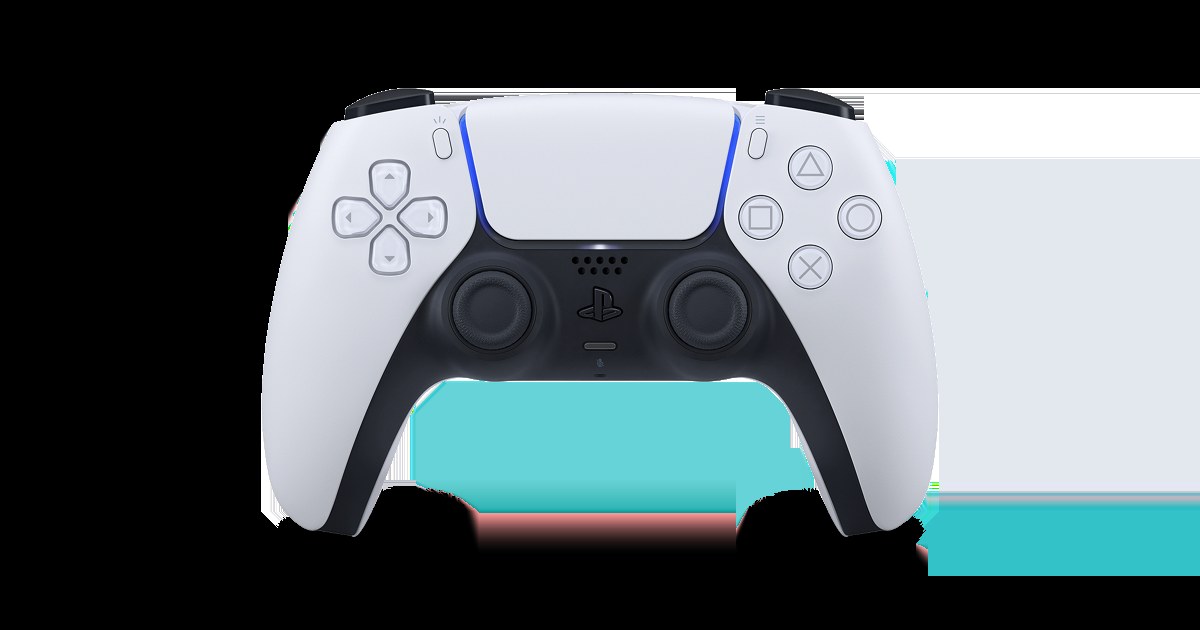
| PlayStation DualSense | Yes, over USB Type-C or Bluetooth | Yes, macOS 11.3 and iOS 14.5 or later | DualSense on PlayStation.com |
| Razer Wolverine V3 Pro | Yes, 2.4 GHz wireless through its USB Type A dongle | Not listed by Razer | Razer Wolverine V3 Pro |
| Razer Raiju V3 Pro | Yes, licensed for PS5 and compatible with PC | Not listed by Razer | Razer Raiju V3 Pro |
| Scuf Valor Pro | Yes, wired, with Xbox/PC compatibility | Not listed by Scuf | Scuf Valor Pro |
| Razer Kishi V2 (mobile) | PC play over USB C | iPhone (Lightning) and USB C (iPhone 15) versions | Razer Kishi V2 |
On Windows 11, pair an Xbox Wireless Controller from Settings > Bluetooth & devices > Add device > Everything else, then choose Xbox Wireless Controller.
Frequently asked questions
Does Windows 11 need a driver for an Xbox 360 controller?
Yes, but you do not download it yourself in most cases. Windows 11 gets the Xbox 360 controller driver through Windows Update when the controller is plugged in. The Microsoft Update Catalog has the same Microsoft driver if Windows does not install it.
Does the Xbox Wireless Adapter work with a wireless Xbox 360 controller?
No. Microsoft states that the Xbox Wireless Adapter for Windows is not compatible with controllers designed for Xbox 360. A wireless Xbox 360 controller needs the Xbox 360 Wireless Receiver for Windows.
How many Xbox 360 controllers can I use on one PC?
Up to four. XInput, the input system Windows games use for Xbox 360 controllers, supports four controllers at once, and each one lights a different quadrant of its ring of light to show its player number.
Can I use an Xbox 360 controller on a Mac?
Not with any Microsoft or Apple driver. Apple's supported list covers newer Xbox Wireless Controller models, the Elite Series 2 and the Adaptive Controller, so a supported controller is the official route on Mac.
Can I connect an Xbox 360 controller to an iPhone?
No. Apple does not list any Xbox 360 controller as supported on iPhone. An Xbox Wireless Controller with Bluetooth, a PlayStation DualSense or a clip-on controller such as the Razer Kishi V2 works instead.
Why do the triggers on my Xbox 360 controller act as one button?
The game is reading the controller through DirectInput. With DirectInput, the left and right triggers act as a single button and vibration is not available. Games that use XInput read both triggers separately.
Does an Xbox 360 controller still work on Windows 10?
Yes. Windows 10 supports Xbox 360 gamepads, and the driver comes from Windows Update. Microsoft ended Windows 10 support on October 14, 2025, though, and no longer provides technical assistance or security fixes for it, so Windows 11 is the supported choice.
Do Xbox 360 controllers have impulse triggers on PC?
No. Microsoft's documentation notes that Xbox 360 gamepads are not equipped with impulse triggers, the trigger vibration found on Xbox One controllers. The two main rumble motors still work in games that support them.