Minecraft downloads through the official Minecraft Launcher on Windows 11 and Windows 10 PCs and on Mac (Java Edition only), and through the App Store on iPhone and iPad (Bedrock Edition); it is a paid game, with a free trial on Windows, Mac, Linux, PlayStation and Android.
On this page
One PC purchase, Minecraft: Java & Bedrock Edition for PC, includes both editions, so the main choice is which edition to launch, then where to buy, what your device needs, and how to add maps and mods.
Minecraft versions: which download do you need?
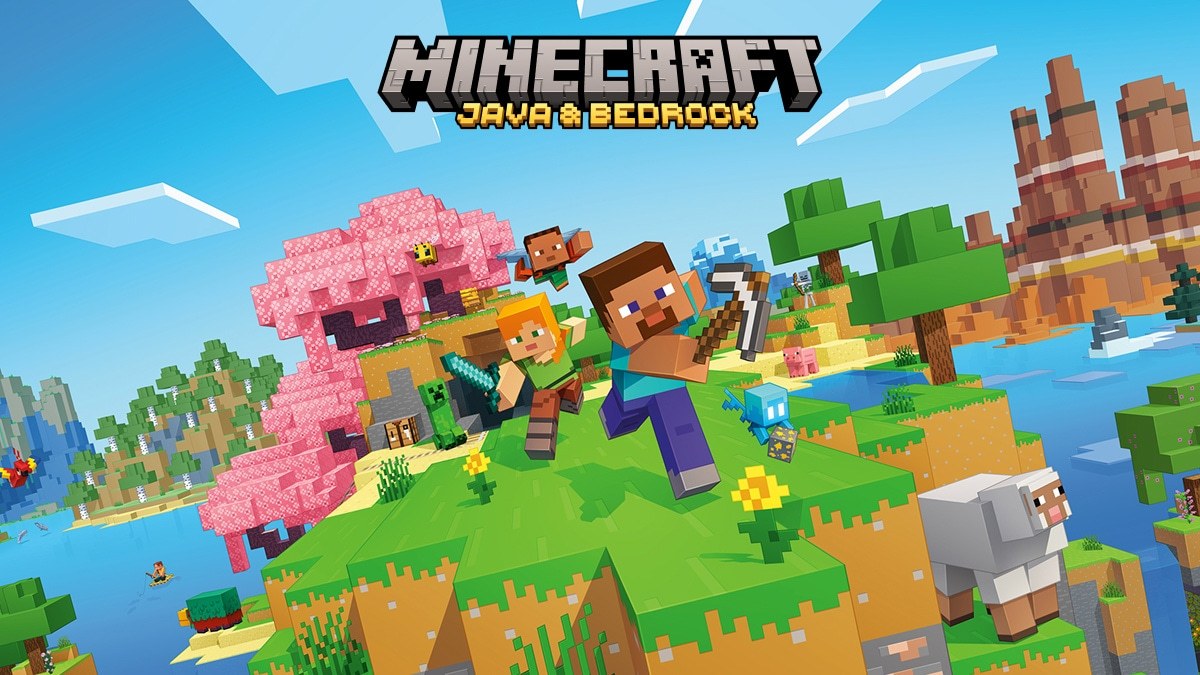
Java Edition is the original PC version, with mod support and custom servers, and it runs on Windows, macOS and Linux. Bedrock Edition is the cross-play version for consoles, mobile, Chromebook and Windows PCs. Worlds and saves from Java Edition are not compatible with Bedrock Edition.
| Your device or goal | Download this | Where to get it | Note |
|---|---|---|---|
| Windows 11/10 PC, you want mods or Java servers | Minecraft: Java Edition | Minecraft Launcher on minecraft.net | Included in Minecraft: Java & Bedrock Edition for PC |
| Windows 11/10 PC, you want to play with friends on console or phone | Minecraft for Windows (Bedrock Edition) | Minecraft Launcher in the Microsoft Store | Same purchase as Java; Bedrock earns Xbox achievements in Survival mode |
| Mac | Minecraft: Java Edition | Mac launcher on minecraft.net | On computers, Bedrock Edition runs on Windows |
| iPhone or iPad | Minecraft (Bedrock Edition) | Minecraft on the App Store | Sold separately on the App Store |
| Xbox, PlayStation or Nintendo Switch | Minecraft (Bedrock Edition) | Minecraft on the Xbox store | Console links for PlayStation and Switch are in the console section |
| A school or classroom | Minecraft Education | Minecraft Education download | Separate product with its own free trial |
Download Minecraft for Windows 11 and Windows 10
The Minecraft Launcher is free and is the hub for every Minecraft game on PC. Buying Minecraft: Java & Bedrock Edition for PC unlocks Java Edition and Minecraft for Windows inside it.
- Minecraft Launcher from minecraft.net: the Download Launcher button; the same page lists Windows legacy, Mac, Linux, Android and iOS under Other versions & platforms
- Minecraft Launcher in the Microsoft Store: listed as free for Windows 10 and Windows 11; the listing says it is not supported on Windows 10 in S mode and on ARM devices
- Buy Minecraft: Java & Bedrock Edition for PC: $29.99+ on the Xbox store, includes the launcher, Minecraft for Windows and Java Edition
- Minecraft free trial downloads: Bedrock trial for Windows 10/11, Java trial for Windows, Mac and Linux
How to download Minecraft: Java Edition and Bedrock on PC
- Open minecraft.net/download and select Download Launcher, or install the Minecraft Launcher from its Microsoft Store page.
- If you do not own the game yet, select Buy Now next to Minecraft: Java & Bedrock on the same page, or start the free trial instead.
- Open the Minecraft Launcher and sign in with your Microsoft account. Use the same account that bought the game.
- Choose Minecraft: Java Edition or Minecraft for Windows from the launcher's game list, then download and install it.
- Confirm the purchased game appears in your library and starts. If the launcher offers only the trial, use the account fix in the troubleshooting section.
Download Minecraft on Xbox Series X|S, Xbox One, PlayStation and Nintendo Switch
Every console runs Bedrock Edition, so console players can join friends on Windows, mobile and other consoles. On Nintendo Switch, the current version is supported on Nintendo Switch 2 with the same behavior as on Switch.
- Minecraft for Xbox Series X|S and Xbox One: $19.99+, optimized for Xbox Series X|S; online multiplayer on console requires Xbox Game Pass Essential, Premium or Ultimate
- Minecraft for PS5 and PS4: Standard Edition $19.99, with a free trial; PS Plus required for online play
- Minecraft for Nintendo Switch: includes the Super Mario Mash-Up Pack; online play needs a Nintendo Switch Online membership
Marketplace purchases and Minecoins carry across Windows 10, Windows 11, Xbox, mobile and Switch. PlayStation uses Tokens instead, and Tokens and Minecoins do not cross between PlayStation and other platforms.
Is Minecraft on Game Pass?
Yes for PC: the Xbox store lists Minecraft: Java & Bedrock Edition for PC in Game Pass Premium, PC Game Pass and Game Pass Ultimate. Game Pass Essential does not appear in that list.
| Plan | Includes Minecraft: Java & Bedrock Edition for PC | Monthly price on xbox.com | Online console multiplayer |
|---|---|---|---|
| PC Game Pass | Yes | $13.99/month | Not listed |
| Xbox Game Pass Premium | Yes | $14.99/month | Yes |
| Xbox Game Pass Ultimate | Yes | $22.99/month | Yes |
| Xbox Game Pass Essential | Not listed | Not shown on the plan page | Yes |
Where to buy Minecraft on PC, and is it free?
Minecraft is not free. The free trial plays the core game in Survival mode for about 100 minutes of in-game time, roughly five in-game days, and blocks online multiplayer servers while allowing LAN play.
The official stores are minecraft.net, the Xbox store and Microsoft Store, the App Store, PlayStation Store and Nintendo eShop.
| Edition | Platform | Price | Official store |
|---|---|---|---|
| Minecraft: Java & Bedrock Edition for PC | Windows (both editions), Mac and Linux (Java) | $29.99+ | Xbox store |
| Java & Bedrock Edition Deluxe Collection | PC | $39.99+ | Xbox store |
| Java & Bedrock Edition Ultimate Collection | PC | $49.99+ | Xbox store |
| Minecraft | iPhone and iPad | $6.99 | App Store |
| Minecraft | Xbox Series X|S and Xbox One | $19.99+ | Xbox store |
| Minecraft Standard Edition | PS5 and PS4 | $19.99 | PlayStation Store |
| Free trial | Windows, Mac, Linux, PlayStation, Android | Free, about 100 minutes of in-game time | minecraft.net free trial |
Minecraft system requirements and download size
Java Edition requires higher computer specifications than Bedrock, and Minecraft is more CPU-intensive than GPU-intensive.
| Spec | Bedrock (Windows) minimum | Java minimum | Java recommended |
|---|---|---|---|
| Operating system | Windows 10 version 19041.0 or higher | Windows 10 64-bit, Windows on ARM, macOS 12+, or Linux 64-bit | Windows 11 64-bit, macOS 14+, or Linux 64-bit |
| Memory | 4 GB | 8 GB with a discrete GPU, 12 GB with integrated graphics | 16 GB |
| Processor | Intel Celeron J4105 or AMD FX-4100 | Intel Core i3-10100, AMD Ryzen 3 3100, Qualcomm Snapdragon X or Apple M1 | Intel Core i5-12400, AMD Ryzen 5 5600 or Apple M2 Pro |
| Graphics | Intel HD Graphics 4000 or AMD Radeon R5 | Vulkan 1.3 capable GPU with 2 GB VRAM, such as NVIDIA GTX 950 or AMD Radeon RX 460 | NVIDIA GeForce RTX 2060, AMD Radeon RX 5600 XT or Apple M2 Pro |
| Storage | 4 GB minimum, 8 GB recommended | 2 GB minimum | 4 GB |
Can you download Minecraft on Mac?
Yes: Mac runs Minecraft: Java Edition, downloaded from the Mac link on minecraft.net/download. On computers, Bedrock Edition runs on Windows, so a Mac cannot cross-play with consoles or phones; Java cross-plays with Windows and Linux. The PC purchase covers the Mac copy, and the minimum is macOS 12+ on an Apple M1 or newer for Java Edition.
Minecraft on iPhone and iPad
The iPhone and iPad app is Bedrock Edition, so it plays with friends on Windows, Xbox, PlayStation and Switch.
- Minecraft on the App Store (iPhone and iPad) (1.3 GB): $6.99 with in-app purchases, developer Mojang, age rating 9+, controller supported
How to download and install Minecraft maps
A Minecraft map is a world someone else built that you load and explore. Bedrock Edition packs a world as an .mcworld file, a zip archive with every file needed to load a Bedrock or Minecraft Education world. A Java Edition world is a folder whose root holds the level.dat file.
Download community maps only from the creator's own page or an official marketplace, and remember that Java worlds do not load in Bedrock.
Install custom maps in Java Edition on Windows or Mac
- Download the world from its creator.
- Unzip it so you have the world folder with level.dat at its root.
- Copy that folder into the saves directory of your Java Edition game folder.
- Start Minecraft: Java Edition from the launcher and open the world from your world list.
Install maps in Bedrock Edition on Windows 11 and 10
- Download the world file. If it arrives as a .zip file, change the extension to .mcworld.
- Open the folder where you saved it and open the file.
- Wait for Minecraft to confirm the import, then find the world in the Play menu.
How to install Minecraft maps on iOS (Bedrock)
- Launch Minecraft on the iPhone or iPad.
- Tap the world file you want, from a web link or an email attachment.
- When iOS asks how to open it, tap Open in Minecraft.
- Find the imported world in the Play menu.
Buy maps from Minecraft Marketplace on Bedrock
- Open Minecraft Marketplace inside Bedrock Edition on Windows, Xbox, mobile, PlayStation or Switch.
- Buy the map with Minecoins, or with Tokens on PlayStation.
- Start the map from your world list once it has downloaded.
How to download Minecraft mods for Java Edition
Mods are independent, user-made additions and changes to the game, and only Java Edition supports them. Bedrock Edition uses Add-Ons, skin packs and other content from Minecraft Marketplace instead.
- Buy and install Minecraft: Java Edition through the Minecraft Launcher first.
- Download the Modrinth App, an open source launcher for mods and modpacks, from modrinth.com/app.
- Search for a mod or modpack inside the Modrinth App.
- Install it with a single click; the Modrinth App also updates and uninstalls mods for you.
- Start the game from the Modrinth App and confirm the mod appears in the game before adding more.
Why can't I download Minecraft or the Minecraft Launcher?
The Minecraft Launcher will not install on Windows 10
Bedrock needs Windows 10 version 19041.0 or higher, and the Microsoft Store listing says the launcher is not supported on Windows 10 in S mode.
- Install all pending Windows updates so the PC reaches version 19041.0 or higher.
- If the PC runs Windows 10 in S mode, open Settings > Update & Security > Activation, select Go to the Store under Switch to Windows 10 Home or Switch to Windows 10 Pro, then select Get. Switching out of S mode is free and cannot be reversed.
- Try the other install route: the Download Launcher button on minecraft.net if the Store failed, or the Store page if the minecraft.net installer failed.
The Minecraft Launcher will not update, open or download the game
The launcher did not update itself when it started.
- Open the Microsoft Store and select Library.
- Update the Minecraft Launcher from the Library list, then start it again.
- If it still fails, uninstall the launcher and download it again from the Microsoft Store.
- If it still will not open, contact the Minecraft Support Team from minecraft.net.
You bought Minecraft but the launcher offers only the trial
The launcher is signed in with a different Microsoft account from the one that bought the game.
- Sign out of the Minecraft Launcher.
- Sign in with the Microsoft account used for the purchase.
- Check that the game appears in your library, then install it.
Minecraft Education will not download
Minecraft Education is a separate product from Minecraft, with its own download page and installer.
- Open the Minecraft Education download page on education.minecraft.net.
- On Windows, use the Windows installer link on that page instead.
- If Minecraft Education is already installed, follow the update instructions linked on the same page.
Frequently asked questions
How do I download Minecraft on PC?
Download the Minecraft Launcher from minecraft.net or the Microsoft Store, sign in with your Microsoft account, and install Java Edition or Minecraft for Windows from it. Without a purchase, start the free trial from minecraft.net or buy Minecraft: Java & Bedrock Edition for PC first.
Can I download Minecraft for free on PC?
Only as a free trial. The trial lasts about 100 minutes of in-game time in Survival mode and blocks online servers. The full PC game is a paid purchase, or it comes with PC Game Pass, Game Pass Premium and Game Pass Ultimate.
What Minecraft should I download for PC?
Download Java Edition for mods, custom servers and cross-play with Mac and Linux. Pick Minecraft for Windows, the Bedrock Edition, to play with friends on Xbox, PlayStation, Switch and phones. One PC purchase includes both, so you can install each from the same launcher.
Can I download Minecraft Bedrock on PC?
Yes, on Windows 10 and Windows 11. Bedrock Edition is Minecraft for Windows inside the Minecraft Launcher and needs Windows 10 version 19041.0 or higher. On Mac and Linux, Minecraft runs as Java Edition.
Can I download Minecraft Java for free?
No, Java Edition is paid, but a Java free trial is available for Windows, Mac and Linux from the minecraft.net free trial page. Buying Minecraft: Java & Bedrock Edition for PC unlocks the full Java Edition on all three systems.
Can I download Minecraft on my laptop?
Yes, on a Windows 11, Windows 10, Mac or Linux laptop that meets the requirements, and Bedrock Edition also runs on Chromebook. Bedrock needs 4 GB of memory on Windows; Java Edition needs 8 GB with a discrete GPU or 12 GB with integrated graphics.
Why can't I download Minecraft on Windows 10?
Bedrock needs Windows 10 version 19041.0 or higher, and the Microsoft Store listing says the launcher is not supported on Windows 10 in S mode. Install Windows updates, switch out of S mode from Settings > Update & Security > Activation if needed, then try the Download Launcher button on minecraft.net.
How do I download Minecraft mods?
Mods work in Java Edition only. Install Java Edition through the Minecraft Launcher first, then use a mod manager such as the Modrinth App to find mods and modpacks and install each one with a single click. The Modrinth App also updates and uninstalls them.
How do I download Minecraft Education?
Get Minecraft Education from the download page on education.minecraft.net, which starts a free trial and also offers a separate Windows installer. It is a separate product from Minecraft: Java & Bedrock Edition.
Do I have to buy Minecraft again for a new PC?
No. Install the Minecraft Launcher on the new computer and sign in with the same Microsoft account you used to buy the game. Your purchase appears in the launcher library, ready to download and install again.