You sign up for an account on Roblox at roblox.com or in the Roblox app by entering your date of birth, choosing a username and setting a password, and the account is free.
On this page
Below are the sign-up steps for a browser, phone, Windows PC and Xbox, the age rules that decide which account type you get, how to log in afterwards, and the fixes for a sign-up that will not go through.
The fastest way to sign up for a Roblox account
Roblox's terms list three things for a new account: a username, a date of birth and a way to authenticate, which can be a password. A verified email address or phone number is only asked for later, for some features.
- Go to roblox.com in Chrome, Firefox, Microsoft Edge or Safari, or open the Roblox app on your phone or tablet.
- Enter your real date of birth. Roblox uses it to decide which games catalog and features your account gets.
- Choose a username of 3 to 20 letters and numbers, with at most one underscore that is not the first or last character.
- Set a password you do not use on any other website.
- Submit the sign-up form, then add an email address as shown in the account check below.
Your username is your unique account identifier, and changing it later costs Robux, so pick it with care. The name other players see in games can be a separate display name that you can change for free.
Where should you create your Roblox account?
One Roblox account works on every device, so create it wherever is easiest and sign in everywhere else with the same username and password.
| Your device | Where to sign up | What to know |
|---|---|---|
| Windows PC or Mac | roblox.com | The website supports Chrome, Firefox and Microsoft Edge on Windows, and Chrome, Firefox and Safari on Mac |
| iPhone or iPad | Roblox on the App Store | Requires iOS 14 or iPadOS 14 or higher |
| Android phone, tablet or Chromebook | Roblox on Google Play | Requires Android 8.0 or higher; a Chromebook needs Chrome OS 53 or above with Google Play Store turned on |
| Xbox | The Roblox app on the console | Choose Create Account on the app's home screen; Roblox on Xbox is for ages 10 and up |
| PlayStation | Another device first | Roblox documents signing in to an existing account on PlayStation, by username and password or Quick Login |
| Linux PC | A phone, tablet or another computer | Roblox is not supported on Linux |
What you need before you sign up for Roblox
| Requirement | Roblox's rule |
|---|---|
| Age | At least five years old; the birthday picker shows no dates for younger children |
| Username | 3 to 20 characters, letters A-Z and numbers 0-9, up to one underscore that is not at the start or end, no inappropriate words and no personal details such as real names, phone numbers or addresses |
| Password | Unique to Roblox and hard to guess; avoid passwords such as pass123 or anything containing part of your username |
| Email or phone | Not needed to create the account, but needed to recover it, to log in with an email address and for some features; under-13 players can use a parent's email |
| Windows PC | 64-bit Windows 10 or Windows 11 to install Roblox |
| Mac | macOS 10.13 (High Sierra) or higher |
Which Roblox account type do you get when you sign up?
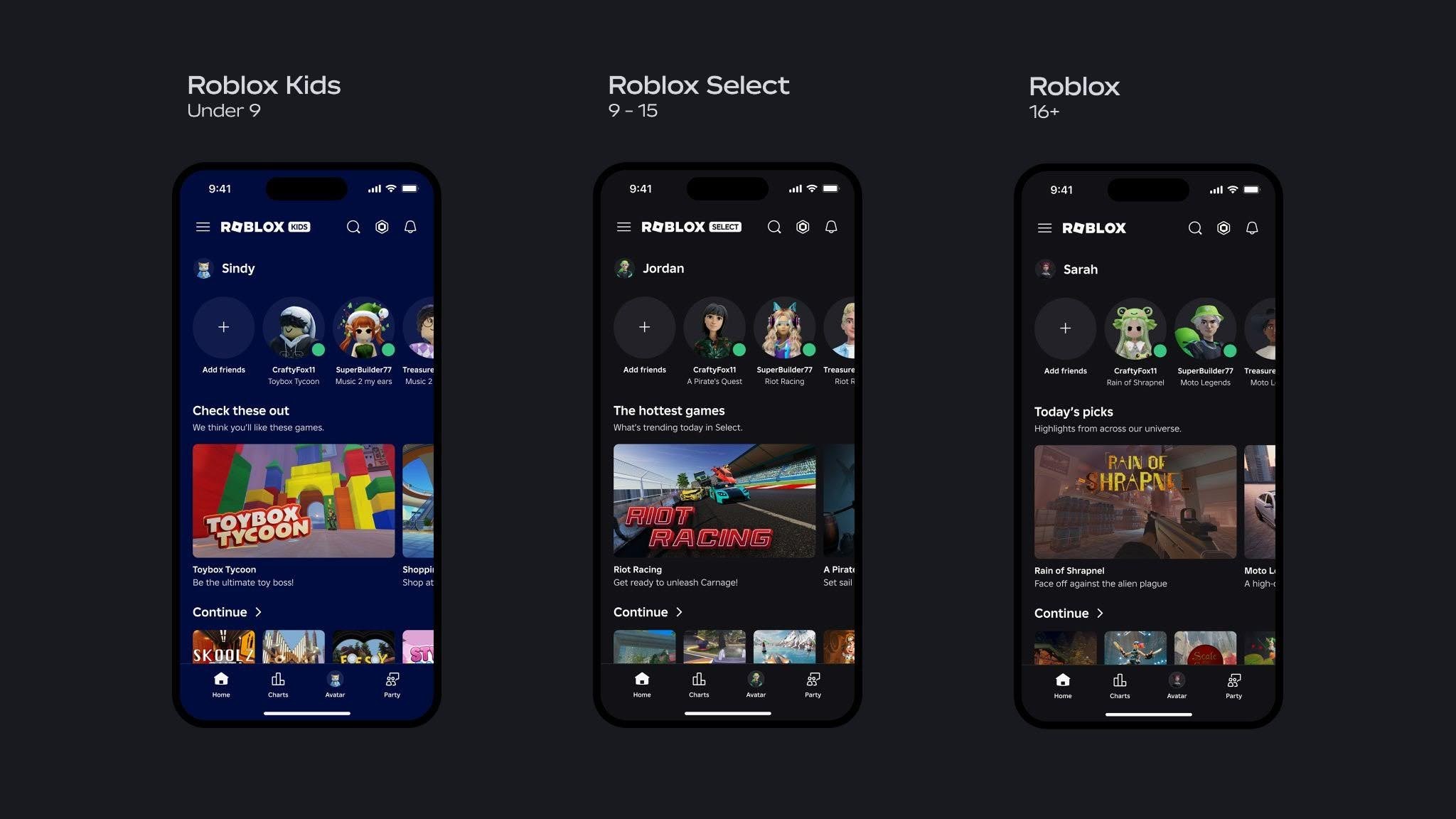
Roblox places each user in an account type based on an age check. Roblox Kids and Roblox Select are the account types for users younger than 16, and their games have passed an extra safety review.
| Account type | Ages | Games | Chat |
|---|---|---|---|
| Roblox Kids | 5-8 | Content rated Minimal or Mild | Off by default; a linked parent account can turn it on for age-checked users |
| Roblox Select | 9-15 | Content rated Minimal, Mild or Moderate | Introduced gradually with safeguards for age-checked users, where available in your region |
| Roblox | 16+ | All rated content except Restricted, which is designed for users 18+ | On by default for age-checked users, where available in your region |
Ages vary by region. During the transition period in most regions, the birthday you enter at sign-up decides the games: ages 5-8 see the Roblox Kids catalog, and ages 9 and older see only the Roblox Select catalog.
Chat on any account type needs an age check, done with a government ID or with Facial Age Estimation through the device camera.
How to sign up for Roblox on Xbox
- Sign in to the Xbox profile you want Roblox linked to, then launch the Roblox app.
- On the app's home screen, choose Create Account. The other two options are Sign In, for an account you already have, and your Xbox Gamertag, for switching profiles.
- Follow the prompts to create the account. Roblox links it to the signed-in Xbox profile.
- Make sure the age on the Xbox profile exactly matches the birthday on the Roblox account, because the link fails when they differ.
A Roblox account can be linked to only one Xbox gamertag. An Xbox Child Account needs a parent's permission in the Xbox Family settings before the Roblox app will launch; the Xbox fix below lists the exact settings.
How to sign up for Roblox on a Windows PC
- Create the account at roblox.com in Chrome, Firefox or Microsoft Edge, following the fastest route above.
- Open the Microsoft Store and install the app named "Roblox – Windows". The older listing named just "Roblox" is the previous app.
- Open the app and log in with your Roblox username and password.
- Link your Xbox account. It is a one-time step, because Microsoft Store games use your Microsoft account and its Xbox profile.
- Alternatively, stay in the browser, open any experience and select the green Play button; Roblox Player installs from a pop-up window.
The new Windows app has a blue icon and the old one a light gray icon. Your friends, Robux and inventory belong to the account, not the app, so nothing is lost when you switch, and the old app can be uninstalled once you have logged in to the new one.
Set up a parent account linked to a child's Roblox account
Parental controls for Roblox Kids and Roblox Select accounts run through a separate Roblox account with parent privileges. The child signs up first, then sends the parent a link request.
- On the child's account, open Settings and go to the Parental Controls tab.
- Select Add parent and type the parent's email address. Roblox emails instructions to that address.
- Open the email. Select Create account if you are new to Roblox, or Use existing account to log in.
- Verify your age with a government-issued ID or a credit card when prompted.
- After the page refreshes, select Agree to link to the child's account.
The email address on the parent's Roblox account must match the address the request was sent to. In most regions a parent can manage all settings through age 12, and certain controls such as game management and Direct Chat through age 15.
How to check your new Roblox account is set up correctly
- Open Settings: the gear icon at the upper right on the website, or the three dots icon for More in the mobile app.
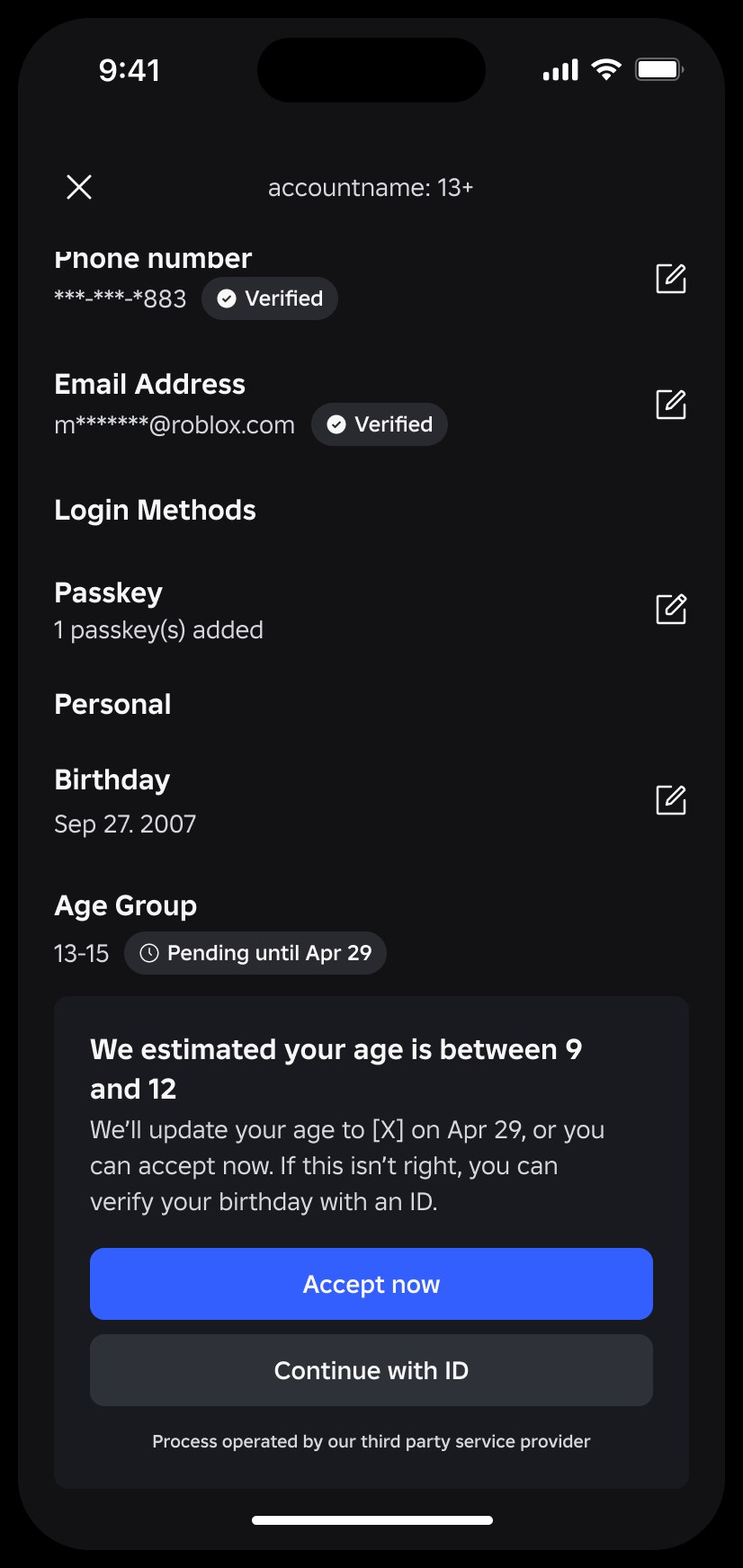
- Select the Account Info tab and confirm that your username and birthday are correct.
- Select Add Email, enter your address, then open the email Roblox sends and follow its instructions.
- Optionally select Add Phone and enter the one-time Roblox security code sent by SMS or WhatsApp. This option appears only in countries where it is available.
- Log out and log back in with your email address instead of your username. If it works, the email is verified and can be used to reset a forgotten password.
Roblox login after you sign up
After the account exists, you can log in on any other device with any of these routes.
| Log in with | How | Condition |
|---|---|---|
| Username and password | Enter both on the login screen | Works on the website, in the mobile apps, on Xbox and on PlayStation |
| Email and password | Enter the account email instead of the username in the mobile or browser app | The email must be verified; if one email is on several accounts, use the username instead |
| Another device | Select Log In with Another Device on the new device, then on the signed-in device open Account Settings > Quick Login and enter the code | The code is valid for 5 minutes and both devices must be near each other; not available on Xbox |
On the website, the gear icon > Switch Account opens the Account Switcher, which holds up to five accounts on one device. It works only for users 13 and older and for accounts without parent privileges. Always log out when you finish on a shared computer, such as one at school or a friend's house.

How to change your Roblox username, display name or birthday after signing up
| What to change | Where | Cost or limit |
|---|---|---|
| Display name | Settings > Account Info > Change Display Name | Free, once every seven days; other players can share the same display name |
| Username | Settings > Account Info > Change Username, then enter your password and select Buy | Costs Robux; previous usernames stay visible in People search |
| Birthday | Settings > Account Info > the Pencil icon next to your birthday | Some changes need a government-issued ID for users 13 and older, or parental consent |
Roblox sign up not working
The username is rejected
It breaks Roblox's username rules or already belongs to another account.
- Keep it between 3 and 20 characters, using only letters and numbers.
- Use no more than one underscore, and not as the first or last character.
- Remove real names, phone numbers, street names and any inappropriate words.
- Try a different name if it already belongs to another account.
The captcha box on roblox.com does not load or will not verify
A content blocker or network filter is stopping the captcha domains.
- Add .arkoselabs.com and .funcaptcha.com to the allow list of your browser's content blocker or your network filter.
- Check that your computer's clock is accurate, since a clock that is a little off can cause problems on roblox.com.
- Reload roblox.com in Chrome, Firefox, Microsoft Edge or Safari and try again.
No birthday option fits the child signing up
Roblox accounts are for ages five and up, so the birthday picker has no dates for younger children.
- Wait until the child is five, then sign up with the real date of birth.
- Never enter a false birthday; Roblox's terms require account information to be true and accurate.
The verification email never arrives
The message has been filtered or the address was mistyped.
- Wait a few minutes, then check the Spam or Junk folder.
- Add [email protected] to your address book.
- In Settings > Account Info, check the address and send the verification again.
Xbox will not create or link the account, or shows error 901
The username breaks the rules, the Xbox and Roblox ages do not match, the Xbox profile is a Child Account without permission, or the Roblox account is moderated.
- Pick a username that follows the rules above.
- Make the age on the Xbox profile match the Roblox birthday; Roblox on Xbox is for ages 10 and up.
- For a child profile, a parent signs in to the main account and opens All Settings > Account > Family, then chooses the child.
- Go to Privacy & Online Safety > Xbox Live privacy > View Details & Customize.
- Under Communication & multiplayer, set "You can join multiplayer experiences" to Allow; under Experience Content, set "You can see and share content" to Everybody.
- If error 901 appears when signing in, log in to Roblox on a phone or computer on the same home network first, then try the Xbox again. A moderated account also shows the moderation status when you log in on that other device.
Roblox sign-up FAQ
Is it free to sign up for a Roblox account?
Yes. Creating a Roblox account costs nothing, and the Roblox app is a free download on Google Play and the App Store with optional in-app purchases. Money only comes in for Robux, Roblox Plus and paid items inside games.
Do I have to sign up to play Roblox?
Yes, to play. Roblox's install steps start from logging in, then selecting Play on an experience, and its terms require an account for access to certain features. One account covers every device, so you only sign up once.
What is the difference between sign in and sign up on Roblox?
Sign up creates a new Roblox account with a username, birthday and password. Sign in, or log in, opens an account that already exists. On Xbox these are the Create Account and Sign In options on the Roblox app's home screen.
How old do you have to be to sign up for Roblox?
You must be at least five years old to create a Roblox account. Users aged 5 to 8 get a Roblox Kids account, 9 to 15 a Roblox Select account, and 16 and older a standard Roblox account, with ages varying by region.
Do I need an email address to sign up for Roblox?
No. Roblox asks for a username, date of birth and password at sign-up. Add and verify an email afterwards in Settings > Account Info, because it lets you reset a forgotten password and log in with your email instead of your username.
How do I register for my Roblox account with a phone number?
Create the account first, then open Settings > Account Info and select Add Phone. Roblox sends a one-time security code by SMS or WhatsApp, and the option only appears in countries where phone verification is available.
Why can't I sign up for a Roblox account?
Check three things: the username follows Roblox's rules of 3 to 20 letters and numbers, the captcha domains are not blocked by a content filter, and your computer clock is accurate. Fix whichever one fails, reload roblox.com and try again.
How do I go to my Roblox account settings?
On the website, select the gear icon at the upper right of the page. In the mobile app, tap the three dots icon for More, then Settings. The Account Info tab holds your username, display name, birthday, email and phone number.
Can I have more than one Roblox account?
Yes. The Account Switcher on the website holds up to five accounts on one device, for users 13 and older without parent privileges. Breaking the Community Standards on one account can lead to action on other accounts Roblox links to the same person.
Final words: secure your new Roblox account first
Turn on 2-Step Verification with the authenticator app option on the day you sign up, and enter your password only on roblox.com or the login screen of the official Roblox apps. The most common way players lose an account is by sharing login information with others or by filling out online surveys. 2-Step Verification stops anyone else from logging in even if they know the password.