GeForce NOW is free to download as a native app for Windows 11 and Windows 10 PCs and for Mac from NVIDIA's download page, but iPhone has no App Store app: on iPhone and iPad it runs in Safari from play.geforcenow.com, added to the home screen.
On this page
Below: which build fits your device, install steps for Windows, Mac, iPhone, Android and Linux, what the free membership includes, the requirements, and fixes when GeForce NOW will not load.

Which GeForce NOW download do you need?
GeForce NOW runs games on NVIDIA's servers and streams them to your device, and one NVIDIA account signs in on every device below. Match your device to a row.
| Your device | Get it from | What you get |
|---|---|---|
| Windows 11 or Windows 10 PC (64-bit) | NVIDIA download page | The native Windows app from Download for Windows |
| Windows on Arm laptop (Snapdragon X) | NVIDIA download page | The Windows ARM (BETA) download |
| Mac on macOS 10.15 or later | NVIDIA download page | The native macOS app from the Mac row |
| iPhone or iPad on iOS / iPadOS 15.4 or later | NVIDIA download page | No App Store app; a Safari web app from play.geforcenow.com |
| Android phone, tablet or Android TV | Google Play | GeForce NOW Cloud Gaming by NVIDIA |
| Linux PC (Ubuntu 24.04 LTS) | NVIDIA download page | GeForceNOWSetup.bin or the Flatpak |
| Steam Deck | NVIDIA download page | A script that adds GeForce NOW to the Steam Library in Gaming Mode |
| ASUS ROG Ally, Lenovo Legion Go or MSI Claw | NVIDIA download page | The handheld's own Download row under Gaming Handheld Devices |
| Chromebook with at least 4GB of RAM | NVIDIA download page | Nothing to install; Launch on Browser opens play.geforcenow.com |
Download GeForce NOW for Windows 11 and Windows 10
Both Windows builds are on NVIDIA's download page; the version shown below is the newest one in NVIDIA's release highlights. New versions are not supported on Windows 7 or Windows 8.1, and 32-bit Windows is not supported at all.
- GeForce NOW for Windows (x86/x64) (2.0.89): select Download for Windows; needs a 64-bit version of Windows 10 or later
- GeForce NOW for Windows on Arm (beta): the Windows ARM (BETA) row, for PCs with a Qualcomm Snapdragon X or NVIDIA Grace processor
How to download and install GeForce NOW on Windows 11 and 10
- Open the GeForce NOW download page and select Download for Windows.
- Run the installer your browser saves and let it finish.
- Sign in with an NVIDIA account, or create one.
- If the app says you cannot play yet, pick a membership: open geforcenow.com and select Join Now, or choose one in the NVIDIA account portal. The free membership needs no credit card or PayPal.
- Connect your game stores under Settings > Connections, then use the search bar to add games you own to your GeForce NOW Library and launch one.
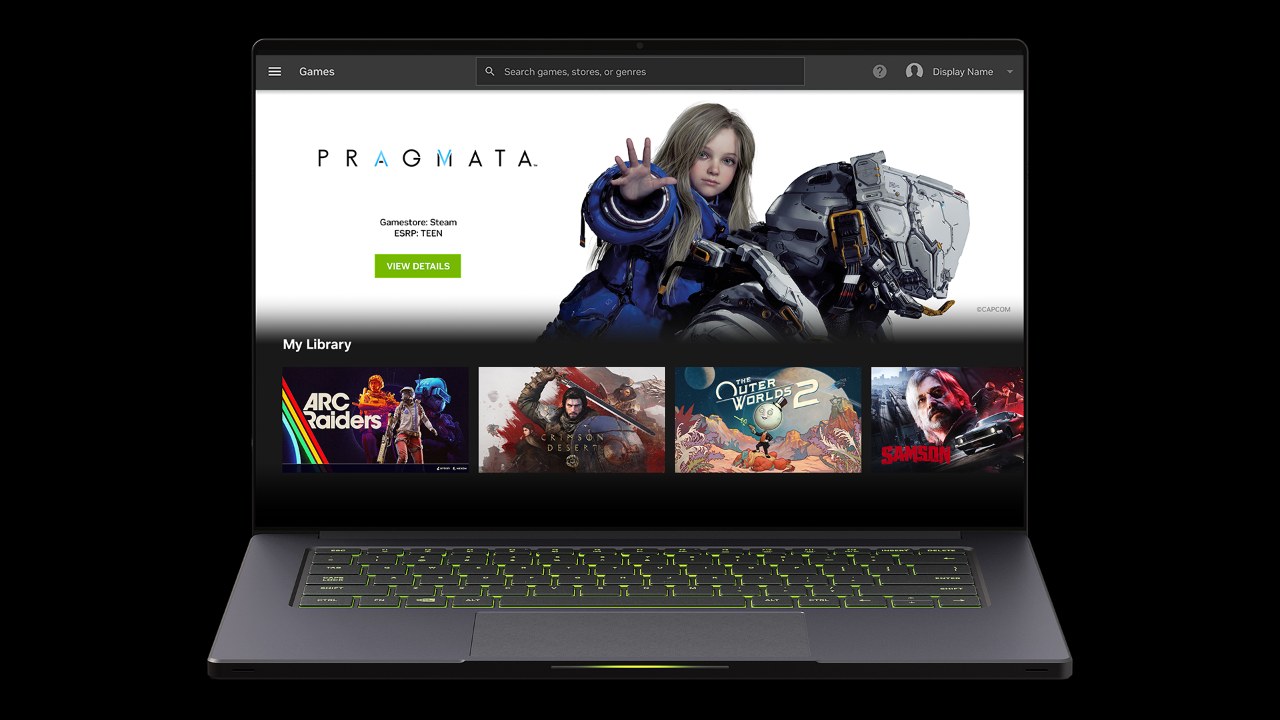
Can you download GeForce NOW on Mac?
Yes. NVIDIA offers a native GeForce NOW app for Mac on the same download page as the Windows app. It needs macOS 10.15 or higher and runs on any Mac introduced in 2009 or later. Open the GeForce NOW download page, select the Mac download, install it and sign in with your NVIDIA account. New app versions are not supported on macOS 10.11 to 10.14. Without the app, play.geforcenow.com streams in Safari 16.4 or later, Chrome 77 or later, or Opera GX 117 or later on macOS.
GeForce NOW on iPhone, iPad and Android
NVIDIA has no GeForce NOW app in the App Store. On iPhone and iPad (iOS / iPadOS 15.4 or later) it runs in Safari, and only games with full or partial gamepad support are playable there. Android gets a native app, GeForce NOW Cloud Gaming, which NVIDIA publishes on Google Play.
- GeForce NOW Cloud Gaming on Google Play (Android): Android 7.0 or later, 1GB of available memory, OpenGL ES2.0 support; contains ads and in-app purchases
- GeForce NOW for iPhone and iPad (Safari web app): open play.geforcenow.com in Safari, tap Share, then Add to Home Screen, and launch GeForce NOW from the home screen
iPhone and iPad need a gamepad for play: Xbox controllers, PS5 DualSense or DualShock 4 controllers, or MFi Bluetooth controllers. A keyboard and mouse only work for menus and typing passwords, because of limitations in Safari.
Install GeForce NOW on Linux and Steam Deck
Linux and Steam Deck get the app from the same NVIDIA download page. Linux needs Ubuntu 24.04 LTS; on NVIDIA GPUs it also needs driver 580.126.07 or later, and NVIDIA says to reinstall GeForce NOW after installing a new driver. Choose Xorg (X11) as the windowing system on NVIDIA GPUs and Wayland on AMD or Intel GPUs.
Linux with the .bin installer
The Linux row of the download page saves GeForceNOWSetup.bin.
- Download the .bin file from the GeForce NOW download page.
- Right-click the file > Properties and enable Executable as Program, or run
chmod +x GeForceNOWSetup.binin a terminal. - Run the installer to complete setup.
Linux as a Flatpak
NVIDIA publishes an official GeForce NOW Flatpak repository.
- Add the repository:
flatpak remote-add --user --if-not-exists GeForceNOW https://international.download.nvidia.com/GFNLinux/flatpak/geforcenow.flatpakrepo - Install the app:
flatpak install --user GeForceNOW com.nvidia.geforcenow - Launch it:
flatpak run com.nvidia.geforcenow
Steam Deck
The Steam Deck download is a script that adds GeForce NOW to the Steam Library.
- Switch the Steam Deck to Desktop Mode and open gfn.link/download in the browser.
- Download the script, extract it and run it.
- Return to Gaming Mode and open GeForce NOW from the Steam Library.
Is GeForce NOW on Xbox, PlayStation or Nintendo Switch?
No. NVIDIA's download page lists no Xbox, PlayStation or Nintendo console among GeForce NOW devices, so there is nothing to download on a console. The Xbox link runs the other way: GeForce NOW streams the PC Game Pass and Microsoft Store games tied to your Xbox account, on a PC, Mac, phone or TV.
- Open the GeForce NOW app on a supported device (from the GeForce NOW download page) and go to Settings > Connections.
- Connect your Xbox account; reconnect it if months have passed since the last connection.
- Launch a PC Game Pass or Microsoft Store game from GeForce NOW; Xbox sign-in now happens automatically.
- In the Xbox app on PC, select Play on a participating game's product page and pick GeForce NOW in the pop-up to stream it there instead.
Xbox controllers and PS5 DualSense or DualShock 4 controllers both work as gamepads on GeForce NOW.
Is GeForce NOW free?
Yes. The app is free to download and the Free membership needs no payment method. You still need to own each game on a supported store, except the hundreds of free-to-play games on the service.
| Plan | What it includes |
|---|---|
| Free | Basic rigs whose performance varies with game and server availability; up to two minutes of video ads before each session; queues at busy times |
| Performance | GeForce RTX rigs at up to 1440p and 60 FPS, no ads, priority access, Install-to-Play with 100GB of single-session storage, 100 hours of playtime a month |
| Ultimate | RTX 5080 rigs at up to 5K and 120 FPS or 360 FPS at 1080p, DLSS 5 in supported games, the longest sessions, 100 hours of playtime a month |
| Day Pass | Performance or Ultimate benefits for 24 consecutive hours, with no monthly commitment |
Up to 15 hours of unused premium playtime rolls over to the next month. Persistent storage for Install-to-Play costs $2.99 a month for 200GB, $4.99 for 500 GB or $7.99 for 1 TB, and free members cannot buy it. Plans are listed on the memberships page, and charges follow the region of your payment method.
GeForce NOW system requirements and internet speed
| Device | Minimum |
|---|---|
| Windows PC | 64-bit Windows 10 or later; dual-core x86 or x64 CPU at 2.0 GHz or faster; 4GB of system memory; GPU that supports DirectX 11 or later |
| Mac | macOS version 10.15 or higher; any Mac introduced in 2009 or later |
| iPhone / iPad | iOS or iPadOS 15.4 or later, in Safari |
| Android | Android 7.0 or later, 1GB of available memory, OpenGL ES2.0 support |
| Chromebook | At least 4GB of RAM; Chrome browser 77.x or later |
| Linux | Ubuntu 24.04 LTS, 4GB of system memory, a GPU with H.264 or H.265 Vulkan video decode such as GeForce 10 series or newer |
| Browser | Chrome 77.x or later, Edge 91.xx or later (Windows), Firefox 153.0.1 or later (Windows), Opera GX 117.x or later, Safari 16.4 or later (macOS) |
Every device needs less than 80ms of network latency to an NVIDIA data center. The app speed tiers are 15 Mbps for 720p at up to 60 FPS, 25 Mbps for 1080p at 60 FPS, 45 Mbps for 4K at 120 FPS and 65 Mbps for 5K at 120 FPS. NVIDIA recommends a wired Ethernet connection or a 5 GHz Wi-Fi router.
How to update GeForce NOW and its drivers
- Compare the version in your app with the newest one in NVIDIA's release highlights.
- To update manually on Windows or Mac, download the latest app from the GeForce NOW download page and install it.
- On Android, update GeForce NOW Cloud Gaming from Google Play.
- Leave game patches and GPU drivers to NVIDIA: all driver and game updates on the cloud rigs are managed automatically.
A PC on Windows 7 or Windows 8.1, or a Mac on macOS 10.11 to 10.14, cannot update to the latest GeForce NOW app. The browser route at play.geforcenow.com has its own minimums, listed in the requirements table above.
Fix GeForce NOW not loading or not working
The app opens but games will not start after signing up
A new NVIDIA account has no GeForce NOW membership selected yet.
- Open geforcenow.com and select Join Now, or pick a plan in the NVIDIA account portal.
- Choose the Free membership if you do not want to pay; no payment method is required.
- Launch the game again from the GeForce NOW app.
The stream stutters, drops quality or will not connect
GeForce NOW needs under 80ms of latency to an NVIDIA data center and enough bandwidth for the chosen resolution.
- Switch to a wired Ethernet connection or a 5 GHz Wi-Fi network.
- Check the Service Status link at the bottom of the download page for a server problem.
- If video looks corrupted, select a different codec under Settings > Gameplay > Custom > Codec.
A game you own does not show up or will not launch
The store account is not connected, or the game is not on the GeForce NOW catalog in your country.
- Connect the store under Settings > Connections in the GeForce NOW app.
- Use the search bar to find the game and add it to your GeForce NOW Library.
- Check the GeForce NOW games page; some games are blocked in some countries by local content ratings.
GeForce NOW download or update failed on an older PC or Mac
New versions do not support Windows 7, Windows 8.1 or macOS 10.11 to 10.14.
- Check the operating system against the requirements table above.
- On an unsupported system, try play.geforcenow.com in a browser that meets the browser row of the table, such as Chrome 77 or later.
The Linux app fails to launch after a driver update
The app must be reinstalled after a new GPU driver is installed on the host.
- Confirm the NVIDIA driver is 580.126.07 or later; on Intel and AMD GPUs the recommended Mesa driver is 24.2.8.
- Reinstall GeForce NOW from the .bin file or the Flatpak commands above.
If a problem continues, press the exclamation icon in the app to report it, or contact NVIDIA customer care from the GeForce NOW FAQ.
How to uninstall or reinstall GeForce NOW on Windows
- Select Start > Settings > Apps > Installed apps.
- Find GeForce NOW in the list.
- Select More > Uninstall and confirm.
- If it is not listed there, open Control Panel > Programs > Programs and Features, right-click GeForce NOW and select Uninstall.
- To reinstall, download the app again from the GeForce NOW download page and sign back in.
Paid memberships and payment methods are managed in the GeForce NOW account portal. With cloud saves in supported games, progress picks up where it left off on any supported device.
GeForce NOW download FAQ
How do I download GeForce NOW?
Open NVIDIA's GeForce NOW download page and select Download for Windows, or the Mac, Linux or Windows on Arm download. Android uses Google Play. Run the installer, sign in with an NVIDIA account and choose a membership, including the free one.
Is GeForce NOW a download, or does it run in the browser?
Both. Windows, Mac, Linux, Android and Steam Deck have a downloadable app, and Chrome, Edge, Firefox, Opera GX and Safari can stream from play.geforcenow.com with nothing installed. iPhone and iPad only use the Safari route, because there is no App Store app.
What does GeForce NOW do, and what are its key features?
GeForce NOW runs PC games on NVIDIA servers and streams them to your device. Its library holds over 4,500 games: titles you own on Steam, Epic Games Store, Ubisoft Connect, EA app, GOG, Battle.net and Xbox, plus hundreds of free-to-play games. Premium memberships add an enhanced experience with faster frame rates, RTX ON and priority access.
How do I download games on GeForce NOW?
Ready-to-Play games need no download: add them to your Library and launch. Install-to-Play, for Performance and Ultimate members, installs opted-in Steam games onto GeForce NOW cloud storage, with 100GB of single-session storage included and persistent storage sold as an add-on.
Is there a GeForce NOW app for iPhone?
No. NVIDIA has no GeForce NOW app in the App Store. Open play.geforcenow.com in Safari on iOS or iPadOS 15.4 or later, tap Share, choose Add to Home Screen, and launch GeForce NOW from the new icon. A gamepad is required for play.
Where do I get the GeForce NOW APK?
From Google Play only, where NVIDIA publishes GeForce NOW Cloud Gaming. The system requirements list Android 7.0 or later with 1GB of available memory and OpenGL ES2.0 support. Install it from Google Play rather than an APK mirror.
How do I fix GeForce NOW not loading?
Check that your account has a membership selected, then move to Ethernet or 5 GHz Wi-Fi and confirm under 80ms latency to an NVIDIA data center. Check NVIDIA's service status, and if video is corrupted, change the codec under Settings > Gameplay > Custom > Codec.
How do I manually update GeForce NOW?
Download the latest app from NVIDIA's GeForce NOW download page and install it, after comparing your version with the newest one in NVIDIA's release highlights. On Android, update through Google Play. Windows 7, Windows 8.1 and macOS 10.11 to 10.14 cannot take new versions.
Do I need to update my NVIDIA drivers for GeForce NOW?
No, not on Windows or Mac. Games run on NVIDIA's cloud rigs, and all driver and game updates there are managed automatically. The exception is the Linux app, which needs NVIDIA driver 580.126.07 or later and a reinstall after a driver change.
How do I uninstall GeForce NOW?
On Windows, go to Start > Settings > Apps > Installed apps, find GeForce NOW and select More > Uninstall. If it is missing there, use Control Panel > Programs > Programs and Features. A paid plan is managed separately, in the GeForce NOW account portal.
Can I get GeForce NOW on Xbox?
No. NVIDIA lists no Xbox console among GeForce NOW devices. On a Windows PC, the Xbox app offers GeForce NOW as a cloud option for participating titles, and GeForce NOW can stream PC Game Pass games once you connect your Xbox account.