World of Warcraft downloads through Blizzard's Battle.net desktop app on Windows PCs and Macs, with a free trial for new players, but it has no iPhone version and no Xbox, PlayStation or Switch version; on iPhone, Blizzard's Warcraft game is Warcraft Rumble.
On this page
Below are the official download links, the install steps for Windows and Mac, what the free trial and subscription cover, the system requirements, fixes for install problems and the Blizzard games that do run on iPhone.
Which World of Warcraft download do you need?
Every version of World of Warcraft installs through the Battle.net desktop app, which Blizzard publishes for Windows and Mac. Blizzard lists Requires World of Warcraft, Internet connection, Battle.net® Account, and Battle.net® desktop app to play, so there is no standalone game installer.
| Your device | How you get World of Warcraft | Official link | Cost |
|---|---|---|---|
| Windows PC (64-bit) | Install the Battle.net app, then install World of Warcraft from it | Battle.net for Windows | Free trial, then Subscription or Game Time |
| Mac (Intel or Apple silicon) | Install the Battle.net app for Mac, then install World of Warcraft from it | Battle.net for Mac | Free trial, then Subscription or Game Time |
| iPhone or iPad | No version of World of Warcraft; Blizzard's Warcraft game for iPhone is Warcraft Rumble | Warcraft Rumble on the App Store | Warcraft Rumble is free, with In-App Purchases |
| Xbox, PlayStation or Nintendo Switch | No console version; Blizzard publishes requirements for Windows and Mac only | World of Warcraft official site | Not available |
Download World of Warcraft for Windows 11 and Windows 10
The Windows download is the Battle.net desktop app; World of Warcraft itself downloads inside it after you sign in. Blizzard's minimum is Windows 7 64-bit (Service Pack 1) and its recommended system is Windows 10 64-bit, and the requirements do not name Windows 11 separately.
- Battle.net desktop app for Windows: Select Download for Windows; World of Warcraft installs through this app
- World of Warcraft free trial: Blizzard's starting page for new players on the free trial
Install World of Warcraft through Battle.net
- Open the Battle.net download page and select Download for Windows or Download for Mac.
- Run the installer you downloaded and sign in with your Battle.net account, or create one.
- Make sure the install drive has at least 128GB available space on Windows or 100GB on Mac; Blizzard lists a solid state drive at the Windows minimum.
- Find World of Warcraft in the Battle.net app and start the install.
- When the download finishes, launch World of Warcraft from the Battle.net app to confirm the install worked.
Is World of Warcraft free to play?
Blizzard's Begin Your Adventure offer lets new players try World of Warcraft for free, and returning players can Play for FREE to level 20. Beyond the free play, World of Warcraft requires a Subscription or Game Time.
A single subscription covers World of Warcraft, with every past expansion included, and WoW Classic. The 6-Month and 12-Month Special Subscription Offers add special offer bonuses.
| Version | Status | What you need |
|---|---|---|
| Free trial | Open to new players from the official site | A Battle.net account |
| Returning player free play | Open to returning players | Play is free to level 20 |
| World of Warcraft (base game) | Live, with every past expansion | Subscription or Game Time |
| World of Warcraft: Midnight | Live; content update 12.1.5 from October 13 | Subscription or Game Time, plus the Midnight purchase, which does not include future expansions |
| WoW Classic: Mists of Pandaria Classic, Classic Era, Burning Crusade Classic Anniversary, Classic Season of Discovery | Live | Included with the same subscription |
| World of Warcraft: Forever | Launches November 4, 2026, at 3:00 p.m. PST; beta runs through October 21, 2026 | Included with Subscription or Game Time; upgrade packs optional |
World of Warcraft: Forever upgrade editions are on pre-purchase in the Battle.net Shop: the Skyborne Heroic Pack, the Skyborne Epic Pack and the limited-time Warcraft Forever Collection, which also includes Warcraft III: Reforged. The Skyborne Epic Pack and Warcraft Forever Collection add 30 days of Game Time starting November 4.
World of Warcraft system requirements and download size
These are Blizzard's Windows requirements. Every listed Windows version is a 64-bit edition, and Blizzard lists install space rather than a download size: 128GB on a solid state drive, with a note that player experience may be impacted on an HDD.
| Component | Minimum | Recommended |
|---|---|---|
| Operating system | Windows 7 64-bit (Service Pack 1) | Windows 10 64-bit |
| Processor | 4 cores, 3.0 GHz: 4th Generation Intel Core Haswell or AMD Ryzen Zen | 6 cores, 3.5 GHz: 8th Generation Intel Core Coffee Lake or AMD Ryzen Zen 2 |
| Video | DirectX 12 capable 3GB GPU: NVIDIA GeForce GTX 900 series, AMD GCN 4th gen or Intel Iris Xe Graphics | DirectX 12 capable 8GB GPU: NVIDIA GeForce RTX, AMD RDNA 2 or Intel Arc 7 Graphics |
| Memory | 8GB RAM | 16GB RAM |
| Storage | Solid State Drive (SSD), 128GB available space | Solid State Drive (SSD), 128GB available space |
| Internet | Broadband internet connection | Broadband internet connection |
| Input | Keyboard and mouse required | Multi-button mouse with scroll wheel |
| Resolution | 1280 x 720 minimum display resolution | 1280 x 720 minimum display resolution |
To check a PC, right-click Start, choose Settings, select System and pick About. Under Device specifications, Windows shows the processor, the installed RAM and whether it is a 32-bit or 64-bit version.
Can you download World of Warcraft on Mac?
Yes. World of Warcraft has a Mac version that installs through the Battle.net app for Mac: select Download for Mac on the Battle.net download page, then install the game from the app. Blizzard publishes separate Mac requirements, with the Apple M1 at minimum and the Apple M1 Max or better recommended.
| Component | Mac minimum | Mac recommended |
|---|---|---|
| Operating system | macOS 10.13 (latest version) | macOS 11 (latest version) |
| Processor | Intel Core i5-4670 or Apple M1 | Intel Core i7-6700K or Apple M1 Max or better |
| Video | NVIDIA GeForce GT 750M 2 GB, AMD Radeon R9 M290 2 GB, Intel UHD 630 or Apple M1 Metal capable GPU | AMD Radeon RX Vega 64 8 GB or Apple M1 Max or better |
| Memory | 4GB RAM (8GB if using supported integrated graphics) | 8GB RAM |
| Storage | SSD or HDD, 100GB available space | Solid State Drive (SSD), 100GB available space |
| Resolution | 1024 x 768 minimum display resolution | 1024 x 768 minimum display resolution |
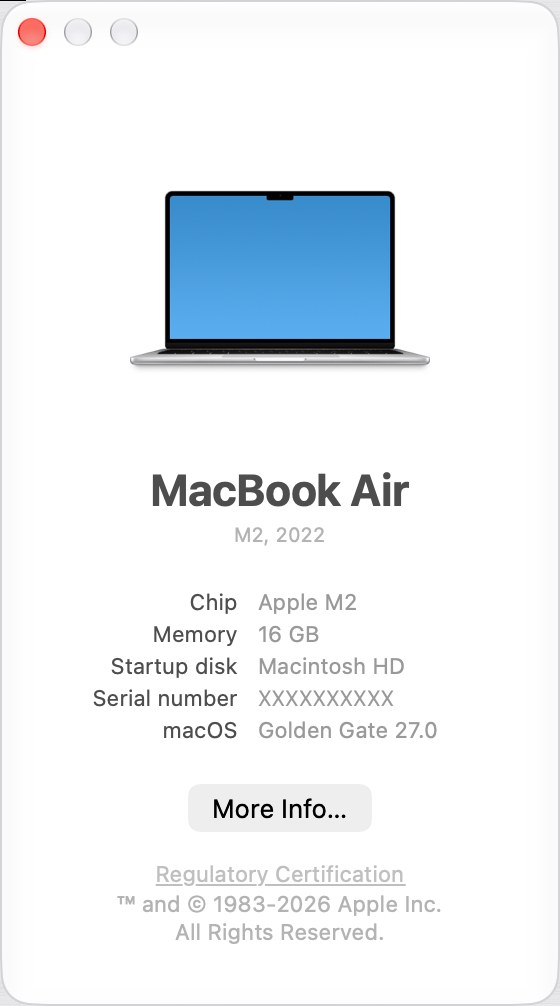
To check a Mac, choose About This Mac from the Apple menu; the window shows the name and version number of the installed macOS.
World of Warcraft on iPhone and Android
There is no World of Warcraft app for iPhone, iPad or Android, and Blizzard offers no official way to play the game on a phone. The Battle.net mobile app is the official Blizzard app for phones: it lets you shop, see what friends are playing, manage account settings, reply to support tickets and secure your account with the built-in Authenticator.
- Battle.net mobile app for iOS and Android: Account, shop, friends and two-factor Authenticator; it does not run World of Warcraft
A World of Warcraft app for iPhone or Android from any other source is not from Blizzard. Use the Authenticator on your phone to protect the account you play on a PC or Mac.
Fix World of Warcraft not downloading, installing or running
There is no World of Warcraft installer to download
World of Warcraft installs only through the Battle.net desktop app.
- Download the Battle.net app from download.battle.net instead of looking for a game installer.
- Sign in, find World of Warcraft in the app and install it from there.
- Ignore any site offering a standalone World of Warcraft setup file; it is not from Blizzard.
The install stops because the drive is full
Windows needs 128GB available space and Mac needs 100GB.
- On Windows, right-click Start, choose Settings, select System and pick Storage to see free space.
- Free space on the install drive, or install to a different drive with enough room.
- Use a solid state drive if you have one; Blizzard lists an SSD at the Windows minimum.
World of Warcraft will not run on an older Windows PC
Every Windows requirement is a 64-bit edition, with a DirectX 12 capable 3GB GPU at minimum.
- Right-click Start, choose Settings, select System and pick About.
- Under Device specifications, check that Windows is a 64-bit version; a 32-bit version cannot run World of Warcraft.
- Compare the graphics card with the GTX 900 series, AMD GCN 4th gen or Intel Iris Xe minimum in the requirements table.
World of Warcraft will not install on an older Mac
The Mac version needs macOS 10.13 or later and at least an Intel Core i5-4670 or Apple M1.
- Choose About This Mac from the Apple menu and check the macOS version and chip.
- Update macOS if the Mac supports a newer release.
- If the Mac is below the minimum, World of Warcraft will not run on it.
A controller does not work in World of Warcraft
Blizzard requires a keyboard and mouse and states that other input devices are not supported.
- Connect a keyboard and mouse; Blizzard recommends a multi-button mouse with scroll wheel.
- Play on a Windows PC or Mac, since there is no console version.
Blizzard games you can play on iPhone instead of World of Warcraft
World of Warcraft has no iPhone version, but three Blizzard games are on the App Store for iPhone and iPad, each free with In-App Purchases.
| Game | What it is | Size on iPhone | Official link |
|---|---|---|---|
| Warcraft Rumble | Mobile action strategy set in the Warcraft universe; requires iOS 15.0 or later | 496.6 MB | Warcraft Rumble on the App Store |
| Hearthstone | Strategy card game where you battle as Warcraft heroes; collection and progress sync between mobile and PC | 896.7 MB | Hearthstone on the App Store |
| Diablo Immortal | Action MMORPG set in the Diablo universe, with cross-platform play across mobile and PC | 3.8 GB | Diablo Immortal on the App Store |
Other questions about downloading World of Warcraft
Is World of Warcraft free to download?
Yes, to start. New players can try World of Warcraft for free through Blizzard's free trial, and returning players can play for free to level 20. Playing beyond that requires a World of Warcraft Subscription or Game Time, which also covers every past expansion and WoW Classic.
Can you play World of Warcraft on iPhone?
No. World of Warcraft has no iPhone, iPad or Android version, and Blizzard offers no official way to play it on a phone. On iPhone, Blizzard offers Warcraft Rumble and Hearthstone, and the Battle.net mobile app handles your account, shop, friends and the Authenticator.
Does World of Warcraft work on Windows 11?
Blizzard's requirements name Windows 7 64-bit (Service Pack 1) as the minimum and Windows 10 64-bit as recommended, and they do not list Windows 11 by name. The Battle.net download page offers one Windows installer, and every listed Windows requirement is a 64-bit edition.
Is World of Warcraft on Xbox or PlayStation?
No. Blizzard lists requirements for Windows and Mac only, and the game requires the Battle.net desktop app plus a keyboard and mouse. Blizzard has not released World of Warcraft on Xbox One, Xbox Series X|S, PlayStation or Nintendo Switch.
Does World of Warcraft run on Apple silicon Macs?
Yes. Blizzard lists the Apple M1 in the Mac minimum requirements and the Apple M1 Max or better as recommended, alongside macOS 10.13 as the minimum and macOS 11 as recommended. Install it through the Battle.net app for Mac.
How big is the World of Warcraft download?
Blizzard lists install space rather than a download size: 128GB available space on a solid state drive for Windows, and 100GB available space for Mac, where a hard disk drive is also accepted at the minimum.
Is WoW Classic included with a World of Warcraft subscription?
Yes. A single subscription gives access to both World of Warcraft and WoW Classic. Blizzard lists Mists of Pandaria Classic, Classic Era, Burning Crusade Classic Anniversary and Classic Season of Discovery as the Classic versions.
Do you need to buy Midnight to play World of Warcraft?
No. The subscription includes the base game with every past expansion. Midnight, the latest expansion, is a separate purchase that adds new zones, dungeons and features, and it still requires a Subscription or Game Time to play.
Can you play World of Warcraft with a controller?
No. Blizzard's requirements say a keyboard and mouse are required and other input devices are not supported. The recommended setup is a multi-button mouse with scroll wheel on a Windows PC or Mac.
When does World of Warcraft: Forever come out?
World of Warcraft: Forever launches globally on November 4, 2026, at 3:00 p.m. PST. Access is included with a World of Warcraft Subscription or Game Time, and optional upgrade packs are on pre-purchase in the Battle.net Shop.