You can play Fortnite on PC for free by installing it through the Epic Games Store on Windows, or by streaming it with no download from xbox.com/play or GeForce NOW.
On this page
Below are the browser route that gets you into a match fastest, the full Epic install, the Xbox app and GeForce NOW routes, the Windows settings that keep it running, and fixes for crashes and lag.
The fastest way to play Fortnite on PC without a download
Xbox Cloud Gaming streams Fortnite to a PC browser with a free Microsoft account. No Game Pass subscription and no install are needed for free-to-play games like Fortnite.
- Open Microsoft Edge or Google Chrome on your PC.
- Go to xbox.com/play and sign in with your Microsoft account, or create a free one.
- Search for Fortnite and open its cloud gaming page.
- Choose Play with mouse and keyboard or Play with controller, depending on what you have connected.
- Wait for the stream to start, then pick a mode from the Fortnite lobby.
Xbox asks for a connection of at least 10 Mbps, and recommends 20 Mbps for PCs plus 5Ghz Wi-Fi for the best stream.
Which way to play Fortnite on PC should you use?
| Your situation | Use this | Why |
|---|---|---|
| You have a gaming PC and want the best frame rate and lowest input lag | Epic Games Store install | The game runs on your own hardware, with no stream in between |
| You already use the Xbox app on Windows 10 or Windows 11 | Xbox app (Xbox Play Anywhere) | Fortnite carries the Xbox Play Anywhere badge and lists PC as a supported device |
| Your PC is old, low on storage or a work machine you cannot install on | Xbox Cloud Gaming | Free with a Microsoft account, runs in Edge or Chrome, no download |
| You want a cloud stream with higher resolution options or already pay for GeForce NOW | GeForce NOW | Free membership exists; paid tiers remove ads and raise resolution and frame rate |
Fortnite system requirements for streaming on a PC
Streaming runs Fortnite on a remote server, so the PC needs a supported browser or app and a fast, stable connection rather than a strong graphics card.
| Requirement | Xbox Cloud Gaming | GeForce NOW |
|---|---|---|
| Account | Free Microsoft account | NVIDIA account; a free membership needs no payment method |
| Windows | Windows PC with a supported browser | A 64-bit version of Windows 10 or later for the app |
| PC hardware | Runs in the browser at xbox.com/play | For the Windows app: a dual-core 2.0 GHz CPU, 4GB of system memory and a GPU that supports DirectX 11 or later |
| Browser | Microsoft Edge or Google Chrome | Chrome 77 or later, Edge 91 or later, launched from play.geforcenow.com |
| Internet speed | 10 Mbps minimum, 20 Mbps recommended for PCs | 15 Mbps for HD at up to 60 FPS, 25 Mbps for 1080p at 60 FPS |
| Network | 5Ghz Wi-Fi recommended | Wired Ethernet or 5 GHz Wi-Fi, and less than 80ms of latency to an NVIDIA data center |
| Controls | Xbox Wireless Controller, Sony DualShock 4, or mouse and keyboard | USB gaming mouse recommended; Xbox controllers and PS5 DualSense/DualShock 4 supported |
Create an Epic Games account
Fortnite is published by Epic Games, and the Epic Games Store and Fortnite both sign in with an Epic Games account. Create it before installing anything so the launcher signs straight in.
- Go to epicgames.com in your browser and choose to sign in.
- Pick the option to create a new account.
- Fill in the sign-up form and choose a password.
- Finish any verification step Epic shows, such as confirming your email address.
Download the Epic Games Store client
The Epic Games Store client (the Epic Games Launcher) is the Windows app that installs, updates and starts Fortnite. The Epic Games Store is also listed in the Microsoft Store for Windows.
- Open store.epicgames.com and choose the download button for the Epic Games Store on Windows.
- Run the downloaded installer and accept the prompts, or install the Epic Games Store from the Microsoft Store instead.
- Open the Epic Games Launcher when setup finishes.
- Sign in with the Epic Games account you created.
Get the launcher only from store.epicgames.com or the Microsoft Store. Fortnite is free, so any site offering a paid or modified copy is a scam.
Install Fortnite
- In the Epic Games Launcher, open the store and search for Fortnite.
- Open the Fortnite page and choose to get it; the game is free, and in-game purchases are optional.
- Go to your library in the launcher and select Fortnite to install it.
- Choose an install location on a drive with enough free space.
- Leave the launcher open until the download and install finish.
Run Fortnite
- Open the Epic Games Launcher and go to your library.
- Select Fortnite and launch it; let any pending update finish first.
- Wait for the lobby to load.
- Pick a mode, such as Battle Royale, Fortnite OG, Reload, LEGO Fortnite or Fortnite Festival, and ready up.
How to play Fortnite on PC with the Xbox app
Fortnite's Xbox Store listing carries the Xbox Play Anywhere badge and lists PC, Xbox One, Xbox Series X|S, Xbox Cloud Gaming and handhelds as supported. Xbox Play Anywhere games you own appear in the Xbox app on a Windows 10/11 PC signed in to the same Microsoft account.
- Open the Fortnite page on the Xbox Store at xbox.com and get the free game with your Microsoft account.
- Install and open the Xbox app on your Windows 10 or Windows 11 PC.
- Sign in with the same Microsoft account.
- Open My Library and select Fortnite to install and play it.
Xbox Play Anywhere needs the Windows 10 Anniversary Edition update or later. You can be signed in to the game on only one console, one PC or one handheld at a time.
How to play Fortnite using GeForce Now
GeForce NOW streams Fortnite from NVIDIA's servers and connects to your Epic Games Store account. The free membership plays up to two minutes of video ads before each session and may put you in a queue.
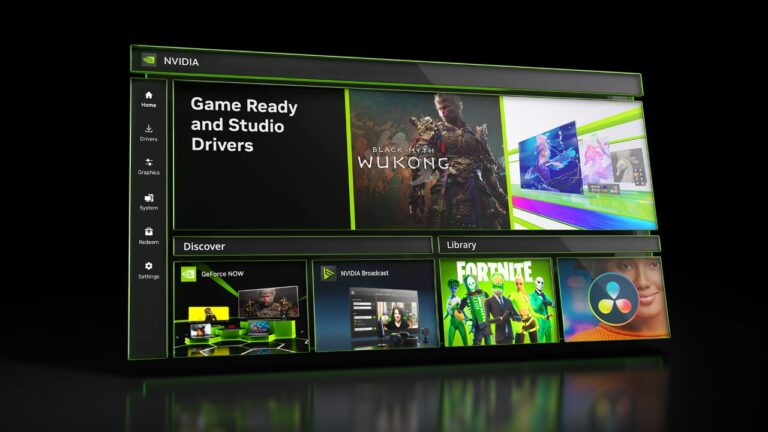
- Go to play.geforcenow.com in Chrome or Edge, or install the GeForce NOW app for Windows.
- Create an NVIDIA account and choose the free membership, or a paid Performance or Ultimate plan.
- Open Settings in GeForce NOW and link your Epic Games account so Fortnite signs in automatically each session.
- Search for Fortnite, select it and choose to play.
- Wait for a server to be assigned, then play from the Fortnite lobby.
Ultimate is the membership needed for QHD resolution and 120 FPS streaming in a browser, and premium members skip the ads.

Adjust your settings for Fortnite on Windows
On an installed copy, check Windows Update and the graphics driver before changing anything inside Fortnite. If the frame rate is still low after that, lower Fortnite's graphics quality in its in-game settings.
| Setting | Where | What it does |
|---|---|---|
| Windows updates | Start > Settings > Windows Update > Check for Windows updates | Installs current fixes, including drivers Windows Update delivers for video cards |
| Graphics driver | Device Manager > Display adapters > right-click your GPU > Update driver | Searches for a newer driver for the graphics card; get manual drivers only from the card maker's site |
| Driver rollback | Device Manager > GPU > Properties > Driver > Roll Back Driver | Returns to the previous driver when Fortnite started crashing after a driver or Windows update; needs administrator permissions |
| Mouse polling rate (GeForce NOW) | Your mouse's own software | Lowering it to 125Hz is NVIDIA's fix for mouse stutter while streaming |
| Network (cloud play) | Router or Wi-Fi settings | A wired connection or 5 GHz Wi-Fi keeps the stream smooth |
How to check Fortnite is working on your PC
- Launch Fortnite and confirm the lobby loads with your Epic display name and your owned items.
- Start a match in any mode and play to the first drop or round.
- If you streamed it, check the image stays sharp and input responds without lag for a few minutes.
- Close the game and open it again; your settings and progress should still be there.
Fix Fortnite on PC when it does not work
Why can't I play Fortnite on my PC?
Check three things: pending Windows updates, the graphics driver, and, for streaming, the browser and your region.
- Install pending updates from Start > Settings > Windows Update > Check for Windows updates, then select Download & install and restart.
- Update the graphics driver through Device Manager > Display adapters > Update driver.
- For cloud play, switch to Microsoft Edge or Google Chrome and confirm cloud gaming is offered in your region.
- If the installed game still fails, play through xbox.com/play while you sort out the PC.
My PC crashes when I play Fortnite
A faulty graphics driver, or one replaced by a recent update, is the cause to rule out first.
- Open Device Manager, expand Display adapters, right-click the GPU and choose Update driver > Search automatically for updated driver software.
- If the crashes began after a driver or Windows update, open Properties > Driver and select Roll Back Driver (this needs administrator permissions).
- Restart the PC and launch Fortnite again.
My PC is laggy when I play Fortnite
Either the graphics settings are too high for the hardware, or a cloud stream lacks bandwidth.
- On an installed copy, lower Fortnite's in-game graphics quality and close other apps.
- For Xbox Cloud Gaming, make sure the connection gives at least 20 Mbps on a PC and use 5Ghz Wi-Fi.
- For GeForce NOW, use a wired connection, keep latency under 80ms and lower your mouse polling rate to 125Hz if the mouse stutters.
Fortnite on PC FAQ
How do you play Fortnite on PC with a controller?
On Xbox Cloud Gaming, connect an Xbox Wireless Controller or a Sony DualShock 4 by Bluetooth or USB, then choose Play with controller on the Fortnite page. GeForce NOW supports Microsoft Xbox controllers and Sony PS5 DualSense and DualShock 4 controllers, and other gamepads may need extra drivers.
Can you play Fortnite on PC with keyboard and mouse?
Yes. The Xbox Cloud Gaming page for Fortnite offers Play with mouse and keyboard next to Play with controller. On GeForce NOW, NVIDIA recommends a USB gaming mouse and suggests lowering the mouse polling rate to 125Hz if the cursor stutters.
How do you play Fortnite on PC without downloading it?
Stream it. Sign in at xbox.com/play with a free Microsoft account and open Fortnite in Edge or Chrome, or use GeForce NOW at play.geforcenow.com. Both run the game on remote servers, so nothing installs on your PC.
Can you play Fortnite on PC without Epic Games?
Yes, without the Epic Games Store client. Xbox Cloud Gaming streams Fortnite at xbox.com/play using your Microsoft account, and the Xbox app can install it as an Xbox Play Anywhere game. Nothing from the Epic Games Launcher has to be installed for either route.
Is Fortnite free to play on PC?
Yes. Fortnite is free on the Epic Games Store, the Xbox Store and Xbox Cloud Gaming, and the Xbox Store marks it Free+ because it offers in-app purchases. V-Bucks and packs are optional, and Fortnite Crew is included with Xbox Game Pass Ultimate.
Can you play Fortnite on PC with an Xbox account?
Yes. Sign in to xbox.com/play or the Xbox app with the Microsoft account behind your gamertag, then open Fortnite. Xbox Cloud Gaming streams free-to-play games like Fortnite with only that free Microsoft account, no Game Pass needed.
Does Fortnite work on Windows 11?
Yes. Fortnite's Xbox Store listing names PC and carries the Xbox Play Anywhere badge, which covers Windows 10/11 PCs through the Xbox app, and streaming in Edge or Chrome works on Windows 11 too. Microsoft ended Windows 10 support on October 14, 2025 and recommends moving to Windows 11.
Is Fortnite on Xbox Game Pass for PC?
Fortnite itself is free, so it does not need Game Pass. Game Pass Ultimate includes Fortnite Crew, and free-to-play games like Fortnite stream from the cloud with only a free Microsoft account.
Why does my PC crash when I play Fortnite?
Rule out the graphics driver first. Update it through Device Manager, or roll it back if the crashes started right after a driver or Windows update, then install pending Windows updates and restart. If the installed game still crashes, stream it from xbox.com/play in the meantime.
Why is my PC so laggy when I play Fortnite?
On an installed copy, lower the graphics quality in Fortnite's settings and close other apps. A stream lags when the connection is too slow: Xbox recommends 20 Mbps for PCs and 5Ghz Wi-Fi, and GeForce NOW needs less than 80ms of latency to an NVIDIA data center.