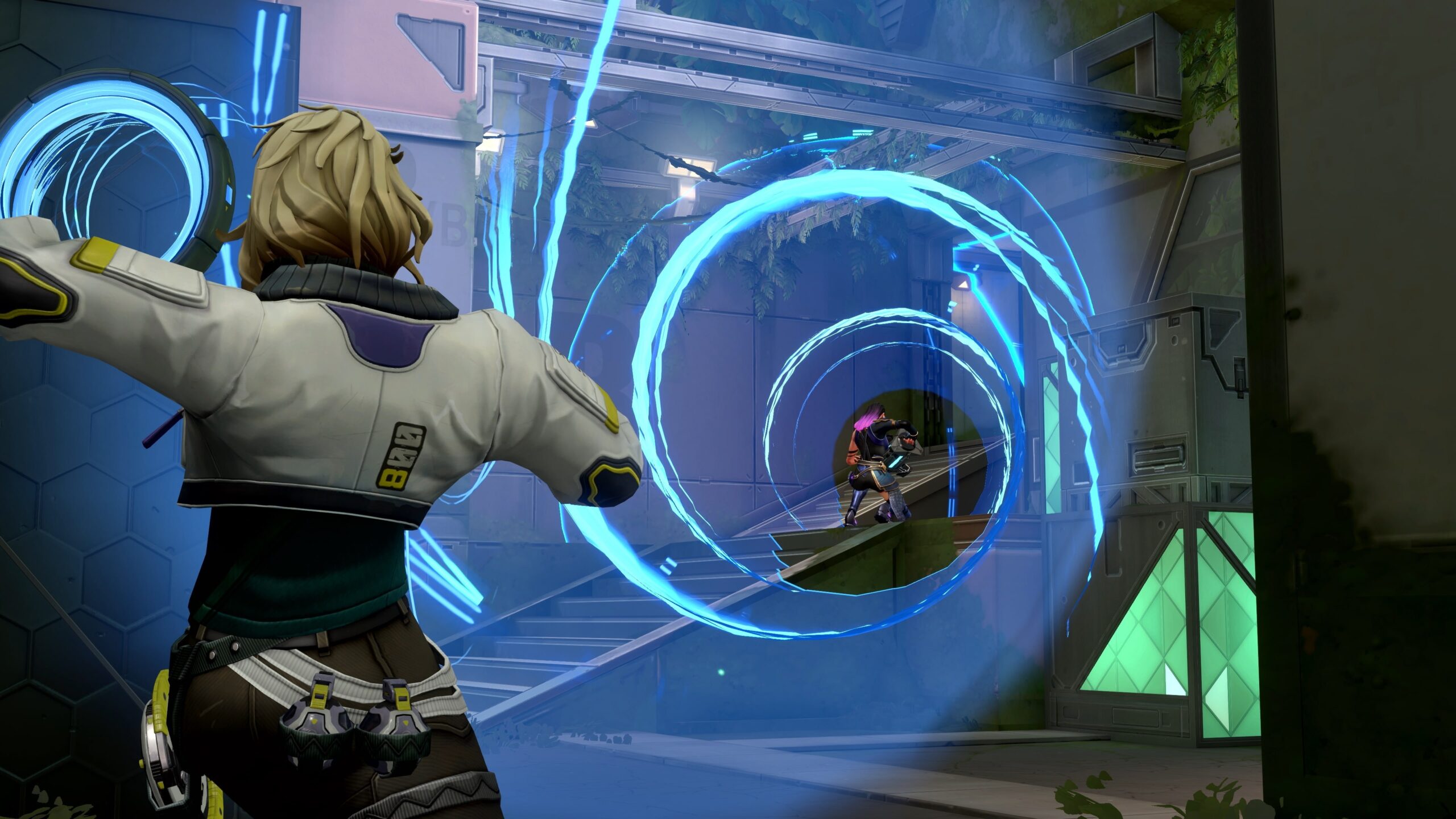
Valorant is a free download for Windows 11 and Windows 10 PCs and for Xbox Series X|S and PlayStation 5; Riot makes no Mac or iPhone version, and there is no official way to stream it to either.
On this page
Below are the official PC and console downloads, the PC specs including the Windows 11 TPM 2.0 and Secure Boot rule, Game Pass and Valorant Points pricing, and fixes for the Vanguard errors that stop a fresh install from launching.
Which Valorant download do you need?
| Your device | Can it run Valorant? | Where to get it |
|---|---|---|
| Windows 11 PC (64-bit) | Yes, with TPM 2.0 and UEFI Secure Boot turned on | playvalorant.com download |
| Windows 10 PC (Build 19041+, 64-bit) | Yes | playvalorant.com download |
| Windows PC with an ARM processor | No, Riot lists ARM as not supported | No official build |
| Xbox Series X|S | Yes, free | Microsoft Store on Xbox |
| PlayStation 5 | Yes, free | PlayStation Store |
| Xbox One or PS4 | No, the console version is Xbox Series X|S and PS5 only | No official build |
| Mac | No Mac version, and cloud gaming is not supported | No official route |
| iPhone | No iPhone version, and cloud gaming is not supported | No official route |
Download Valorant for Windows 11 and 10, Xbox Series X|S and PS5
The PC installer from Riot's download page installs the Riot Client, which then downloads and installs Valorant. Console players get the game from their console's own store.
- Valorant for Windows 11 and 10 (Riot Client installer): Free. Select Download on the page to get the installer.
- Valorant for Xbox Series X|S: Free, with optional in-app purchases.
- Valorant for PlayStation 5: Free, with optional in-game purchases.
How to install Valorant on Windows 11 and 10
Launching Valorant for the first time installs Riot Vanguard, Riot's game security software. Vanguard is usually an on-boot application, which means it starts with Windows.
- Open the Valorant download page and select Download.
- Run the downloaded installer. It installs the Riot Client, which then downloads and installs Valorant.
- Sign in to the Riot Client with your Riot Account, or create one.
- Launch Valorant from the Riot Client. Riot Vanguard installs automatically the first time a game that needs it starts.
- If Valorant asks for a restart, restart the PC so Vanguard can start with Windows.
- Check the red Riot Vanguard icon in the system tray (bottom-right corner of the screen). Its tray menu (VGTray) shows whether the PC meets Vanguard's security requirements and links to the fix for any that does not.
The game files live in the C:\Riot Games folder by default, inside separate VALORANT and Riot Client folders.
Download Valorant on Xbox Series X|S
On Xbox, the store lists Valorant for Xbox Series X|S only. To play on console, Riot requires a Riot Account in good standing and residence in the NA, EU, JP or BR regions, or part of OCE (AUS and NZ).
- On the Xbox Series X|S, open the Microsoft Store and search for Valorant.
- Open the listing and get the game. The Valorant page on xbox.com lists it as Free+, with in-app purchases.
- Wait for the download to finish, then launch Valorant on the console.
- Link your Riot Account when the game asks. Use your main PC account if you have one, because account level, currencies, Agents, skins and Battle Pass progress carry over between PC and console.
Install Valorant through the PlayStation Store on PS5
- Open the PlayStation Store on the PS5, or the Valorant page on the PlayStation Store in a browser signed in to your PlayStation account.
- Select Add to Library. Valorant is listed as free, and PlayStation Plus is not required to play online.
- Download it from your game library on the PS5.
- Launch Valorant and link your Riot Account. A Riot Account is required to play on console.
Valorant is not available on PS4. The PlayStation Store lists cloud streaming to a PS5 or PlayStation Portal only with a PlayStation Plus Premium subscription.
Is Valorant on Game Pass?
Riot says Valorant is free to play on console, and the Xbox store lists it as included in the Game Pass Essential, Premium and Ultimate subscriptions. Riot states that Game Pass members get the same Valorant benefits on Xbox, but those Game Pass benefits do not carry over to the PlayStation version.
Is Valorant free?
Valorant is free to play on PC, Xbox Series X|S and PS5. Valorant Points (VP), the in-game currency bought with real money, unlock seasonal Battle Passes, Agents and cosmetic items such as weapon skins. Because the full game is free from Riot, an external site selling a paid or "unlocked" copy is not offering the official game.
| Valorant Points pack (console stores, US) | Price |
|---|---|
| 475 VALORANT Points | $4.99 |
| 1000 VALORANT Points (50 bonus + 950) | $9.99 |
| 1900 + 150 bonus on Xbox, listed as 2050 VALORANT Points on PlayStation | $19.99 |
| 3650 VALORANT Points (325 bonus + 3325) | $34.99 |
| 5350 VALORANT Points (600 bonus + 4750) | $49.99 |
| 11000 VALORANT Points (1500 bonus + 9500) | $99.99 |
Valorant Points bought on PC or console land in the same account, since currencies are shared between PC and console.
Valorant system requirements for PC
Every tier needs a CPU with SSE 4.2 or AVX support, 4GB of RAM, DirectX 11 support and a 64-bit copy of Windows 10 (Build 19041+) or Windows 11. A PC with dedicated graphics also needs at least 1GB of VRAM.
| Tier | CPU | GPU |
|---|---|---|
| Minimum (30 FPS) | Intel i3-540 or AMD Athlon 200GE | Intel HD 4000 or AMD Radeon R5 220 |
| Recommended (60 FPS) | Intel i3-4150 or AMD Ryzen 3 1200 | NVIDIA Geforce GT 730 or AMD Radeon R7 240 |
| High-end (144 FPS) | Intel i5-9400F 2.90GHz or AMD Ryzen 5 2600X | NVIDIA GTX 1050 Ti, AMD Radeon R7 370 or Intel Arc A310 |
| Windows 11 extra | TPM 2.0 and UEFI Secure Boot | Not applicable |
| Not supported | ARM processors, virtual machines, cloud gaming | Not applicable |
To see which Windows version and edition a PC runs, right-click Start, choose Settings, select System and pick About, then read Windows specifications. Microsoft ended support for Windows 10 on October 14, 2025, although Riot still lists Windows 10 (Build 19041+) as supported. Riot's official minimum and recommended specs page carries the current list.
Can you download Valorant on Mac?
No. Riot makes no Mac version of Valorant: its PC specs list only 64-bit Windows 10 and Windows 11, and Riot offers no supported way to play it on a Mac. Riot states that Valorant does not support cloud gaming or virtual machines, which rules out streaming services and Windows virtual machines on a Mac.
Can you download Valorant on iPhone?
No. Riot makes no iPhone version of Valorant, and there is no official way to stream it to a phone. Riot states that Valorant does not support cloud gaming, and the only streaming the PlayStation Store lists is to a PS5 or PlayStation Portal. The Valorant specs page lists Windows 10 and 11 as the only PC platforms.
Fix Valorant not installing or launching
Error VAN 9001 on Windows 11
Vanguard requires TPM 2.0 but does not detect it as enabled on the PC.
- Press Windows Key + R, type tpm.msc and choose OK.
- If the window says a compatible TPM cannot be found, go to Settings > System > Recovery, select Restart now under Advanced startup, then choose Troubleshoot > Advanced options > UEFI Firmware Settings > Restart.
- Turn on the TPM option. Its name varies by board, for example Security Device, TPM State, AMD fTPM switch or Intel PTT.
- Back in Windows, run tpm.msc again and confirm Specification Version is 2.0, then launch Valorant.
Error VAN 9003 on Windows 11
Secure Boot is not enabled, and Vanguard requires it.
- Go to Settings > System > Recovery and select Restart now under Advanced startup.
- Select Troubleshoot > Advanced options > UEFI Firmware Settings, then choose Restart.
- In the firmware, switch the boot mode from Legacy (CSM) to UEFI, or make UEFI the first option.
- Turn on Secure Boot, save, and start Windows, then launch Valorant.
"You are on an unsupported Operating System"
The game detects a Windows version it does not support, or it is running in compatibility mode.
- Check the Windows version under Settings > System > About and update Windows if it is older than Windows 10 Build 19041.
- Right-click the game's .exe file and select Properties > Compatibility.
- Clear Run this program in compatibility mode for.
- Click Apply > OK, then relaunch the game.
System Error or Critical Error when Valorant starts
A damaged local cache, or game and Vanguard files that need a clean reinstall.
- Close the Riot Client, then press Windows Key + R, type %localappdata% and press Enter.
- In the AppData\Local folder, delete the Riot Games and VALORANT folders.
- Update the graphics card driver from NVIDIA, AMD or Intel.
- If the error returns, uninstall Valorant and Riot Vanguard using the steps below, restart, and reinstall from the Valorant download page.
Any other VAN error code
Riot Vanguard found a Windows, Vanguard or security setting that needs attention.
- Note the exact code, and whether it starts with VAN (Riot Vanguard) or VAL (the game itself).
- Find the code on Riot's Vanguard error codes list and follow its matching article.
- Check the Riot Vanguard tray icon, which points to the security requirement that needs attention: TPM 2.0, Secure Boot, Memory Integrity or IOMMU.
How to uninstall Valorant and Riot Vanguard
- Close Valorant and the Riot Client. If the Riot Client is still in the system tray, right-click it and select Exit.
- Press the Windows Key, type Installed apps and open it.
- Choose VALORANT and select Uninstall.
- Right-click the Riot Vanguard icon in the system tray, select Advanced, then Uninstall Vanguard, and follow the prompts.
- Restart the PC. Vanguard is fully removed when its icon no longer appears in the system tray after the restart.
To reinstall later, run the Riot Client installer from the download page again. Launching Valorant reinstalls Vanguard automatically.
Frequently asked questions
Is Valorant free to download?
Yes. Valorant is free to play on Windows PCs, Xbox Series X|S and PS5. Real money buys Valorant Points, the in-game currency for Battle Passes, Agents and cosmetic items, and some items unlock through gameplay progression.
Can I play Valorant on a Mac?
No. Riot makes Valorant for Windows 10 and 11, Xbox Series X|S and PS5 only. Riot states that Valorant does not support cloud gaming or virtual machines, so there is no supported way to play it on a Mac.
Is Valorant on iPhone?
No. There is no iPhone version of Valorant, and Riot states the game does not support cloud gaming, so no official service streams it to a phone. The supported platforms are Windows PCs, Xbox Series X|S and PS5.
Does Valorant work on Windows 10?
Yes. Riot supports 64-bit Windows 10 Build 19041 and newer. Microsoft ended Windows 10 support on October 14, 2025, but Valorant still lists Windows 10 among its supported operating systems alongside Windows 11.
Why does Valorant need TPM 2.0 on Windows 11?
Riot Vanguard, the game's anti-cheat, requires TPM 2.0 and UEFI Secure Boot on Windows 11 for its system security checks. Error VAN 9001 means TPM 2.0 is off, and VAN 9003 means Secure Boot is off.
Is Valorant on Xbox One or PS4?
No. The console version runs on Xbox Series X|S and PlayStation 5 only. PlayStation states it is not available on PS4, and Riot's console requirements name only Xbox Series X|S and PS5 as eligible consoles.
Can console players play against PC players in Valorant?
No. Valorant supports crossplay between Xbox Series X|S and PS5, but console players cannot face PC players. Rank and MMR are separate per platform, while account level, skins, currencies and Battle Pass progress are shared.
Can I use a mouse and keyboard on Valorant console?
No. Riot does not support keyboard and mouse on the console version, and attempts to use them, such as spoofing a controller, result in a ban. Riot also does not support third-party controllers on console.
Do I need PlayStation Plus or Game Pass to play Valorant?
No. PlayStation Plus is not required to play Valorant online on PS5, and Riot lists the console version as free to play on Xbox Series X|S too. Game Pass members get extra Valorant benefits on Xbox only, not on PlayStation.