Microsoft Flight Simulator 2024 downloads on Windows 10/11 PCs, Xbox Series X|S and PS5, but there is no Mac or iPhone version; on those you stream it through Xbox Cloud Gaming in a browser.
On this page
Below are the official store links for each platform, the Game Pass plans that include it, edition prices, PC requirements and fixes for the problems that stop it starting.
Which Microsoft Flight Simulator 2024 download do you need?
Match your device to a row. Each link goes to the official store page for that platform.
| Your device | Official route | Link | Note |
|---|---|---|---|
| Windows 11 or Windows 10 PC | Microsoft Store (Xbox app) or Game Pass | Xbox store page | Xbox Play Anywhere: one purchase covers Xbox console and PC |
| Windows 11 or Windows 10 PC | Steam | Steam store page | Steam also requires an Xbox Live account |
| Xbox Series X|S | Microsoft Store on the console or Game Pass | Xbox game page | Optimized for Xbox Series X|S |
| PS5 | PlayStation Store | PlayStation page | Available on PS5 consoles only |
| Mac | Xbox Cloud Gaming in a browser | Xbox Cloud Gaming | No Mac build; needs Game Pass Premium or Ultimate, or a purchase plus Essential |
| iPhone or iPad | Xbox Cloud Gaming in Safari | Xbox Cloud Gaming | No iOS app of the simulator; it streams from the cloud |
Download Microsoft Flight Simulator 2024 for Windows 11 and Windows 10
Microsoft Flight Simulator 2024 is sold for PC on two storefronts, Microsoft and Steam, and the Standard Edition is also part of Game Pass on PC.
A Microsoft Store purchase is an Xbox Play Anywhere license, so the same copy also plays on Xbox Series X|S at no additional cost.
- Microsoft Flight Simulator 2024 on the Microsoft Store (Xbox): Standard Edition from $69.99; installs through the Xbox app on Windows 10/11
- Microsoft Flight Simulator 2024 on Steam (50 GB available space): Standard Edition $69.99 in the US; requires a Microsoft account and an Xbox Live third-party account
- Microsoft Flight Simulator 2024 official Xbox page: All four editions and the Game Pass offer
Install Microsoft Flight Simulator 2024 through Steam
- If Steam is not on the PC yet, select Install Steam at the top of the Steam store and install the client.
- Open the Microsoft Flight Simulator 2024 Steam page and pick an edition.
- Select Add to Cart next to that edition and complete the purchase.
- Open your Steam library and install the game to a drive with at least 50 GB free.
- Launch the game and sign in with your Microsoft account when asked; Steam lists an Xbox Live account as a requirement.
Install Microsoft Flight Simulator 2024 from the Microsoft Store or the Xbox app
- Open the Microsoft Flight Simulator 2024 Xbox page and sign in with your Microsoft account.
- Select GET IT NOW to buy an edition, or JOIN GAME PASS to play the Standard Edition through a subscription.
- On the PC, open the Xbox app with the same account and find Microsoft Flight Simulator 2024 in your library.
- Install it to a drive with at least 50 GB free.
- Start the game while online; the xbox.com listing states it requires internet to play.
Download Microsoft Flight Simulator 2024 on Xbox Series X|S
Microsoft Flight Simulator 2024 is optimized for Xbox Series X|S, the console platform named on its xbox.com listing. Xbox One consoles can stream it through Xbox Cloud Gaming with Game Pass Premium or Ultimate.
- Sign in on the console with the Microsoft account that owns the game or holds Game Pass.
- Open the Microsoft Store on the console and search for Microsoft Flight Simulator 2024, or open the Xbox game page in a browser.
- Buy an edition, or select the Game Pass offer if your plan includes it.
- Install it from the store page; a copy bought on PC through the Microsoft Store already counts as owned here through Xbox Play Anywhere.
- Keep the console online while playing, since the simulator requires internet to play.
Install Microsoft Flight Simulator 2024 through the PlayStation Store on PS5
Microsoft Flight Simulator 2024 came to PS5 on December 8, 2025. It is available on PS5 consoles only.
- Open the Microsoft Flight Simulator 2024 PlayStation page or search for it in the PlayStation Store on the PS5.
- Choose Standard, Deluxe, Premium Deluxe or Aviator Edition and select Add to Cart.
- Complete the purchase and download it to the PS5.
- Stay signed in to your PlayStation account with a constant internet connection, which the game needs to stream world content.
- To play on a second PS5, sign in there with the same account; the purchase also plays on the main PS5 linked to your account through the Console Sharing and Offline Play setting.
Online multiplayer on PS5 needs PS Plus Essential. The game is playable with a DualSense or DualSense Edge wireless controller.
Is Microsoft Flight Simulator 2024 on Game Pass?
Yes. The Standard Edition is in Game Pass; the Deluxe, Premium Deluxe and Aviator Editions are separate purchases.
| Game Pass plan | Download on PC | Download on Xbox Series X|S | Stream from the cloud | Monthly cloud playtime |
|---|---|---|---|---|
| Game Pass Ultimate | Yes | Yes | Yes | 15 hours |
| Game Pass Premium | Yes | Yes | Yes | 10 hours |
| PC Game Pass | Yes | No | No, cloud gaming is not included with PC Game Pass | None |
| Game Pass Essential | No | No | Only after buying the game | 5 hours |
Game Pass Premium added Microsoft Flight Simulator 2024 for cloud, PC and Xbox Series X|S in October 2025. Game Pass Ultimate and PC Game Pass included the Standard Edition at launch.
Streaming is the only way to play on a Mac or iPhone, so the plan's monthly cloud playtime caps play time on those devices.
Is Microsoft Flight Simulator 2024 free?
No. Microsoft Flight Simulator 2024 is a paid game, and Game Pass is the only official way to play it without buying an edition.
Every edition is priced on the Microsoft Store, Steam and the PlayStation Store, and the game needs a Microsoft or PlayStation sign-in to run, so a site offering a free full-version download is not an official source.
| Edition | Aircraft | Airports | Microsoft Store (US) | Steam (US) | PlayStation Store (US) |
|---|---|---|---|---|---|
| Standard Edition | 70 | 150 | $69.99+ | $69.99 | $69.99 |
| Deluxe Edition | 80 | 155 | $99.99+ | $99.99 | $99.99 |
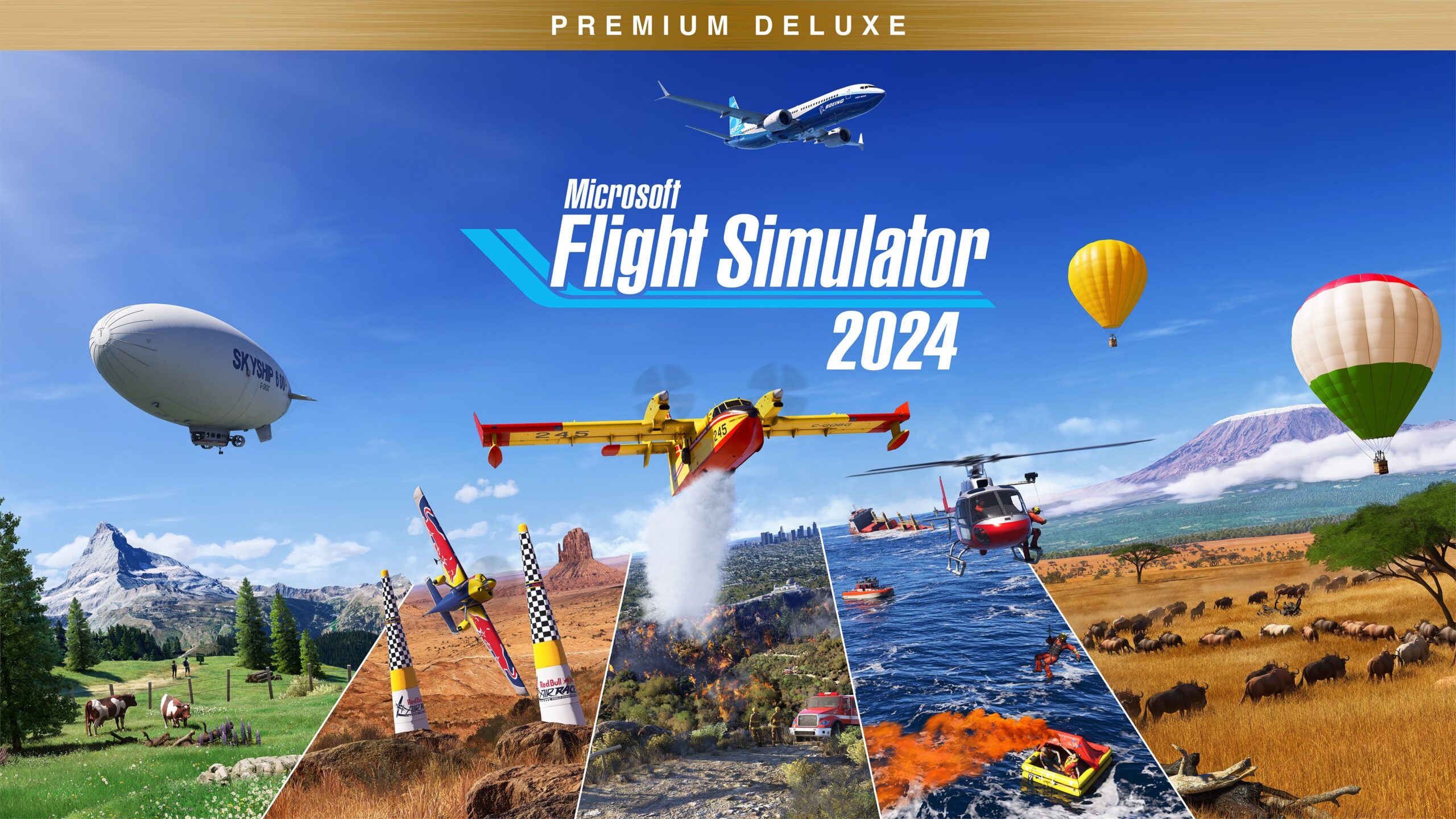
| Premium Deluxe Edition | 95 | 160 | $129.99+ | $129.99 | $129.99 |
| Aviator Edition | 125 | 160 | $199.99+ | $199.99 | $199.99 |
Every edition contains the same simulator; the higher editions add aircraft and handcrafted airports.
On PS5, a Standard Edition owner can upgrade instead of rebuying: Standard to Deluxe costs $49.99, Standard to Premium Deluxe $79.99 and Standard to Aviator $149.99.
Owners of the Microsoft Flight Simulator (2020) Deluxe or Premium Deluxe Edition keep those editions' extra aircraft and airports in Microsoft Flight Simulator 2024.
Microsoft Flight Simulator 2024 system requirements and download size
Both columns need a 64-bit processor and operating system, DirectX 12 and a broadband connection. The xbox.com listing adds 8GB VRAM to the recommended graphics card.
| Component | Minimum | Recommended |
|---|---|---|
| Operating system | Windows 10 (64-bit) | Windows 10/11 (64-bit) with updates |
| Processor | AMD Ryzen 5 2600X or Intel Core i7-6800K | AMD Ryzen 7 2700X or Intel Core i7-10700K |
| Memory | 16 GB RAM | 32 GB RAM |
| Graphics | Radeon RX 5700 or GeForce GTX 970 | Radeon RX 5700 XT or GeForce RTX 2080, 8GB VRAM |
| DirectX | Version 12 | Version 12 |
| Storage | 50 GB available space | 50 GB available space |
| Network | 10 Mbps | 50 Mbps |
Can you download Microsoft Flight Simulator 2024 on Mac?
No, Microsoft Flight Simulator 2024 has no macOS version; on a Mac you play it by streaming through Xbox Cloud Gaming in a browser. The Xbox and Steam listings name only Xbox Series X|S and Windows 10/11, and the PlayStation release is PS5 only. Xbox Cloud Gaming supports Macs running macOS 14.1.2 and later through Xbox.com/play, and the Microsoft Store lists the game as cloud playable with Game Pass Premium and Ultimate.
To stream on a Mac, update your browser, open Xbox.com/play, sign in with the Microsoft account that holds Game Pass, and connect a controller. With Game Pass Essential you can stream it only after buying the game.
Microsoft Flight Simulator 2024 on iPhone and Android
There is no App Store or Google Play version of Microsoft Flight Simulator 2024. iPhones on iOS 14.4 and later stream it from Xbox Cloud Gaming in Safari, and Android phones on Android 12.0 and later stream it in a browser the same way.
- Xbox Cloud Gaming at xbox.com/play: Open in Safari on iPhone, sign in, then use Menu > Add to Home Screen for an app-like icon
- Xbox Cloud Gaming plans and requirements: Game Pass Premium or Ultimate includes this game in the cloud
Microsoft recommends at least 10 Mbps on mobile devices and a 5GHz Wi-Fi or mobile data connection. Most cloud games need a connected controller.
The simulator's flight planner also runs on mobile devices and in web browsers, for planning a route away from the sim.
Fix Microsoft Flight Simulator 2024 not downloading, installing or starting
Microsoft Flight Simulator 2024 will not launch offline
The simulator streams world data and requires internet to play on PC, Xbox and PS5.
- Connect the PC or console to the internet before launching.
- Check that your connection reaches at least 10 Mbps; 50 Mbps is the recommended speed.
- Sign in to your Microsoft account on PC and Xbox, or your PlayStation account on PS5, then start the game again.
The install stops because the drive is full
The PC version needs 50 GB available space.
- Pick an internal drive with at least 50 GB free in the Xbox app or Steam before installing.
- Uninstall games you no longer play from that drive to free space.
- Restart the download.
Steam asks for an Xbox or Microsoft account
The Steam version requires an Xbox Live third-party account and a Microsoft account.
- Launch the game from your Steam library.
- Sign in with your Microsoft account when prompted.
- Accept the game's third-party EULA to finish the first launch.
Xbox Cloud Gaming says you must buy the game
Game Pass Essential streams the game only after a purchase; Premium and Ultimate include it.
- Check which Game Pass plan your Microsoft account holds.
- Buy an edition on the Microsoft Store, or move to Game Pass Premium or Ultimate.
- Reload Xbox.com/play and start the game again.
The stream stutters or will not start on Mac or iPhone
Cloud streaming needs a supported browser and a fast, stable connection.
- Update macOS to 14.1.2 or later, or iOS to 14.4 or later, and update the browser.
- Use a wired connection or 5 GHz Wi-Fi with at least 20 Mbps.
- On a dual-band router, connect the device to the 5 GHz network rather than 2.4 GHz, then reload Xbox.com/play.
The PS5 version will not start on a second console
The purchase plays on the main PS5 linked through Console Sharing and Offline Play, and on any other PS5 only while signed in with the account that bought it.
- Sign in to the second PS5 with the same PlayStation account that bought the game.
- Keep that console online while playing.
- On your own PS5, check the Console Sharing and Offline Play setting is turned on.
Frequently asked questions
Is Microsoft Flight Simulator 2024 on PS5?
Yes. Microsoft Flight Simulator 2024 released on PS5 on December 8, 2025, through the PlayStation Store. It runs on PS5 consoles only, supports the DualSense controller, and needs a constant internet connection and a PlayStation account sign-in to launch.
Can Microsoft Flight Simulator 2024 run on Xbox One?
Xbox One is not a listed download platform. The xbox.com listing names Xbox Series X|S and Windows 10/11 PCs. Xbox One owners can still stream it through Xbox Cloud Gaming, which supports Xbox One and later consoles, with Game Pass Premium or Ultimate.
Do I need to buy Microsoft Flight Simulator 2024 twice for Xbox and PC?
No, if you buy it on the Microsoft Store. That purchase is an Xbox Play Anywhere license, so one copy plays on Xbox console and PC at no additional cost. The Steam listing covers Windows PCs only and does not list Xbox Play Anywhere.
Can you play Microsoft Flight Simulator 2024 offline?
No. The xbox.com listing states it requires internet to play, and the PlayStation page says the game streams world content and will not launch offline. Steam lists 10 Mbps as the minimum network speed and 50 Mbps as recommended.
How big is the Microsoft Flight Simulator 2024 download?
The PC version asks for 50 GB of available space on both the minimum and recommended specification. Much of the world is streamed while you fly, which is why a broadband connection is part of the requirements.
Can I play Microsoft Flight Simulator 2024 on a Mac?
Only by streaming. There is no macOS version, but Xbox Cloud Gaming runs on macOS 14.1.2 and later in a supported browser at Xbox.com/play. Game Pass Premium and Ultimate include the game in the cloud.
Do Microsoft Flight Simulator 2020 add-ons carry over to 2024?
The extra aircraft and airports from the Microsoft Flight Simulator (2020) Deluxe and Premium Deluxe Editions work automatically in Microsoft Flight Simulator 2024 for owners of those editions. The 2024 Aviator Edition also bundles 30 Microsoft-published Marketplace aircraft made between 2021 and 2024.
Which Game Pass plan includes Microsoft Flight Simulator 2024?
Game Pass Ultimate, Game Pass Premium and PC Game Pass include the Standard Edition. Ultimate and Premium also cover cloud streaming, while PC Game Pass is PC only. Game Pass Essential can stream it only after you buy the game.