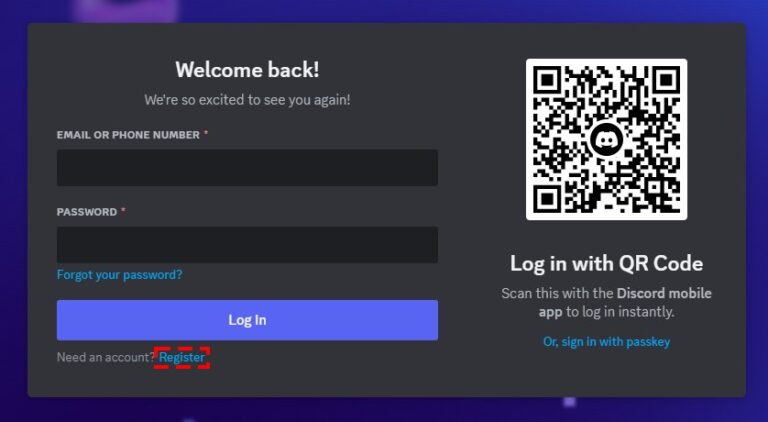
You can delete a Discord account three ways: from User Settings > My Account > Delete Account in the desktop or browser app, from your profile avatar > gear icon > Account > Delete Account in the mobile app, or by asking Discord's Support Team when the app will not start the deletion.
On this page
The in-app routes need your password (plus your multi-factor authentication code if it is on) and refuse to finish while you still own a server, and every deletion leaves the account pending for 15 days before it is gone for good.
Quick steps to delete a Discord account
Pick the row for the device in front of you. The desktop app and Discord in a browser use the same menus.
| You are on | Path to the button | How you confirm |
|---|---|---|
| Discord desktop app or Discord in a browser | cogwheel icon at the bottom left > My Account tab > Delete Account at the bottom of the page | Enter your password and any MFA code, then select Delete Account |
| Discord mobile app | profile avatar at the bottom right > profile avatar again or the gear icon > Account > scroll down > Delete Account | Enter your password and any MFA code, then tap Okay |
| Neither works, or you cannot get into the account | Contact the Support Team through the Discord Help Center | Support handles the deletion request for you |
Discord logs you out the moment you confirm. The account is then pending deletion for 15 days, and Discord's Support Team cannot speed that up.
Delete or disable your Discord account: which should you choose?
Deleting is permanent once the 15 days run out. Disabling puts the account on hold: log back in with your email and password, select Restore Account, and your servers and friends are still there.
| Your situation | What to do | Why |
|---|---|---|
| You want the account gone and you are at a computer | Method 1: delete from My Account on desktop or browser | The desktop app and Discord in a browser share this flow, so either works |
| You only have your phone | Method 2: delete from Account in the mobile app | Same result as desktop; the confirm button reads Okay |
| The app will not start the deletion, or you think the account was compromised | Method 3: submit a deletion request to the Support Team | Support can delete an account you cannot remove yourself |
| You want a break and may come back | Select Disable Account under Account Removal in My Account (on mobile, Account > Disable Account) | Friend requests wait for you, but an active Nitro subscription keeps billing until you cancel it, and you still have to transfer servers you own first |
| The account was banned, disabled or actioned by Discord | Submit an appeal to Trust & Safety | An account deleted for that reason cannot be restored |
Back up important data before you delete your Discord account
Request a copy of your data first, and wait for the download link before you delete: a data request is canceled if you disable or delete the account before the link arrives.
The request can take up to 30 days, you can only have one open at a time, and the account must be verified with an email address before Discord accepts it.
| Platform | Path | What you can request |
|---|---|---|
| Desktop or browser | cogwheel at the lower left > Data & Privacy > under Request your data, select Request Data | Choose which data you want in the Submit Data Request window |
| Mobile app | avatar at the lower right > cogwheel at the upper right > Data & Privacy > Request all of my data | All of your data only |
The download link goes to the email address linked to the account when you made the request, so changing that email afterwards does not redirect it. If you cannot access the account, [email protected] handles data requests.
Transfer or delete servers you own before deleting your Discord account
Discord will not delete an account that still owns a server, so every server you own needs a new owner or has to be deleted first. Only the server owner can delete a server.
| Option | Desktop or browser | Mobile app | What it means |
|---|---|---|---|
| Transfer ownership | Open the server > Members tab > right-click the member > Transfer Ownership > select the toggle > Transfer Ownership | Open the server > Server Settings > Members > tap the member > Transfer Ownership > confirm > Transfer | The server keeps running under its new owner, and Discord's Support team cannot transfer it back |
| Delete the server | Select or right-click the server name > Server Settings > Delete Server > type the server name or a 2FA code > Delete Server | Three dots next to the server name > Settings > Overview > Delete Server > Yes or a 2FA code | The server, its member list and its messages cannot be restored |
Both routes ask for your MFA code if MFA is on. After a transfer you stay a member of the server with whatever permissions your new role carries.
Method 1: delete your Discord account on desktop or in a browser
These steps work in the Discord desktop app and in Discord in a web browser.
- Log into your Discord account in the desktop app or a browser.
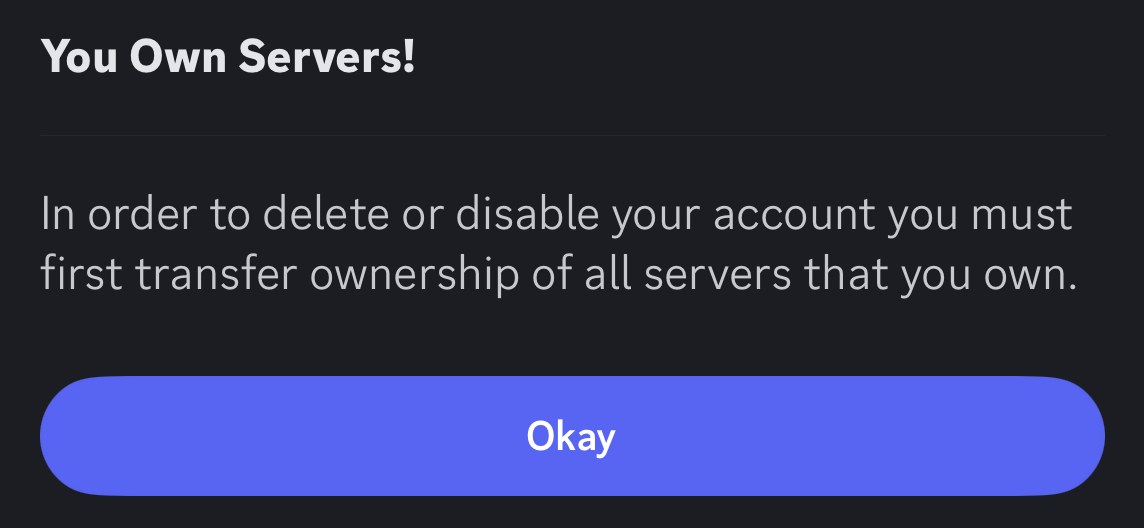
- Navigate to your User Settings by selecting the cogwheel icon in the bottom left corner, next to your username.
- Make sure the My Account tab is selected in the left-side menu.
- Initiate the account deletion: scroll to the bottom of the My Account page and select Delete Account.
- If Discord says you still own servers, transfer ownership of each one or delete it, then return to User Settings > My Account and select Delete Account again.
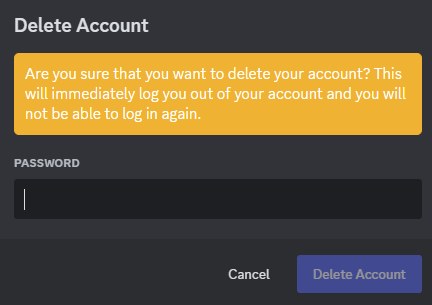
- Confirm your identity by entering your account's password, plus your multi-factor authentication code if MFA is enabled.
- Complete the deletion process by selecting Delete Account. Discord logs you out immediately.
Method 2: delete your Discord account on mobile
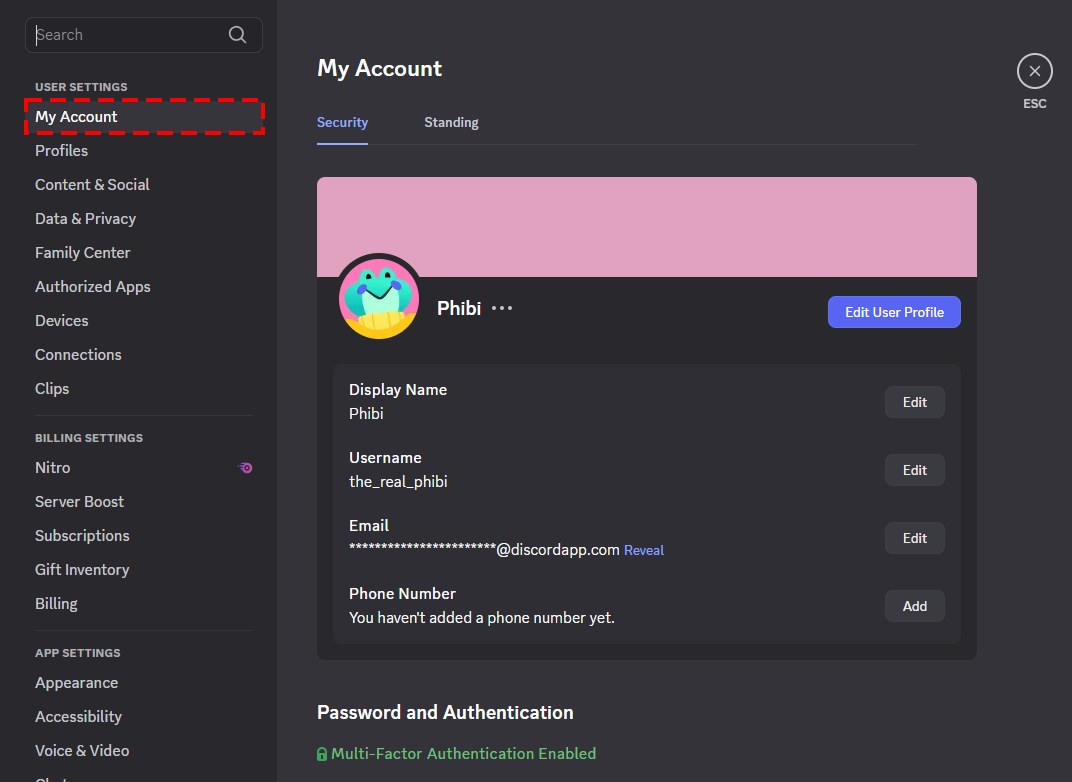
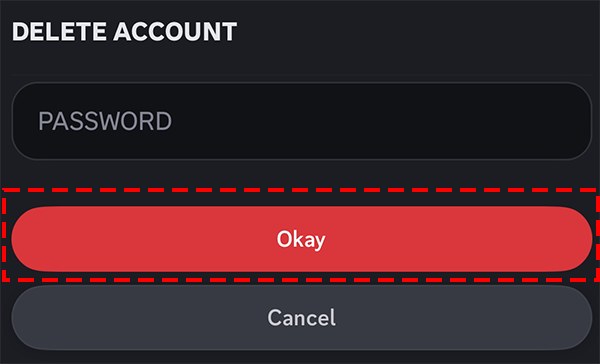
In the Discord mobile app the final button is labeled Okay rather than Delete Account.
- Open the Discord mobile app and log in.
- Tap your profile avatar in the bottom right corner.
- Tap your profile avatar again, or the gear icon in the upper right corner, to open Settings.
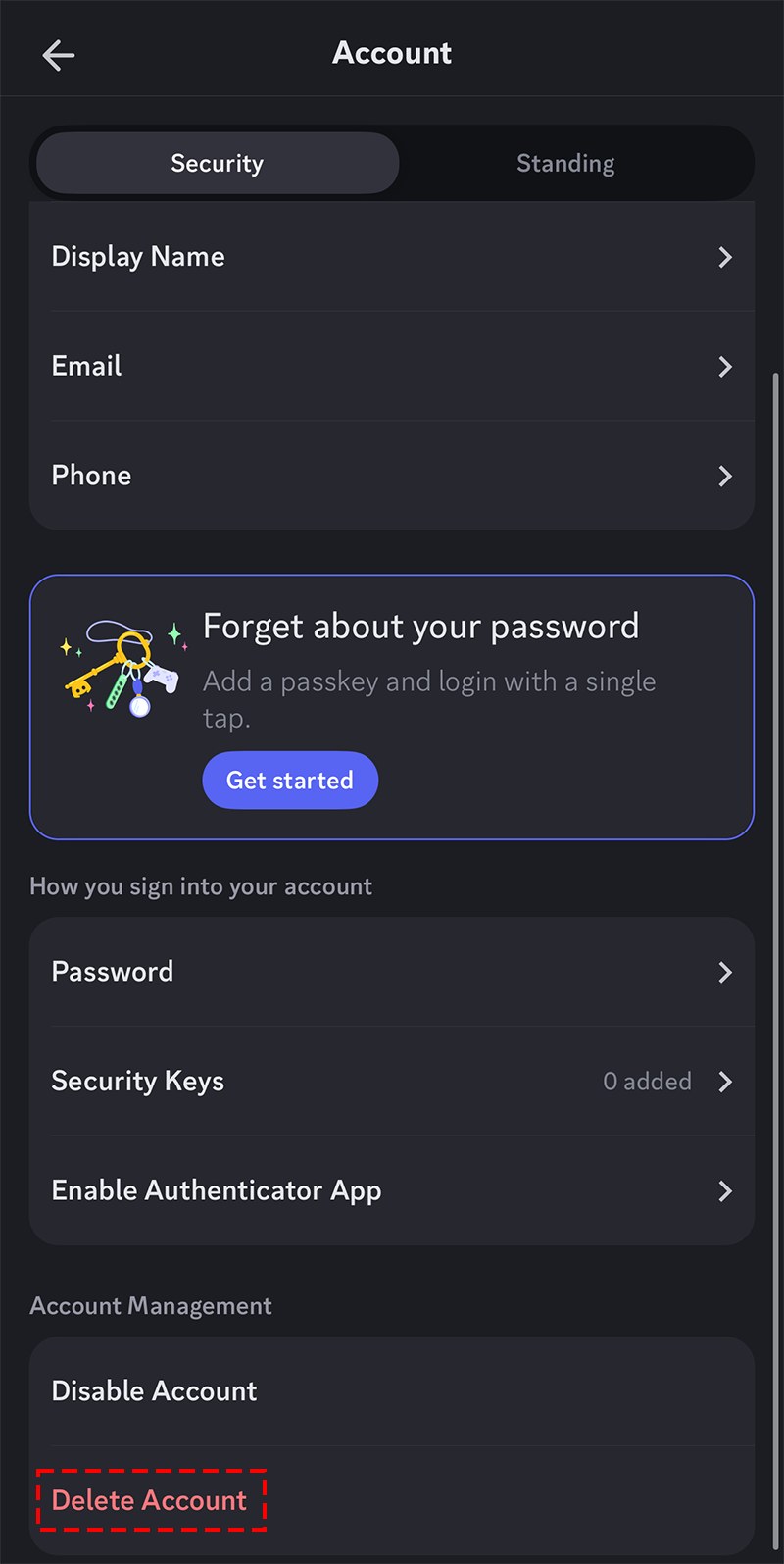
- Tap Account.
- Scroll to the bottom of the page and tap Delete Account.
- If Discord says you still own servers, transfer ownership of them, then go back to Account and tap Delete Account again.
- Enter your account's password, plus your MFA code if multi-factor authentication is on.
- Tap Okay to finish. You are logged out straight away.
Method 3: force delete your account on Discord with a Support request
Submitting a deletion request to Discord's Support Team is the route for two cases Discord names: you cannot initiate the deletion inside the app, or you cannot access the account and suspect it has been compromised.
- Open the Discord Help Center in a browser.
- Start a request to the Support Team and state that you want your Discord account deleted.
- Explain why the in-app Delete Account option did not work for you, or why you think the account was compromised.
- If you change your mind later, follow up with Support to cancel the deletion, since a Support deletion is canceled through Support.
A Support request does not skip the 15-day pending period.
How to check your Discord account is pending deletion
- Confirm that Discord logged you out of the app the moment you confirmed the deletion.
- Note the date. The account stays in a pending deletion state for 15 days from the moment you confirmed.
- Stay logged out for the full 15 days. If you log in during that window, Discord shows that the account is pending deletion, and selecting Restore Account cancels the deletion.
- After 15 days, an attempt to log in no longer shows the pending deletion notice, because the account has been deleted from Discord's system.
What permanently deleting your Discord account removes
| Item | What happens when the account is deleted |
|---|---|
| Your login | You are logged out at once and the account is pending deletion for 15 days |
| After 15 days | The account is deleted from Discord's system, and that is irreversible |
| Servers, DMs, group messages and purchases | You lose access to all of them |
| Nitro and Server Boosts | Canceled |
| Servers you owned | They keep running under the new owner you chose |
| Your messages in servers | Your account is anonymized across all servers and messages |
| Notifications and friend requests | No longer delivered |
A disabled account keeps more: friend requests are stored while it is disabled, but a disabled account inactive for 2 years or more may be deleted anyway.
Recovering a deleted Discord account within 15 days
A deleted Discord account can be restored only while it is still pending deletion. Once the 15 days pass, it cannot be recovered.
- Open the Discord app on desktop, in a web browser or on mobile.
- Enter the account's login information. If you forgot the password, reset it first.
- When Discord tells you the account is pending deletion, select Restore Account.
- Discord takes you into the restored account.
If Support deleted the account at your request, follow up with Support to cancel it instead. If you cannot log in and suspect the account was compromised, contact the Support Team.
Issue: Discord account not deleting
Discord says you must transfer servers you own
Discord will not delete an account that still owns servers.
- Transfer ownership of each server you own, or delete it, using the paths in the transfer-or-delete table.
- Repeat for every server you own.
- Return to User Settings > My Account (desktop) or Account (mobile) and select Delete Account again.
The Delete Server option is missing
The server requires 2FA for certain actions and your account does not have 2FA enabled.
- Enable 2FA on your Discord account.
- Open Server Settings again and select Delete Server.
The Delete Account option will not start the deletion
Discord directs deletions that cannot be started inside the app to its Support Team.
- Contact the Support Team through the Discord Help Center.
- Ask them to delete the account, as in Method 3.
The account came back after you deleted it
Logging in and restoring the account during the 15 days cancels the deletion.
- Log in and go back to User Settings > My Account > Delete Account.
- Confirm again, then stay logged out until the 15 days have passed.
FAQs about deleting a Discord account
How long does it take to delete a Discord account?
Discord account deletions take 15 days to process. The account sits in a pending deletion state from the moment you confirm, and Discord's Support Team cannot speed it up. After that the deletion is irreversible.
Can I delete my Discord account if I own a server?
No. Discord blocks the deletion until you transfer ownership of every server you own or delete those servers. Once that is done, return to the Delete Account button and confirm with your password.
Do my Discord messages disappear when I delete my account?
Discord anonymizes your account across all servers and messages when the deletion completes. You also lose access to your servers, direct messages, group messages and purchases, so request a copy of your data first.
Does deleting Discord cancel Nitro?
Yes. Deleting the account cancels Nitro and Server Boosts. Disabling the account does not: an active subscription keeps charging until you cancel it yourself.
Can I recover a deleted Discord account after 15 days?
No. After 15 days the account is deleted from Discord's system and cannot be restored. Within the 15 days, log in and select Restore Account to cancel the deletion.
Can I delete a Discord account without logging in?
Not from the app, which needs your password and any MFA code. If you cannot access the account and suspect it was compromised, ask Discord's Support Team to delete it.
Does Discord delete inactive accounts?
Yes. An account inactive and unused for 2 years or more may be scheduled for deletion, with a warning sent to the email or phone number on the account. Logging in cancels that inactive deletion.
Can a banned Discord account be restored?
No. An account deleted because it was banned, disabled or actioned on by Discord cannot be restored. You can submit an appeal on the account to Discord's Trust & Safety team.