Ubisoft Connect is a free download for Windows 11 and Windows 10 PCs only: Ubisoft publishes no Mac or iPhone version, and on consoles it is reached from inside Ubisoft games instead of as a separate app.
On this page
Below are the official Windows download links, the Microsoft Store and winget routes, the system requirements, and the legitimate ways to play Ubisoft Connect games on a Mac, an iPhone or a console.
Which Ubisoft Connect download do you need?
Ubisoft describes Connect as a multi-platform ecosystem of player services for its games, reached through the desktop app on PC and directly from games on console. It is a free service that only requires a Ubisoft account, and what you install depends on the device in front of you.
| Your device | What Ubisoft offers | Where to get it | Note |
|---|---|---|---|
| Windows 11 or Windows 10 PC | Ubisoft Connect PC, the desktop app | Ubisoft Connect download | Free; the installer needs administrator rights |
| Windows PC, through the Store | The same app, listed as Ubisoft Connect – PC | Microsoft Store listing | Price shown as Free |
| Mac | No Ubisoft Connect app | GeForce NOW for Mac | Streams Ubisoft Connect games you own once your Ubisoft account is linked |
| iPhone or iPad | No Ubisoft Connect app | GeForce NOW on iOS | Runs in Safari on iOS 15.4 or later; a gamepad is required |
| Console | Connect features inside Ubisoft games | Inside each Ubisoft game | Nothing extra to download; a Ubisoft account is required |
Download Ubisoft Connect for Windows 11 and Windows 10
The Ubisoft download page starts the download as soon as it opens, and shows a Try again link if it does not. The Microsoft Store listing and the winget package both fetch Ubisoft's own UbisoftConnectInstaller.exe from Ubisoft's servers.
- Ubisoft Connect PC download (Ubisoft): The download starts automatically
- Ubisoft Connect – PC (Microsoft Store): Free, published by Ubisoft, Windows 10 or higher
How to install Ubisoft Connect on Windows 11 and 10
- Open the Ubisoft Connect download page and let the installer finish downloading; select Try again if nothing starts.
- Run the installer and approve the administrator prompt; the app cannot be installed without administrator privileges.
- Let setup finish; the app installs to %ProgramFiles(x86)%\Ubisoft\Ubisoft Game Launcher by default.
- Open Ubisoft Connect and sign in with your Ubisoft account, or create one; the account is the only requirement.
- Check the install worked: open Terminal and run
winget list --id Ubisoft.Connect, which lists the installed version even when the app was not installed through winget.
Install Ubisoft Connect from the Microsoft Store or with winget
The Store listing and the winget package both run Ubisoft's own installer, so pick whichever fits how you manage the PC.
- Open the Ubisoft Connect – PC listing in the Microsoft Store and install it; the listing shows the price as Free.
- Approve the administrator prompt when the Ubisoft installer starts.
- To use winget instead, open Terminal and run
winget install --id Ubisoft.Connect -e. - Add
--silentto that command if you want the installer to run without its setup window. - Sign in to Ubisoft Connect with your Ubisoft account once installation completes.
Is Ubisoft Connect free?
Yes. Ubisoft Connect is free to download and use; Ubisoft calls it a free service that only requires a Ubisoft account, and the Microsoft Store lists it as Free. Games, DLC and the Ubisoft+ subscription are bought separately through the app's store. Units earned while playing can be redeemed for rewards, including 20% off the Ubisoft Store for 100 Units.
The 20% discount does not apply to in-game purchases, subscriptions or products that include virtual currency.
Ubisoft Connect system requirements on Windows 11 and 10
| Requirement | Ubisoft Connect PC |
|---|---|
| Device | PC |
| Operating system | Windows 10 or higher, which includes Windows 11 |
| Installer architecture | x86 |
| Permissions | Administrator privileges to install |
| Default install folder | %ProgramFiles(x86)%\Ubisoft\Ubisoft Game Launcher |
| Account | A free Ubisoft account |
| Microsoft Store version | 174.0.13368 |
| winget package version | 174.1.0.13380, released 2026-10-06 |
Each game has its own, much higher, requirements and download size. Check those on the game's store page before you buy.
Can you download Ubisoft Connect on Mac?
No. Ubisoft Connect PC is a Windows app, and its Microsoft Store listing names PC as the only device. Two official routes still put Ubisoft games on a Mac.
| If you want to | Do this | Link |
|---|---|---|
| Play Ubisoft Connect games you already own | Install GeForce NOW for Mac, or open play.geforcenow.com in Chrome on macOS, then link your Ubisoft account; Ubisoft Connect is one of its supported stores | GeForce NOW download |
| Play a Ubisoft game that runs on the Mac itself | Get one of Ubisoft's Mac App Store releases, such as Assassin's Creed Shadows or Prince of Persia: Lost Crown | Ubisoft on the App Store |
GeForce NOW streams only games you own or purchase from a supported store, plus its free-to-play titles.
Ubisoft Connect on iPhone and Android
Ubisoft's developer pages on the App Store and Google Play list no Ubisoft Connect app, so there is nothing to install on a phone. To play Ubisoft Connect games you own on an iPhone or iPad, open play.geforcenow.com in Safari, add it to the Home Screen and link your Ubisoft account.
GeForce NOW on iPhone needs iOS 15.4 or later, and only games with full or partial gamepad support are playable there. On Android, the GeForce NOW app needs Android 7.0 or later and 1GB or more of memory.
- GeForce NOW for iOS, iPadOS and Android: The iPhone route runs in Safari; there is no App Store app
- Ubisoft on the App Store: Ubisoft's own iPhone games, such as Assassin's Creed Mirage
- Ubisoft Entertainment on Google Play: Ubisoft's Android games
Ubisoft Connect on Xbox Series X|S, Xbox One and PlayStation
Consoles have no Ubisoft Connect app to download. The service is reached directly from Ubisoft games, and cross-play and cross-progression vary by game and platform.
- Xbox games store: Buy or download the Ubisoft game on Xbox Series X|S or Xbox One
- PlayStation Store: Buy or download the Ubisoft game on PlayStation
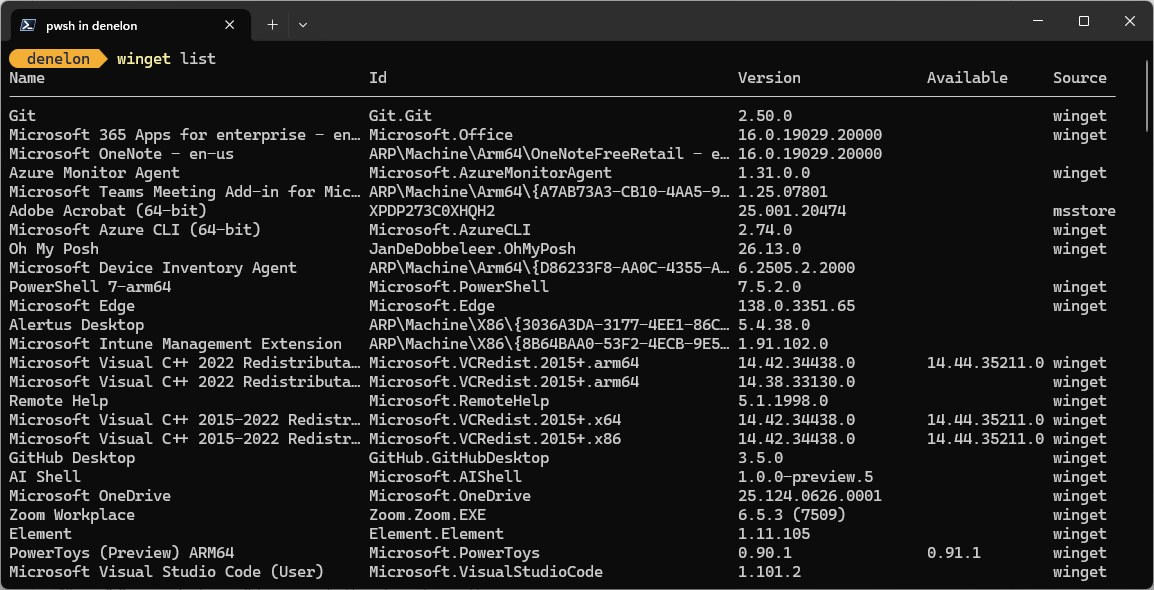
How to check your Ubisoft Connect version and update it
- Open Terminal and run
winget list --id Ubisoft.Connect; it shows the installed version and, when one exists, the available update. - Run
winget upgradeon its own to list every app with an update waiting, Ubisoft Connect included. - Run
winget upgrade --id Ubisoft.Connectto install the newest version.
Fix Ubisoft Connect not downloading or installing
The download does not start on the Ubisoft page
The page starts the file automatically, and the automatic start did not happen in this browser.
- Select Try again on the Ubisoft Connect download page.
- If it still does not start, install from the Microsoft Store listing or run
winget install --id Ubisoft.Connect -einstead.
The Microsoft Store will not show or install Ubisoft Connect
A stuck Store cache, a pending restart, family settings, or a device the listing does not support.
- Press the Windows key + R, enter wsreset.exe and select OK.
- Restart the PC if Windows installed updates recently, then try again.
- If the Store still blocks it, download the installer from the Ubisoft Connect download page instead.
Setup stops at the permission prompt
Ubisoft Connect requires administrator privileges to install.
- Sign in to Windows with an administrator account, or ask the PC's administrator to approve the prompt.
- Run the installer again.
The installer will not run on an older PC
The Microsoft Store listing requires Windows 10 or higher.
- Check your Windows version, and move to Windows 10 or Windows 11 if the PC supports it.
- Otherwise stream Ubisoft Connect games you own through GeForce NOW, which links to your Ubisoft account.
How to uninstall Ubisoft Connect
- Select Start > Settings > Apps > Installed apps.
- Find Ubisoft Connect, select More > Uninstall, and confirm.
- If Settings cannot remove it, open Control Panel > Programs > Programs and Features, right-click Ubisoft Connect and select Uninstall.
- If an error appears, run the Program Install and Uninstall Troubleshooter and try again.
Frequently asked questions
Is Ubisoft Connect free to download?
Yes. Ubisoft Connect costs nothing to download or use on a Windows PC, and Ubisoft describes it as a free service that only requires a Ubisoft account. Games, DLC and the Ubisoft+ subscription are bought separately.
Does Ubisoft Connect work on Windows 11?
Yes. The Microsoft Store listing requires Windows 10 or higher, so Windows 11 and Windows 10 PCs both qualify. The installer needs administrator privileges, so sign in with an administrator account or have one approve the prompt.
Is there a Ubisoft Connect app for Mac?
No. Ubisoft Connect PC runs on Windows only. On a Mac, GeForce NOW streams Ubisoft Connect games you own after you link your Ubisoft account, and Ubisoft lists some Mac games, such as Assassin's Creed Shadows, on the Mac App Store.
Can I use Ubisoft Connect on iPhone?
Not as an app. Ubisoft's App Store developer page lists no Ubisoft Connect app. You can stream Ubisoft Connect games you own through GeForce NOW in Safari on iOS 15.4 or later, using a gamepad, after linking your Ubisoft account.
Do I need a Ubisoft account to use Ubisoft Connect?
Yes. A free Ubisoft account is the only requirement. The same account signs you in to Ubisoft Connect PC, to Connect features inside Ubisoft games on console, and to GeForce NOW once you link it there.
What are Units in Ubisoft Connect?
Units are earned by leveling up while you play, and you redeem them for in-game rewards or Ubisoft Store discounts. Redeeming 100 Units gives 20% off your next Ubisoft Store purchase, excluding in-game purchases, subscriptions and virtual currency.
Can I import Steam friends into Ubisoft Connect?
Yes. Ubisoft Connect PC lets you import your Steam friends, alongside managing and organizing your game library and getting recommendations on what to play next. Cross-platform chat and friends lists also work across the platforms Ubisoft Connect supports.
What is Ubisoft+ in Ubisoft Connect?
Ubisoft+ is Ubisoft's subscription service, opened from inside Ubisoft Connect PC. The Microsoft Store listing describes it as access to 100+ games on PC. Ubisoft Connect itself stays free whether or not you subscribe.
Can I play Ubisoft Connect games on GeForce NOW?
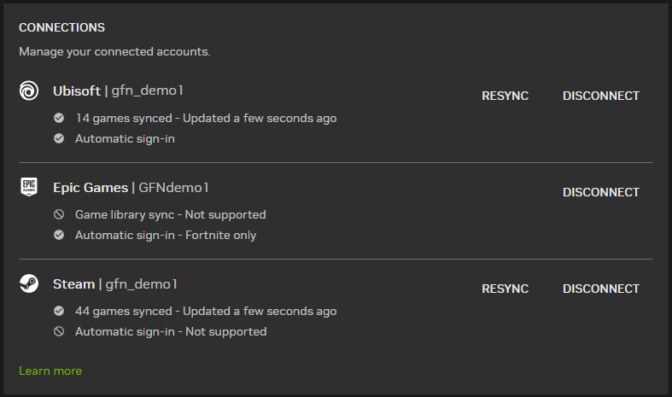
Yes. GeForce NOW lists Ubisoft Connect among its supported stores. Link your Ubisoft account in the GeForce NOW app once, and supported games you own sync into your library and sign in automatically on every device you stream from.
Where does Ubisoft Connect install on Windows?
By default Ubisoft Connect installs to %ProgramFiles(x86)%\Ubisoft\Ubisoft Game Launcher. Setup needs administrator privileges, and the winget package installs machine-wide, so the app is available to every account on the PC.