PUBG Mobile is a free download for iPhone, iPad and Android only: its official store listings offer no Windows or Mac version, so on a Windows PC the free official game is PUBG: Battlegrounds on Steam, and a Mac has no version of either.
On this page
Below are the App Store and Google Play links, the PC and console route, requirements, in-app prices, updates, fixes and what NEW STATE MOBILE is.
Which PUBG Mobile download do you need?
PUBG Mobile comes from Tencent: the App Store lists Tencent Mobile International Limited as the seller, and Google Play lists Level Infinite. Pick the row for your device; every link goes to an official store.
| Your device | Official download | Price | Note |
|---|---|---|---|
| iPhone or iPad | PUBG MOBILE on the App Store | Free, with in-app purchases | Requires iOS 13.0 or later and an Apple A8 chip or newer |
| Android phone or tablet | PUBG MOBILE on Google Play | Free, contains ads and in-app purchases | 1B+ downloads, rated Teen |
| Windows 11 or 10 PC | PUBG: Battlegrounds on Steam | Free-to-play | A separate PC game from KRAFTON, not PUBG Mobile; Steam lists 64-bit Windows 10 as the minimum |
| Mac | None | – | The App Store lists no Mac compatibility for PUBG Mobile, and Steam lists PUBG: Battlegrounds for Windows only |
| Xbox Series X|S or Xbox One | PUBG: Battlegrounds on the Xbox store | Free+ | PUBG Mobile has no console version |
| PS5 or PS4 | PUBG: Battlegrounds on PlayStation | Free | Includes a PS5 version |
Download PUBG Mobile on iPhone and Android
PUBG, short for PlayerUnknown's Battlegrounds, is the battle royale series behind PUBG Mobile. The App Store page describes PUBG Mobile as made especially for mobile phones, with customizable controls, a training mode and voice chat with friends, and lists it for iPhone, iPad and iPod touch.
- PUBG MOBILE for iPhone and iPad (App Store) (4 GB): Free with in-app purchases; requires iOS 13.0 or iPadOS 13.0 or later; rated 13+
- PUBG MOBILE for Android (Google Play): Free; contains ads and in-app purchases; rated Teen; Editors' Choice
Download PUBG for Windows 11 and Windows 10
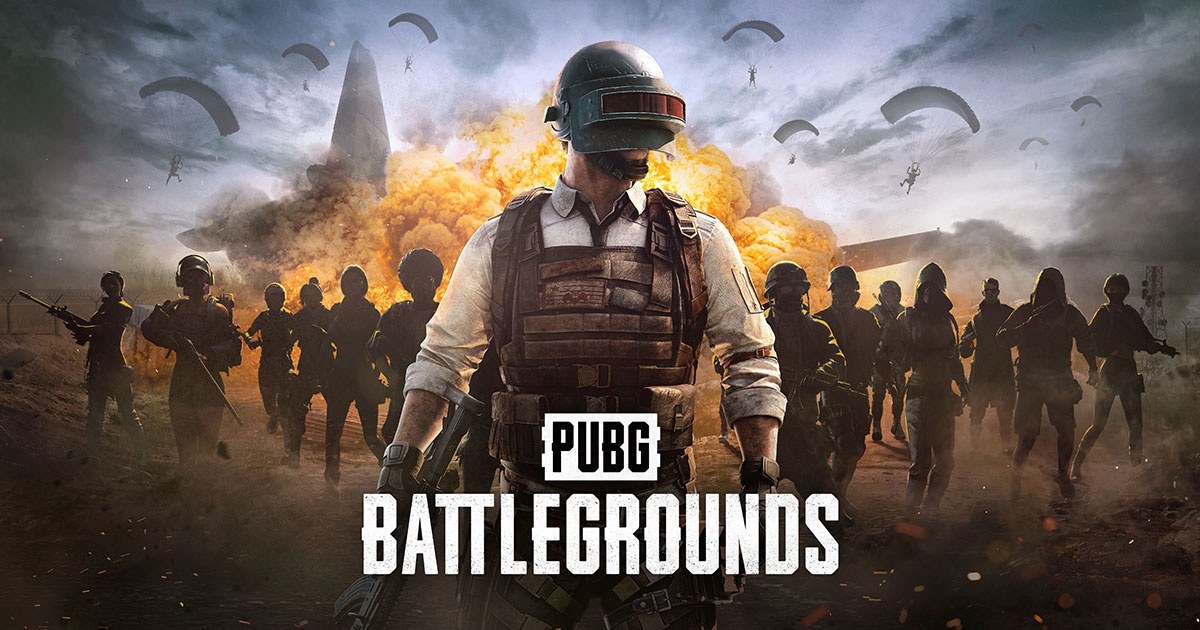
There is no PUBG Mobile for Windows among the official stores. The PC game in the series is PUBG: Battlegrounds, which Steam lists as free-to-play with optional in-game purchases and a release date of December 21, 2017.
It is a separate game with its own Steam listing, developed by PUBG Corporation and published by KRAFTON, Inc.
- PUBG: Battlegrounds on Steam: Free-to-play on Windows; 40 GB available space at minimum
- PUBG: Battlegrounds official site: KRAFTON's page with the Steam, Epic Games, PlayStation and Xbox store buttons and patch notes
Steam lists these PC requirements for PUBG: Battlegrounds: a 64-bit Windows 10, an Intel Core i5-4430 or AMD FX-6300, 8 GB RAM and an NVIDIA GeForce GTX 960 2GB or AMD Radeon R7 370 2GB at minimum. The recommended specification is an Intel Core i5-6600K or AMD Ryzen 5 1600, 16 GB RAM and a GTX 1060 3GB or Radeon RX 580 4GB.
Install PUBG: Battlegrounds through Steam
- If Steam is not on the PC yet, select Install Steam on the Steam store, install the client and sign in.
- Open the PUBG: Battlegrounds Steam page and select Play Game; the game is free to play.
- Agree to the PUBG: BATTLEGROUNDS EULA, a third-party EULA that Steam lists as required for the game.
- Let the download finish; the recommended specification lists 50 GB of available space.
- Start the game from your Steam library. Steam notes that it uses kernel-level anti-cheat (KRAFTON Security Services).
Download PUBG on Xbox Series X|S, Xbox One and PlayStation
PUBG Mobile is not sold on any console. The console game is PUBG: Battlegrounds, free on Xbox One, Xbox Series X|S, PS4 and PS5, with online matches of up to 100 players.
- On Xbox, open the PUBG: Battlegrounds page on the Xbox store while signed in with your Microsoft account, or search the Store on the console.
- Get the free game and let it install; the Xbox store lists 4K Ultra HD, HDR10 and Xbox One X Enhanced support.
- On PlayStation, open the PUBG: Battlegrounds PlayStation page or search the PlayStation Store on the console, then select Add to Library.
- Download it on the PS5 or PS4; PlayStation lists online play as required and cloud streaming on PS5 and PS Portal only with a Premium subscription.
Can you download PUBG Mobile on Mac?
No. There is no Mac version: the App Store lists PUBG Mobile for iPhone, iPad and iPod touch only, and Steam lists PUBG: Battlegrounds for Windows, with Mac and Linux unsupported. Neither official listing offers a Mac build, so a Mac cannot run PUBG Mobile or PUBG: Battlegrounds through an official store. An iPhone or iPad on iOS 13.0 or later is the nearest official way to play PUBG Mobile.
Is PUBG Mobile free?
Yes. The App Store lists PUBG Mobile as Free with in-app purchases, and Google Play lists it with ads and in-app purchases. The paid items are the in-game currency, Unknown Cash, and Prime memberships.
| Item | App Store price (US) |
|---|---|
| PUBG Mobile download | Free |
| 60 Unknown Cash | $0.99 |
| 300 Unknown Cash | $4.99 |
| 600 Unknown Cash | $9.99 |
| 1500 Unknown Cash | $24.99 |
| 3000 Unknown Cash | $49.99 |
| 6000 Unknown Cash | $99.99 |
| PUBGM Prime (1 month) | $0.99 |
| PUBGM PrimePlus (1 month) | $9.99 |
The App Store age rating also lists loot boxes, and Google Play flags in-game purchases that include random items.
PUBG Mobile system requirements and download size
Google Play does not list a minimum Android version or a download size for PUBG Mobile; the App Store page gives both for iPhone and iPad.
| Detail | PUBG Mobile on iPhone and iPad |
|---|---|
| Operating system | iOS 13.0 or iPadOS 13.0 or later |
| Compatible devices | Apple A8 chip or newer: iPhone 6 or newer, iPad Air 2 or newer, iPad mini 4 or newer, all iPad Pro models |
| Not compatible | Apple A7 chip or older: iPhone 5s or older, iPad Air or older, iPad mini 3 or older |
| Download size | 4 GB |
| Latest version on the App Store page | 4.6.0 (V4.6 Midnight Hunters) |
How to update PUBG Mobile on iPhone and Android
PUBG Mobile updates arrive through the store it was installed from, and the App Store page lists each release under Version History.
- On iPhone or iPad, open the App Store and tap My Account or your photo at the top of the screen.
- Tap App Updates, then tap Update next to PUBG MOBILE.
- On Android, open the Google Play Store app and tap the profile icon at the top right.
- Tap Manage apps & device, then under updates available tap See details.
- Tap Update next to PUBG MOBILE.
Fix PUBG Mobile not downloading, installing or opening
PUBG Mobile will not install on an older iPhone or iPad
The device has an Apple A7 chip or older, or runs a version below iOS 13.0.
- Check the model: iPhone 6 or newer, iPad Air 2 or newer, iPad mini 4 or newer and every iPad Pro are compatible.
- Update the device to iOS 13.0 or iPadOS 13.0 or later, then retry the App Store download.
PUBG Mobile crashes at match start or exits to the home screen
Level Infinite, the game's Google Play publisher, names the game cache, graphics settings and the network connection as the things to check.
- Clear the game cache, then run the game's Repair option.
- Lower the graphics and frame rate in Settings inside the game.
- Switch to a stable network, update the phone's system software and restart the device.
PUBG Mobile lags or the phone overheats
A graphics option other than Super Smooth, the option Tencent built to cut lag and overheating.
- Open Settings inside the game and choose the Super Smooth graphics option, which the App Store release notes for version 4.0.0 say is designed to improve the frame rate, reduce lag, minimize overheating and lower power consumption.
The Google Play update will not start
Updates can stall on a sign-in error or need a restart.
- Restart the phone; Google notes that some updates need a restart.
- Fix any sign-in error on the device's Google account, because apps may not update automatically while one exists.
- Open Manage apps & device again and tap Update next to PUBG MOBILE.
The problem continues, or a purchase is missing
Account and purchase problems go to PUBG Mobile customer service.
- Use the in-game support on the login screen.
- Or email [email protected] with a description of the problem.
PUBG Mobile NEW STATE release date and price
NEW STATE MOBILE, launched as PUBG: NEW STATE, is a separate mobile battle royale from KRAFTON set in 2051, with its own App Store and Google Play listings. KRAFTON launched it on iOS and Android in more than 200 countries on November 11, 2021 as a free-to-play game, after more than 55 million pre-registrations.
What's new in NEW STATE: the 8km-by-8km Troi map, a drone store, weapon customization, dodging and drone calls.
| NEW STATE MOBILE | iPhone and iPad | Android |
|---|---|---|
| Download | NEW STATE on the App Store | NEW STATE on Google Play |
| Price | Free, with in-app purchases | Free, with in-app purchases |
| Subscriptions | VIP Membership $3.99 a month, VIP Royale Membership $13.99 a month | In-app purchases |
| Requirements | iOS 14.0 or iPadOS 14.0 or later | Android 6.0 or higher, 64-bit CPU, 2GB RAM, OpenGL 3.1 or Vulkan 1.1 |
| Download size | 1.8 GB | Not stated on the listing |
| Release date | November 11, 2021 | November 11, 2021 |
Frequently asked questions
What personal information does PUBG Mobile collect?
On the App Store, Tencent lists contact info (email address and phone number), user content and identifiers (user ID and device ID) as data that may be linked to you. Google Play lists personal info, financial info and three other data types, says data is encrypted in transit, and lets you request deletion.
Can you download PUBG Mobile on a Windows PC?
Not from an official store. PUBG Mobile's listings are the App Store and Google Play only. The official PUBG game for Windows is PUBG: Battlegrounds, which Steam lists as free-to-play on 64-bit Windows 10 or later, though it is a separate game from PUBG Mobile.
Is PUBG Mobile available on Mac?
No. The App Store lists PUBG Mobile for iPhone, iPad and iPod touch with no Mac compatibility, and Steam lists PUBG: Battlegrounds for Windows only. An iPhone or iPad is the nearest official option.
What iPhone do you need for PUBG Mobile?
An iPhone 6 or newer, or any device with at least an Apple A8 chip, running iOS 13.0 or later. The App Store lists the iPhone 5s and older, with an Apple A7 chip, as incompatible. The App Store download is 4 GB.
Is PUBG Mobile on Xbox or PlayStation?
No. PUBG Mobile is a phone and tablet game. On Xbox One, Xbox Series X|S, PS4 and PS5 the free game is PUBG: Battlegrounds, which the Xbox store and PlayStation Store both offer at no charge with optional in-game purchases.
What age rating does PUBG Mobile have?
The App Store rates PUBG Mobile 13+, citing frequent guns or other weapons and infrequent realistic violence, and lists loot boxes, messaging and chat, user-generated content and social media. Google Play rates it Teen for violence and blood, with in-game purchases that include random items.
Is PUBG New State the same as PUBG Mobile?
No. NEW STATE MOBILE, first released as PUBG: NEW STATE on November 11, 2021, is a separate free-to-play mobile battle royale from KRAFTON set in 2051. It has its own App Store and Google Play listings and installs separately from PUBG Mobile.
How do you update PUBG Mobile?
Update it through the store it came from. On iPhone, open the App Store, tap your photo, then App Updates and Update. On Android, open Google Play, tap the profile icon, then Manage apps & device, See details and Update next to PUBG MOBILE.