The Sims 4 is a free download for Windows 11 and 10 PCs and for Macs through the EA app, with Steam and Epic Games also carrying it on PC, and it is free on Xbox and PlayStation, but there is no iPhone version: on an iPhone it streams in the browser through Xbox Cloud Gaming with Game Pass Ultimate.
On this page
Below are the official links for each platform, the install steps, what the free base game leaves out, the system requirements, the official way to install mods, and fixes for common install problems.
Which Sims 4 download do you need?
The base game is free on every store below. Pick the row for the device you play on.
| Your device | Where to get it | Official link | What to know |
|---|---|---|---|
| Windows 11 or 10 PC | EA app for Windows | The Sims 4 on ea.com | The EA app needs a 64-bit PC running Windows 10 or 11 |
| Windows PC with Steam | Steam store page | The Sims 4 on Steam | The EA app still installs and runs in the background, and you link an EA Account to Steam |
| Mac | EA app for Mac | The Sims 4 on ea.com | The EA app for Mac needs macOS Catalina or newer |
| Xbox Series X|S or Xbox One | Xbox Store | The Sims 4 on xbox.com | Listed as Free+, with optional in-game purchases |
| PS4 or PS5 | PlayStation Store | The Sims 4 on playstation.com | A PS4 game that is playable on PS5 |
| iPhone or iPad | Xbox Cloud Gaming in Safari | Play The Sims 4 on xbox.com | Streams in the browser with Game Pass Ultimate; there is no iPhone version |
Download the Sims 4 for Windows 11 and Windows 10
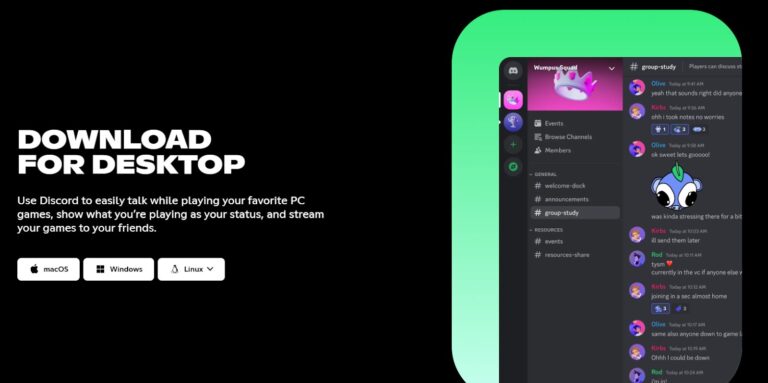
EA's download page for The Sims 4 carries a "Play for Free" banner and offers Download on EA app for Windows, plus buttons that continue to the Steam Store and the Epic Games Store. Whichever store you pick, the EA app is required to play EA games on PC.
- Download The Sims 4 (EA): Free base game, with buttons for the EA app on Windows and Mac, PlayStation, Xbox, Steam and Epic Games
- EA app: 64-bit Windows 10 and 11, or macOS Catalina or newer
- The Sims 4 on Steam (26 GB available space (minimum)): Free To Play; needs an EA Account linked to Steam
How to install the Sims 4 on Windows 11 and 10
- Open The Sims 4 page on ea.com and select Download Now.
- Choose Download on EA app for Windows. If the EA app is not on the PC yet, install it from the EA app page with Download the EA app.
- Sign in to the EA app with your EA Account, or create one.
- Add The Sims 4 to your library in the EA app and start the install on a drive with at least 25 GB free; EA recommends 50 GB plus 1 GB for custom content and saved games.
- Launch the game from the EA app library once the install completes.
Install the Sims 4 through Steam
The Steam version is the same free base game. Steam lists EA online activation and the EA app as required, and you must link your EA and Steam accounts to play.
- Open The Sims 4 on Steam and select Play Game under Play The Sims™ 4.
- Install it to a drive with at least 26 GB of available space; Steam recommends 51 GB.
- Launch the game from your Steam library. If the EA app is missing, the launch gives guidance for installing it.
- Sign in to the EA app and link your EA Account to your Steam account.
- Start The Sims 4 from Steam again.
Download the Sims 4 on Xbox Series X|S and Xbox One
The Sims 4 on Xbox One was released on 11/17/2017, and the same free edition plays on Xbox Series X|S and through Xbox Cloud Gaming. The Xbox Store lists Console Keyboard & Mouse support and Xbox One X Enhanced.
- Open The Sims 4 on xbox.com, or select Continue to Xbox Store on EA's Sims 4 page.
- Sign in with the Microsoft account you use on the console and get the free edition.
- On the console, find The Sims 4 in your library, install it and launch it.
Install the Sims 4 from the PlayStation Store on PS4 and PS5
The Sims 4 is a PS4 game on the PlayStation Store, listed as free. It is playable on PS5, though some PS4 features may be absent and the console may need the latest system software first.
- Open The Sims 4 on playstation.com and sign in with your account for PlayStation.
- Select Add to Library.
- On the PS4 or PS5, find The Sims 4 in your game library and download it.
- On PS5, install any pending system software update if the game does not start, then launch it again.
Can you download the Sims 4 on Mac?
| Your Mac | Can it run The Sims 4? | What to do |
|---|---|---|
| macOS 10.15 Catalina or newer, with Metal support (Intel HD 4000 or better) | Yes | Select Download on EA app for Mac on EA's Sims 4 page, install the EA app for Mac and add the game from it |
| Older than macOS Catalina | No | The EA app for Mac and the game both need macOS Catalina or newer; update macOS first if the Mac supports it |
| Under 4 GB RAM or under 25 GB free space | No | These are EA's Mac minimums; free up space or play on another device |
| Not sure | Check | Open About this Mac and compare the macOS version, processor and memory with the requirements table below |
The Mac version is native, so a supported Mac needs no streaming. Memory Boost, EA's opt-in performance feature, is PC only.
Play the Sims 4 on iPhone, iPad and Android
EA lists The Sims 4 for PC, Mac, PlayStation and Xbox only, so there is no iPhone, iPad or Android version to download. The official route on a phone or tablet is Xbox Cloud Gaming, where the xbox.com play page reads: "Cloud playable with Xbox Game Pass Ultimate. Game purchase required." Claim the free base game on the Xbox Store first.
Cloud gaming runs at xbox.com in a supported browser such as Safari. Microsoft asks for at least 10Mbps down, recommends a 5Ghz Wi-Fi connection, and Ultimate includes 15 hours/month of cloud playtime.
- Play The Sims 4 on Xbox Cloud Gaming: Open in Safari on iPhone and sign in with your Microsoft account
- The Sims 4 on the Xbox Store: Claim the free base game to your Microsoft account
Is the Sims 4 on Game Pass?
You do not need Game Pass to play The Sims 4, because the base game is free on every store; Game Pass Ultimate adds cloud play and EA Play. The Xbox Store lists The Sims 4 as a cloud playable game included with Xbox Game Pass Ultimate, and Ultimate includes EA Play. EA Play members also get The Sims 4 Get to Work Expansion Pack, listed at $39.99 on its own on the Xbox Store.
How to download the Sims 4 free
Download the base game from any official store in the table at the top. Steam, the Xbox Store and the PlayStation Store all state that the base game of The Sims 4 is free to download, and EA's own download page carries a "Play for Free" banner. Packs, kits and Moola, the virtual currency, are paid.
| Content | US price | Notes |
|---|---|---|
| Base game | Free | Create a Sim, Build Mode, neighborhoods and the Gallery |
| Expansion packs (for example Seasons, City Living) | $39.99 on the Xbox Store | Same list price on the PlayStation Store, before any sale |
| Game packs (for example Werewolves Game Pack, Parenthood) | $19.99 on the Xbox Store | Same list price on the PlayStation Store |
| Kits (for example Mean Girls Capsule Kit) | $3.99 on the Xbox Store | Also sold for Moola in the Marketplace |
| Moola | $1.99 for 200 Moola, up to $49.99 for 5,500 Moola | Buys Maker Packs and Kits in the Marketplace; not refundable |
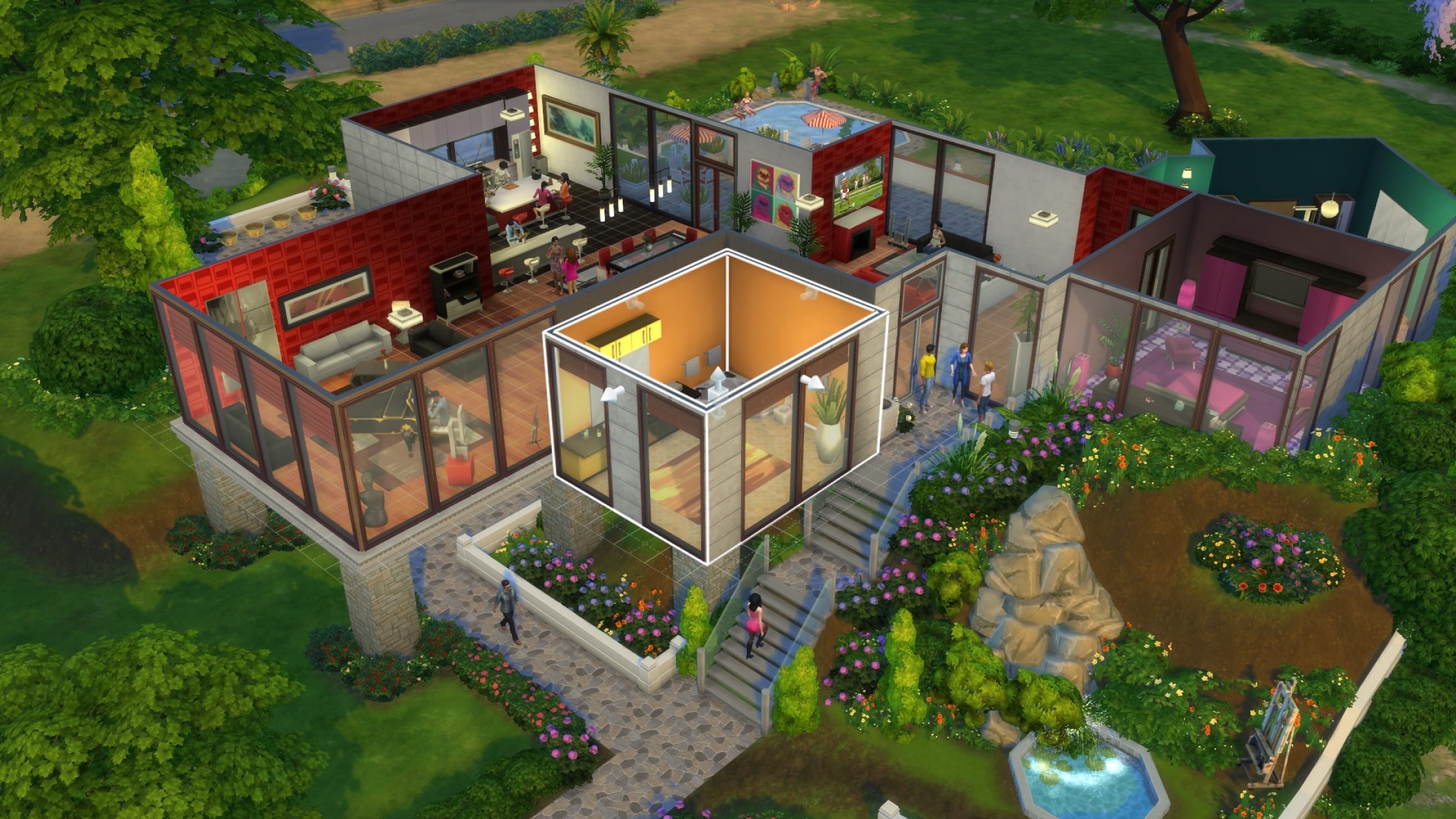
The Sims 4 system requirements and download size
| PC minimum | PC recommended | Mac minimum | |
|---|---|---|---|
| Operating system | 64-bit Windows 10 | 64-bit Windows 10 | macOS 10.15 (Catalina), Metal required |
| Processor | 3.3 GHz Intel Core i3-3220 or AMD Ryzen 3 1200 3.1 GHz | Intel Core i5 (4 cores) or AMD Ryzen 5 | Intel Core i3-3225 3.53 Ghz or better |
| Memory | 4 GB RAM | 8 GB RAM | 4 GB RAM |
| Graphics | 128 MB of Video RAM, Pixel Shader 3.0 (NVIDIA GeForce 6600, ATI Radeon X1300, Intel GMA X4500 or better) | 1 GB of Video RAM, NVIDIA GTX 650 or AMD Radeon HD 7750 | Metal support, Intel HD 4000 or better, 256 MB video RAM |
| DirectX | Version 11 | Version 11 | Not listed |
| Free space (EA) | 25 GB plus 1 GB for custom content and saves | 50 GB plus 1 GB for custom content and saves | 25 GB plus 1 GB for custom content and saves |
| Free space (Steam) | 26 GB | 51 GB | Not listed |
| Internet | Required for activation | Required for activation | Required for activation |
To check a PC, right-click This PC, choose Properties for the processor, RAM and Windows version, then open Device Manager and expand Display adapters for the graphics card.
On a PC or Mac at or near the minimum, or on a laptop, turn on Laptop Mode for a smoother frame rate: click the three-dot icon in-game, select Game Options and check the box next to Laptop Mode.
How do you add mods to the Sims 4?
The Sims 4 takes extra content three ways: the in-game Gallery, Maker Packs from The Sims 4 Marketplace, and creator mods you install yourself on PC or Mac. EA says mods are only available for PC and Mac players and can't be downloaded on PlayStation or Xbox.
| Route | Platforms | Cost | What to know |
|---|---|---|---|
| The Gallery | Every version | Free | Download Sims, homes and rooms other players share, from inside the game |
| The Sims 4 Marketplace | PC, Mac, PlayStation and Xbox | Moola | Maker Packs hold 3 to 50 Create a Sim or Build/Buy items from approved Makers, are human-reviewed and need no restart |
| Creator mods and custom content | PC and Mac only | Free under EA's mod policy | Maxis and EA don't pre-screen, endorse, or support specific Mods or Custom Content |
How to download Sims 4 mods & install them
Download mods only from a trusted source or creator, as EA advises. EA's mod policy requires mods to be non-commercial and distributed free of charge after at most a reasonable early access period, so a mod behind a permanent paywall, or one claiming to be endorsed by The Sims, Maxis or EA, breaks that policy.
- Download the mod on your PC or Mac. If it is a .zip or .rar file, unzip it first.
- Open the Electronic Arts folder on your device and select The Sims 4 folder. If there is no Mods folder there, create one.
- Move the unzipped mod files into the Mods folder.
- Launch The Sims 4, open Game Options and select Other.
- Make sure Enable Custom Content and Mods is checked.
- Relaunch The Sims 4; the mods should now be available in-game.
Fix the Sims 4 not downloading, installing or loading mods
Steam will not start The Sims 4 without the EA app
The EA app is required to play EA games on PC, and Steam requires a linked EA Account.
- Install the EA app from ea.com with Download the EA app.
- Sign in with your EA Account, or create one.
- Link the EA Account to your Steam account, then launch the game from Steam again.
The EA app or the game will not install on a Mac
The EA app for Mac and The Sims 4 both need macOS Catalina or newer, and the game needs Metal support.
- Open About this Mac and check the macOS version.
- Update macOS to Catalina or newer if the Mac supports it.
- Confirm the graphics are Intel HD 4000 or better, then install the EA app again.
The download stops for lack of space
The base game needs at least 25 GB through EA or 26 GB through Steam, and content updates can require additional storage.
- Free up space until the recommended 50 GB is available on the install drive.
- Restart the download from the EA app, Steam or the console.
Mods or custom content do not show up in the game
The game loads mods only from the Mods folder and only when custom content and mods are enabled.
- Check that the mod files are unzipped and inside the Mods folder in The Sims 4 folder.
- Open Game Options, select Other and check Enable Custom Content and Mods.
- Relaunch The Sims 4.
- If custom content stopped loading right after a game update, check The Sims 4 news page on ea.com; the update of 3/18/2026, for example, restored custom content that the previous update had broken.
The Sims 4 will not start on PS5
The PS4 game can need the latest PS5 system software.
- Update the PS5 to the latest system software.
- Launch The Sims 4 from your library again.
The Sims 4 download FAQ
Is The Sims 4 really free to download?
Yes. The base game of The Sims 4 is free to download from the EA app, Steam, the Xbox Store and the PlayStation Store. Expansion packs, game packs, kits, Maker Packs and the Moola currency are paid extras.
Are mods available on console?
No. EA says mods are only available for PC and Mac and can't be downloaded on PlayStation or Xbox. Since the update of 4/16/2026, console players get official Maker Packs from The Sims 4 Marketplace instead, with 16GB of storage on PS4 and PS5 and up to 50GB on Xbox.
Can I play The Sims 4 on Windows 11?
Yes. The EA app runs on 64-bit Windows 10 and 11, and The Sims 4 installs through it or through Steam. EA and Steam both list 64-bit Windows 10 as the minimum operating system for the game.
Do I need the EA app if I download The Sims 4 on Steam?
Yes. Steam lists EA online activation and the EA app as required, and you must link your EA and Steam accounts to play. Launching the game from Steam gives guidance for installing the EA app if it is missing.
Is there a Sims 4 app for iPhone?
No. EA lists The Sims 4 for PC, Mac, PlayStation and Xbox only. You can stream it in Safari through Xbox Cloud Gaming at xbox.com with Game Pass Ultimate, after claiming the free base game on the Xbox Store with the same Microsoft account.
Can I play The Sims 4 on a Mac?
Yes. A native Mac version installs through the EA app for Mac. It needs macOS 10.15 Catalina or newer, Metal support with Intel HD 4000 graphics or better, 4 GB RAM and at least 25 GB of free space.
How big is The Sims 4 download?
Steam asks for 26 GB of available space at minimum and 51 GB recommended. EA lists at least 25 GB, or 50 GB recommended, plus 1 GB for custom content and saved games. Content updates can require additional storage.
Is The Sims 4 on Nintendo Switch?
No. EA lists The Sims 4 for PC and Mac through the EA app, Steam and Epic Games, and for PlayStation and Xbox, with no Nintendo Switch version. On a phone or tablet, Xbox Cloud Gaming is the official route.
Does Moola carry over between platforms?
Only within the same platform family. Moola bought on the EA app also works when playing on Steam or Epic Games, but it does not move between families such as PlayStation and Xbox, and it cannot be refunded, traded or gifted.