Minecraft Forge is a free mod loader for Minecraft: Java Edition, so it runs on Windows 11, Windows 10, Mac and Linux PCs, but there is no Forge for iPhone, where Minecraft is the Bedrock Edition and changes come as Marketplace add-ons instead.
On this page
Below are the official download routes, the Java version each Minecraft release needs, the installer steps, two launchers that set Forge up for you, and fixes for an installer that will not open or a game that crashes.
Which Minecraft Forge download do you need?
Forge only exists for Minecraft: Java Edition. Bedrock Edition, the version on phones and consoles, has no mod support: the official edition comparison lists mods as included for Java and not included for Bedrock.
| Your device | Forge route | Official link | Note |
|---|---|---|---|
| Windows 11 or Windows 10 PC | Forge installer from the official Forge file site, or a Forge profile in the CurseForge app or Modrinth App | Minecraft Forge project page | Needs Java Edition plus the Java version that matches your Minecraft release |
| Mac (Apple silicon or Intel) | The same Forge installer, or a Forge profile in the CurseForge app | CurseForge app | Java Edition's minimum is macOS 12+ |
| Linux PC | The same Forge installer, or Modrinth App | Modrinth App | Java Edition runs on Linux 64-bit |
| iPhone or iPad | No Forge. Use add-ons from Minecraft Marketplace in Bedrock Edition | Minecraft on the App Store | Bedrock Edition does not support mods |
| Xbox, PlayStation or Nintendo Switch | No Forge. Bedrock Edition add-ons from Minecraft Marketplace are the only official way to change the game | Minecraft platforms | Console Minecraft is Bedrock Edition |
Download Minecraft Forge for Windows 11 and Windows 10
Forge's own download site is files.minecraftforge.net, the address listed on the Forge project's official GitHub page. Pick your Minecraft version there, then take the installer for the Recommended Build or the Latest build; the latest build has newer features but can be less stable.
If you would rather not run a separate installer, the CurseForge app and Modrinth App both download Forge for you when you create a Forge profile.
- Minecraft Forge (official project page): Lists files.minecraftforge.net, the Forge file site where you pick a Minecraft version and download its installer
- Minecraft Launcher for Windows 11/10: Forge installs into this launcher, so install it first
- CurseForge app: Creates a Forge profile without the Forge installer; Windows, macOS and Linux
- Modrinth App: Open-source launcher that sets an instance's mod loader for you
How to download Minecraft: Java Edition before installing Forge
Forge adds to a working copy of Java Edition, so the game has to be bought and installed first. Minecraft: Java & Bedrock Edition for PC includes both editions.
- Buy Minecraft: Java & Bedrock Edition for PC on minecraft.net with your Microsoft account.
- Open the Minecraft download page and select Download Launcher, or install the Minecraft Launcher from the Microsoft Store.
- Open the launcher and sign in with the same Microsoft account you used to buy the game.
- Select Minecraft: Java Edition from your library, then download and install it.
How to install Java for Minecraft Forge
The Forge installer is a Java program, and Forge needs the same Java version as the Minecraft release you are modding. The Microsoft Build of OpenJDK is a free option with Windows installers and macOS PKG files for Apple Silicon and x64.
On Windows, the OpenJDK EXE installer associates .jar files with Java by default, so a double-click opens the Forge installer. Use one install method per Java version; switching from MSI to EXE means uninstalling the first copy.
| Minecraft version | Java version Forge needs | Where to get it |
|---|---|---|
| 26.1 and newer | Java 25 | Microsoft Build of OpenJDK 25, or winget install Microsoft.OpenJDK.25 in Windows Terminal |
| 1.20.6 to 1.21.11 | Java 21 | Microsoft Build of OpenJDK 21, or winget install Microsoft.OpenJDK.21 |
| 1.18 to 1.20.4 | Java 17 | Microsoft Build of OpenJDK 17, or winget install Microsoft.OpenJDK.17 |
| 1.17.1 | Java 16 | Not on Microsoft's OpenJDK download page |
| 1.16.5 and older | Java 8 | Eclipse Temurin builds of OpenJDK 8 from the Eclipse Adoptium project, which Microsoft's download page points to |
Java Edition itself needs Windows 10 64-bit, Windows on ARM, macOS 12+ or Linux 64-bit, 8 GB of memory with a discrete GPU (12 GB with integrated graphics), and 2 GB of storage minimum.
How to install Forge in Minecraft on Windows 11 and 10
Installing Minecraft Forge with its own installer adds a new Forge profile to the Minecraft Launcher. The same steps work on a Mac and on Linux once Java is installed.
- On files.minecraftforge.net, select your Minecraft version and download the installer for the Recommended Build.
- Double-click the downloaded installer file. The Forge Installer window opens.
- Leave Install client selected. It installs a new profile to the Minecraft launcher; Install server creates a modded server installation instead.
- Check the Path to Minecraft box. If the path turns red, use the button beside it to select an alternative Minecraft directory.
- Select OK and wait for Finished! in the progress window.
- Confirm the Complete message reads Successfully installed client into launcher.
How to play with Forge in Minecraft
The Forge installer puts Forge into the vanilla Minecraft Launcher as a new version, and a launcher profile that uses that version starts the game with Forge.
- Open the Minecraft Launcher and select Minecraft: Java Edition.
- Create a new profile that uses the Forge version the installer added, or pick it if it is already listed.
- Start the game with that profile selected.
- Add only mods built for Forge and for the same Minecraft version. On Modrinth, filter by the Forge loader and your game version; on CurseForge, check the All Mod Loaders and All Game Versions dropdowns on the mod's page.
Install Minecraft Forge through the CurseForge app
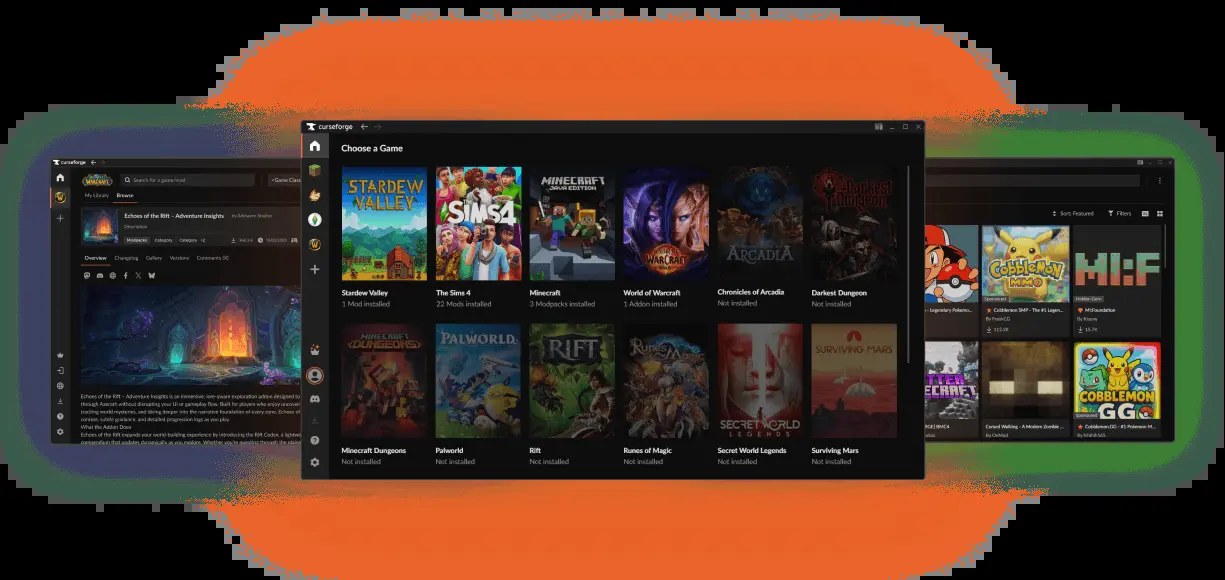
The CurseForge app builds a Forge profile for you, pre-selects the latest Forge version for the Minecraft version you choose, and only lets you add mods that match that loader and game version. It runs on Windows, macOS and Linux.
- Download and install the CurseForge app, then open its Minecraft section.
- Click Create, name the profile, select a Minecraft version and set the game type to Forge.
- Go to My Modpacks and click the new profile.
- Click Add More Content and install the mods you want.
- Click Play to launch Minecraft with Forge and those mods.
Install Minecraft Forge through Modrinth App
Modrinth App is an open-source launcher that installs the mod loader, the matching Java versions and the mods in one place.
- Download and install Modrinth App.
- Click the cog in the bottom-left corner, open Java installations and click Install recommended next to the Java 21, Java 17 and Java 8 locations.
- Create a new instance with a name, Forge as the loader and the Minecraft version you want.
- To change the loader or game version later, open the instance settings and go to the Installation tab.
- Add mods from the instance's Mods section, and use Update all to keep them current.
Is Minecraft Forge free?
Yes. Forge is a free, open-source modding API, and the Forge project states it is and will always remain free to use and modify. The only purchase involved is Minecraft: Java Edition itself. Forge never needs a payment; download it from files.minecraftforge.net, or let the CurseForge app or Modrinth App fetch it.
Can you download Minecraft Forge on Mac or Linux?
Yes. Java Edition runs on macOS and Linux, and Forge works the same way there: install the right Java build, then run the Forge installer or create a Forge profile in a launcher app.
| Your computer | Java package to install | Forge route |
|---|---|---|
| Mac with Apple silicon (M1 or newer) | Microsoft Build of OpenJDK, macOS Apple Silicon PKG | Forge installer with Install client, or a CurseForge app profile |
| Mac with an Intel processor | Microsoft Build of OpenJDK, macOS x64 PKG | Forge installer with Install client, or a CurseForge app profile |
| Linux PC | Microsoft Build of OpenJDK, Linux tar.gz, or DEB and RPM packages from packages.microsoft.com | Forge installer, Modrinth App or the CurseForge app |
Minecraft Forge on iPhone and Android
There is no Forge for iPhone, iPad or Android, and no official way to run Java Edition mods on them. Minecraft on mobile is Bedrock Edition, which customizes the game with add-ons, worlds and skins from Minecraft Marketplace instead.
- Minecraft on the App Store (iPhone and iPad): $6.99 with in-app purchases, 1.3 GB; Bedrock Edition with Marketplace add-ons
- Minecraft for Android and other platforms: Official links for every Minecraft platform, including Android
How to update Minecraft Forge
- Check which Forge version your mods need on their Modrinth or CurseForge pages before updating.
- Download the newer installer for your Minecraft version from files.minecraftforge.net.
- Run it with Install client selected; it adds the new Forge version as another profile.
- Select the new Forge version in the Minecraft Launcher before you start the game.
- In the CurseForge app or Modrinth App, change the Forge version in the profile or instance settings instead.
Fix Minecraft Forge not downloading, installing or launching
The Forge installer opens as an archive or does nothing
Java is missing, or Windows is not using Java to launch .jar files.
- Install the Java version from the table above with the Microsoft Build of OpenJDK EXE installer, which associates .jar files with Java by default.
- Double-click the Forge installer again.
Forge installer error: address did not have valid certificates
The Forge installer reports this when the Java install is outdated.
- Install the current Java version for your Minecraft release.
- Run the Forge installer again with Install client selected.
The Path to Minecraft box is red and the installer will not continue
The selected path is not a valid target for the client install.
- Use the button beside the path box to select an alternative Minecraft directory.
- If Java Edition is not installed yet, install it from the Minecraft Launcher, then run the Forge installer again.
Minecraft Forge crashing on launch or loading
A mod built for another loader or Minecraft version, an outdated mod, or two mods that conflict.
- Open the logs folder in the Minecraft game directory and read the end of latest.log; debug.log has more detail.
- If a mod's name appears in the crash report's stack trace, update or remove that mod first.
- Confirm every mod supports Forge and your exact Minecraft version.
- If the cause is still unclear, move half the mods out, test, and keep halving until the crash stops.
How to uninstall Minecraft Forge
- Open the Minecraft Launcher and select Minecraft: Java Edition.
- Delete the profile that uses the Forge version.
- Start the game with a vanilla release profile to confirm it runs without Forge.
- If you used the CurseForge app or Modrinth App, delete the Forge profile or instance inside that app instead.
Frequently asked questions
What is Forge for Minecraft?
Forge is a free, open-source modding API for Minecraft: Java Edition. It modifies the Minecraft base files to help mods stay compatible with each other, so a mod built for Forge needs Forge installed for the same Minecraft version before it will run.
How do I download Minecraft Forge?
Open files.minecraftforge.net, the download site listed on the Forge project's GitHub page, pick your Minecraft version and download the Recommended Build installer. Alternatively, create a Forge profile in the CurseForge app or Modrinth App, which downloads Forge for you.
Is Minecraft Forge safe to download?
Download Forge only from files.minecraftforge.net, the file site named on the Forge project's official GitHub page, or let the CurseForge app or Modrinth App install it. Install mods for it only from Modrinth or CurseForge, and match each mod to your Forge and Minecraft version.
Why can't I download Forge for Minecraft?
Make sure you are on files.minecraftforge.net and have picked a Minecraft version first, because each version has its own installer. If the download still fails, create a Forge profile in the CurseForge app or Modrinth App, which fetch Forge themselves.
Does Minecraft Forge work on Bedrock Edition or consoles?
No. Forge is for Java Edition only. Bedrock Edition on Windows, Xbox, PlayStation, Nintendo Switch and mobile does not support mods; it uses add-ons, worlds and skins from Minecraft Marketplace instead.
Do I need to install Java for Minecraft Forge?
Yes, to run the Forge installer. Forge needs the Java version Minecraft requires: Java 25 for 26.1 and newer, Java 21 for 1.20.6 to 1.21.11, and Java 17 for 1.18 to 1.20.4. The Microsoft Build of OpenJDK covers all three.
How do I fix Minecraft mods for Forge?
Check that each mod is built for Forge, not Fabric or NeoForge, and for your exact Minecraft version. Update mods to their latest versions, then read latest.log in the logs folder to find the mod named in the crash.
How do I remove Forge from Minecraft?
Delete the profile that uses the Forge version in the Minecraft Launcher, then start the game with a vanilla release profile. In the CurseForge app or Modrinth App, delete the Forge profile or instance inside the app instead.